
주요 콘텐츠로 건너뛰기

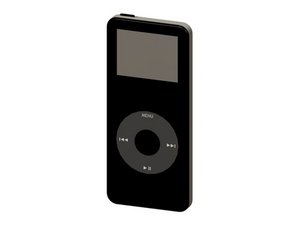
Model A1137 / 1, 2, or 4 GB capacity / black or white plastic front

Tried Installing New Click Wheel, Didn't Solve the Problem

I'm repairing a Nano (1st Gen.) for a family member. It was clear his click wheel was non-functional because it wouldn't scroll nor would the action button work. However, the Reset key combo worked, which, in my mind, meant the logic board was sound and reinforced my opinion on the faulty click wheel. So I bought a new one from iFixit, have attempted installing it three times. Click wheel still doesn't work. Restored it from iTunes for fun, still no-go. Any thoughts?

Thanks,

Isaac T.

답변되었습니다! 답변 보기 저도 같은 문제가 있습니다

좋은 질문입니까?

점수 1
댓글 1개

Isaac, did you ever get it fixed?

댓글 달기

답변 1개

선택된 해법

there are many possible defects - but the only part you can change is the clickwheel.

many clickwheels problems are software related - and this can not be fixed with a simple restore. my 1st gen nano had extreme graphic related problems, i fixed it with the installation of rockbox (click)

i would try that first on a nano 1g - you can uninstall rockbox at any time - so you have nothing to lose

이 답변이 도움이 되었나요?

점수 0

댓글 1개:

Tried Rockbox. Now it's stuck on the Apple logo. Won't go any further. Can't power it down or reset it because the click wheel doesn't work. Will have to wait for the battery to die before restoring the stock firmware. Thanks anyway!

댓글 달기

답변을 추가하세요

iterronez 영원히 감사할 것입니다.
조회 통계:

지난 24시간: 0

지난 7일: 2

지난 30일: 6

전체 시간: 1,657
