
주요 콘텐츠로 건너뛰기
수리 커뮤니티 가입 - 계정 만들기

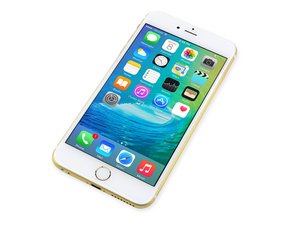
2015년 9월 25일 출시. Model A1687/A1634. 수리는 이전 모델과 유사하며 스크류 드라이버 및 비집는 도구가 필요합니다. GSM 또는 CDMA / 6, 64, 또는 128GB / 은색, 금색, 스페이스 그레이 및 로즈 골드로 제공하였습니다.

Why won't my screen work?

So... I fixed the 6s plus screen. Tested it first, it worked. Shut off phone, unplugged battery. Once the screen was reassembled and plugged in securely, the display did not work.

I thought maybe the screen was damaged, so I tried another screen. This one doesn't work either. Meanwhile, when I plug the phone into the computer, iTunes does recognize it, so it must be on... right? I must have messed up the connection with the mother board..? Any advice?

이 질문에 답하기 저도 같은 문제가 있습니다

좋은 질문입니까?

점수 0
댓글 달기

답변 1개

sounds exactly right, if you plug it into itunes and its detected then it means that the motherboard is working and that you simply have 0 display. Open the phone up and clear the ports on the motherboard for the display, make sure the gasket around those ports isnt getting caught when you seat the lcd screen ribbon cable, make sure the display port on the motherboard isnt damaged and is clear of debris. Also make sure you arent pinching the lcd ribbon cable on anything when you are closing it up.

Finally check your original screen if you still have it, i have seen sometimes on the pentalobe screw posts there are rubber boots that you need to move over to the new screen otherwise it shorts when you close it up. Hope this helps good luck!

이 답변이 도움이 되었나요?

점수 0
댓글 달기

답변을 추가하세요

brownkaleb14 영원히 감사할 것입니다.
조회 통계:

지난 24시간: 0

지난 7일: 4

지난 30일: 8

전체 시간: 114
