
주요 콘텐츠로 건너뛰기

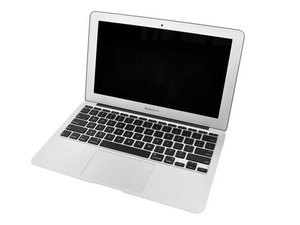
1.4GHz 또는 1.6GHz 프로세서, 64GB 또는 128GB SSD.

Lost email address upon OS upgrade

Macbook Air “upgraded” to “High Sierra” OS and somehow lost one of my two email addresses (same account). Attempts to reinstate it via “Internet Accounts” system preferences only results in message “unable to verify account name or password.”

All suggestions on “fix” gratefully received!

답변되었습니다! 답변 보기 저도 같은 문제가 있습니다

좋은 질문입니까?

점수 0
댓글 달기

답변 2개

선택된 해법

Turns out the answer to my problem is: If rebuilding the mailbox should fail, quit Mail.app and then delete "/Users/yourusername/Library/Mail/Envelope Index." When you relaunch Mail.app, it will reimport all of your mail from scratch, effectively rebuilding every index for every mailbox.

이 답변이 도움이 되었나요?

점수 1
댓글 달기

Are you sure the mail box was still active?

Using your phone or tablet are you able to access the mailbox? If you are you should be able to add it to your MacBook Air settings.

이 답변이 도움이 되었나요?

점수 0

댓글 4개:

Hi, Dan. Yeah, that's the problem. Can't add/access with the MacBook, but iPad and iPhone email works just fine. Problem has got to be with the 'book, but don't know where to look. "Internet Accounts" and "Mail Prefs" seem to be correct, far as I can tell, but attempting to "add" account in either results in "can't verify account or password" message. "Verified" by "who"/where???

@Doug - The hand-shake is between your system and the email server you are accessing.

Open up Mail, then goto Window menu > Connection Doctor from both your iPad and MacBook Pro are you connecting to the same host system. Make sure you got the hosts name correct and its "dot" Com, Net or Org. Check your spelling and if the host is mix case make sure you also apply the same case (many corps are now doing this to make it harder for fishing).

As this is an open blog its not wise to post the connection doctor output. But If you go to an Apple Store I'm sure they will help you.

Thanks for trying, Dan. Unfortunately, nearest Apple Store is about 65 miles away. Maybe some day...

(Sorry took so long to reply - thought I'd have a message alert, but...)

Dan, I stumbled across the solution. Feel free to use it in the future, and thanks for your reply.

댓글 달기

답변을 추가하세요

Doug 영원히 감사할 것입니다.
조회 통계:

지난 24시간: 1

지난 7일: 4

지난 30일: 15

전체 시간: 157
