
주요 콘텐츠로 건너뛰기

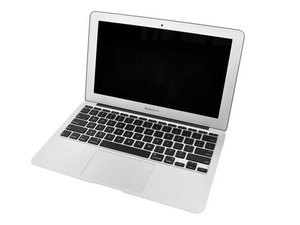
1.4GHz 또는 1.6GHz 프로세서, 64GB 또는 128GB SSD.

Why is my computer corrupting its SSD?

I have a 2010 MacBook Air and every couple of hours it crashes and when it tries to boot again it shows a folder and a question mark. When I enter recovery mode, open disk utility, and use the first aid tool, it repairs stuff and then my computer works fine again. Is this because of the SSD or something else? I have already tried reinstalling a fresh copy of macOS high Sierra.

이 질문에 답하기 저도 같은 문제가 있습니다

좋은 질문입니까?

점수 0

댓글 3개:

What is your drive? Apples or someone else's and the drives details.

Also, let’s get a better view of things, install this gem of an app! CoconutBattery take a snapshot of the apps main window and post it here for us to see 기존 질문에 이미지 추가하기

I have apple's original 256gb Toshiba ssd

It only has this problem once it heats up.

댓글 달기

답변 1개

If thats the case it does sound like the SSD is failing. This series uses a custom mSATA blade drive.

You’ll need to replace it, your options are limited either going with another Apple driver or OWC Aura Pro SSD and you might want to get a larger drive if you find your drive is more than 3/4 full. The reason here is you want to leave a partition of the drive unused so the OS and your apps have some elbow room for Virtual RAM, caching and scratch space use.

Reference: The Ultimate Guide to Apple’s Proprietary SSDs

Replace or upgrade the SSD in your laptop. This SSD is compatible with a Late 2010 or Mid 2011 MacBook Air 11" or 13" laptop. 이미지

제품

OWC Aura Pro SSD for MacBook Air 11" and 13" (Late 2010-Mid 2011)

$45.99

이 답변이 도움이 되었나요?

점수 0
댓글 달기

답변을 추가하세요

Nathaniel Hellewell 영원히 감사할 것입니다.
조회 통계:

지난 24시간: 2

지난 7일: 3

지난 30일: 9

전체 시간: 134
