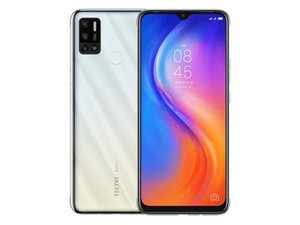
Why is my phone doesn't vibrate when ringing?
My phone has stopped vibrating by its own when people call
좋은 질문입니까?
점수
2

평판: 25
 1
1
My phone has stopped vibrating by its own when people call
좋은 질문입니까?

평판: 1
4
To make your TECNO Spark 6 Air vibrate, you can use the “Vibrate on touch” setting in the “Sound & vibration” menu of the “Settings” app on your phone. Here's how to do it:

To make your TECNO Spark 6 Air vibrate, you can use the “Vibrate on touch” setting in the “Sound & vibration” menu of the “Settings” app on your phone. Here's how to do it:

Open the “Settings” app on your phone.

Scroll down and tap "Sound & vibration."

Scroll down and tap "Vibrate on touch."

Turn on the “Vibrate on touch” toggle switch.

Test the vibration function by tapping the screen or pressing a button on your TECNO Spark 6 Air. Your phone will vibrate.
이 답변이 도움이 되었나요?

평판: 61
1
Verify that the "Silent Mode" is off: If your phone has a "Ring switch", move the switch forwards so that the orange bar is hidden. You can also use "Control Center" to check if the "Silent Mode" is turned on.
이 답변이 도움이 되었나요?

평판: 25
2
First check the settings, if setting are okay then maybe you need to change the vibrator.
이 답변이 도움이 되었나요?
지난 24시간: 3
지난 7일: 7
지난 30일: 23
전체 시간: 1,081
