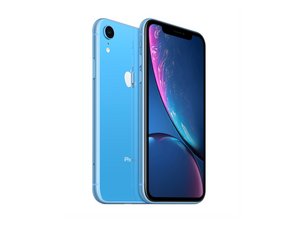

Why's is lost mode on my iPhone XRs screen
Iphone XRs lost mode unlocking
좋은 질문입니까?
점수
0

평판: 2.7k
 21
21
 5
5
 11
11
Lost mode appears when the owner, or someone with access on the owner's behalf, marks the phone as lost on iCloud.com/find or through the Find My Devices app.
To turn it off, simply go back to iCloud.com/find or the Find My Devices app, select the 'lost' device, and mark it as not lost. It should unlock soon and be back to normal.
If this phone does not belong to you, then there is nothing you can do but return it. You can find information in the Medical ID if the owner has filled that out that may help you return it. Otherwise, if nothing shows up, you should take it to an Apple Store or a local police station. They may be able to properly find the owner.
이 답변이 도움이 되었나요?
지난 24시간: 0
지난 7일: 0
지난 30일: 1
전체 시간: 41

We need more information to understand what's going on with your phone.
Is this your own personal phone? Are you saying it's somehow locked you out and it's now in some sort of lost mode? Is this even your phone, or did you find one and want to use it despite it being reported as lost?
Jerry Wheeler 의