주요 콘텐츠로 건너뛰기

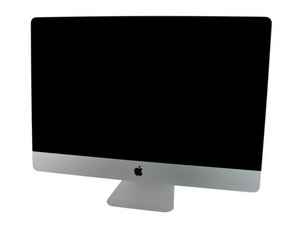
모델 A1312 / Mid 2011 / 2.7 & 3.1 GHz Core i5 or 3.4 GHz Core i7 Processor, ID iMac12,2

iMac stuck on white screen with apple logo on boot

After a HDD and backlight board replacement an iMac I'm working on has the first 3 diagnostic LED lights work, but upon hooking up the screen it doesn't seem to get past a screen with an apple logo and progress bar. After 10 minutes or so the bar does finish filling, but nothing seems to happen. Granted this may just be an issue of not waiting long enough, but I could feel the screen heating up (uncomfortably hot to touch) and I didn't want to risk damaging components. Might this be an issue with the HDD or is something else more likely?

답변되었습니다! 답변 보기 저도 같은 문제가 있습니다

좋은 질문입니까?

점수 0
댓글 달기

답변 1개

선택된 해법

Do you have access to a second Mac to create a bootable USB thumb drive?

It sounds like the OS is not the correct one or is damaged, as normally the system would automatically jump into recovery when a raw fresh disk is installed. This system may have had the older OS-X or early macOS which need a bootable drive to then setup the new drive as the systems firmware was not upgraded with the newer and better ability to do the internet install/upgrade.

이 답변이 도움이 되었나요?

점수 1

댓글 2개:

The OS *should* be a compatible one, since I took the drive from another mac of the same vintage (running High Safari). Unfortunately I don't have access to a working mac, though I may be able to borrow a friend's for that purpose. However if getting access isn't as simple as I might hope, is it possible to make a boot disk from a Windows computer?

@classicalfixes - Ah! That can explain it as the drive is setup, just not the needed firmware update for the drives OS vs what the system had before.

I've never successful at doing it within Windows and many gave up here, as the boot locks are unique to macOS.

댓글 달기

답변을 추가하세요

Emily H 영원히 감사할 것입니다.
조회 통계:

지난 24시간: 0

지난 7일: 1

지난 30일: 10

전체 시간: 93
