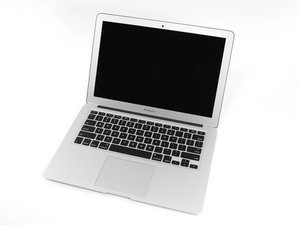

Potential Water Damage, Need Help w/ ID
Background
Someone was using the laptop, spilled tea (tea, milk and sugar) onto laptop. Battery was running low, power was on when spill happened. They quickly turned it off and let it sit upside down for 4 days. Tried to turn back on after letting it reach full charge, no response from power button (even after 10 second hold), nothing on screen.
Question
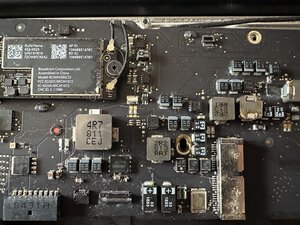
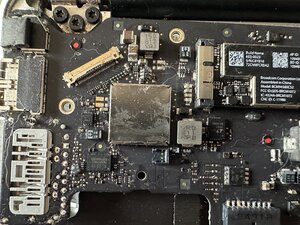
After opening up, there was still some remnants of tea on the bottom of the battery, and dried tea on aluminum backplate. I’ve never worked with liquid damage before, don’t know what to look for, and having a hard time finding a reliable guide. Can anyone see if this is fixable without replacing logic board? See attached pictures (3 of front of board, 2 of back)
***
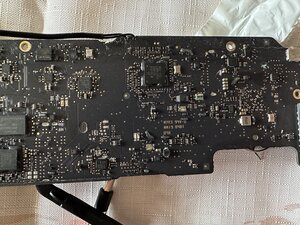
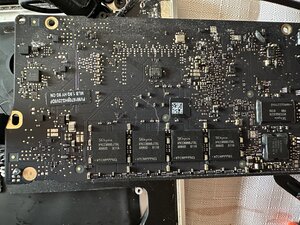
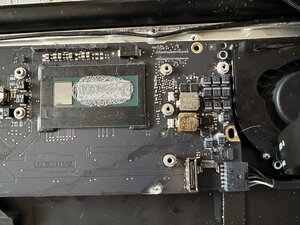
***
좋은 질문입니까?
점수
0

 28
28  17
17  8
8 


I would love to help, but I don't see your pictures :( Can you make sure you added them?
Alisha C 의
@flannelist apologies!! It's my first time posting here, was a little unfamiliar with how to attach images. They should be attached now, thanks!!
tMabs 의
@tmabs look like the hardest part is done. you got the board out. I do believe in trying to fix before replacing. Remember that while your board has not been cleaned, troubleshooting will only be a guess. Start off by giving it a good cleaning.
You will need to use some 90%+ isopropyl alcohol to clean your board. For a proper cleaning, use this guide. It was written for an Apple iPhone 3G but all the steps are pertinent to your logic board as well. I can not stress the importance of a good cleaning enough, so do it over and over while replacing the alcohol after each cleaning. It would of course be best to get it ultrasonically cleaned. Do not forget about your I/O board as well as other boards connected to your logic board.
After that, reassemble your MBA and re-evaluate. While you reassemble your MBA make sure that all connectors are cleaned as well. You may need to replace the battery as well, depending on if it got "tea" damaged as well. Then let us know what is going on with it.
oldturkey03 의