
Sudden discharge of newly changed battery - reason to be concerned?
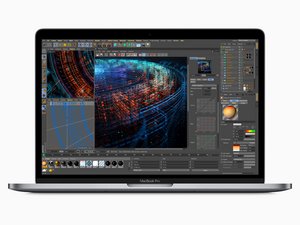
Got a MacBook Pro 15" Touch Bar 2018. Ordered MacBook Pro 15" Retina (Mid 2018-2019) Battery kit.
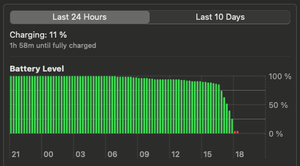
Got the kit in fine shape and made the switch with no problem. Configured according to instructions. Worked great for an additional 3 days. Left the computer in sleep mode without the cable inserted over the weekend. Came back and was fully discharged. Checked the battery pane in System Settings. See attached image. Looks weird to me. Any reason to be concerned?
---
Update:
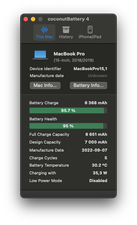
Screenshot from coconutBattery 4.
좋은 질문입니까?
점수
0

 35
35  338
338  974
974 
I find this App offers a bit better info tried to diagnose power issues CoconutBattery. Let's see what it tells us. Take a snapshot of the Apps main window and post it here so we can see as well.
DanJ 의
Updated the question. Looking at the screenshot from coconutBattery 4 I am reminded that I have forgotten to turn on Low power mode. But is that all?
JMDE 의