주요 콘텐츠로 건너뛰기
수리 커뮤니티 가입 - 계정 만들기

ASUS Padfone X mini Station Battery Replacement

조회수: 934

통계 보기:

지난 24시간
1
지난 7일:
9
지난 30일:
79
전체 시간:
934
댓글: 0

해당 안내서에 댓글을 남긴 사람이 없습니다. 첫 번째가 되시겠습니까?

Go to guide comments
완료함: 0

이 가이드를 "완료"로 표시한 사람은 아직 없습니다. 첫 번째 주인공이 되시겠어요?

즐겨찾기: 0

해당 안내서에 좋아요를 누르고 구독한 사람이 아직 없습니다. 첫 번째 주인공이 되시겠습니까?

소요 시간: 15 분
난이도: 쉬움
ASUS Padfone X mini Station Battery Replacement

Is your device plugged in and still not charging? Have you tried using different chargers and still no luck? Follow this guide to replace the battery inside your device. All you will need are the plastic opening tools.

필요한 것

도구

    1. ASUS Padfone X mini Station Battery Replacement, Battery: 1 단계, 이미지 1개 중 1개
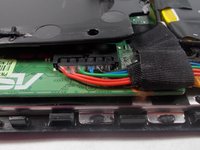
      • Insert the plastic opening tool between the edge of the screen and the back cover.

      • Gently pry them apart. Use hands to pull them apart if necessary.

      댓글 쓰기

    2. ASUS Padfone X mini Station Battery Replacement: 2 단계, 이미지 2개 중 1개 ASUS Padfone X mini Station Battery Replacement: 2 단계, 이미지 2개 중 2개
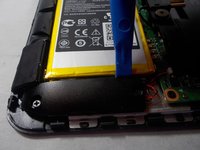
      • Remove the three pieces of tape that secure the battery and its wires. Peel gently so you don’t damage any wires.

      댓글 쓰기

    3. ASUS Padfone X mini Station Battery Replacement: 3 단계, 이미지 3개 중 1개 ASUS Padfone X mini Station Battery Replacement: 3 단계, 이미지 3개 중 2개 ASUS Padfone X mini Station Battery Replacement: 3 단계, 이미지 3개 중 3개
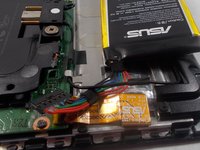
      • Disconnect the ribbon from the motherboard by gently pulling with your fingers.

      • Using the opening tools, pry the battery off of the adhesive.

      • Be careful not to pull the battery out right away. The ribbon cable is tucked beneath another wire.

      댓글 쓰기

결론

To reassemble your device, follow these instructions in reverse order.

취소: 해당 안내서를 완성하지 않았습니다.

작성자

2다른 기여자 명과 함께

Alexzander Pastore

회원 가입일: 10/26/18

389 평판

안내서 3개를 작성함

팀

UMass Dartmouth, Team S2-G7, Peak Fall 2018 UMass Dartmouth, Team S2-G7, Peak Fall 2018 회원

UMASSD-PEAK-F18S2G7

3 회원들

안내서 48개를 작성함

0가이드 댓글

댓글 쓰기

조회 통계:

지난 24시간: 1

지난 7일: 9

지난 30일: 79

전체 시간: 934