주요 콘텐츠로 건너뛰기

Acer Aspire 5100 Hard Disk Drive Replacement

필요한 것

  1. Acer Aspire 5100 Hard Disk Drive Replacement, Hard Disk Drive: 1 단계, 이미지 1개 중 1개
    • Place laptop upside down.

    • To get to the hard drive, remove the two screws located on the panel to the right of the battery.

    • Although the battery is missing in this photo, it is not necessary to remove.

  2. Acer Aspire 5100 Hard Disk Drive Replacement: 2 단계, 이미지 1개 중 1개
    • Lift up the panel.

  3. Acer Aspire 5100 Hard Disk Drive Replacement: 3 단계, 이미지 3개 중 1개 Acer Aspire 5100 Hard Disk Drive Replacement: 3 단계, 이미지 3개 중 2개 Acer Aspire 5100 Hard Disk Drive Replacement: 3 단계, 이미지 3개 중 3개
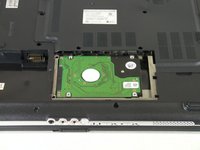
    • Hard disk drive should now be visible.

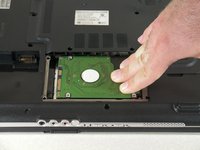
    • Slide the hard disk drive to the right to disconnect it from the laptop.

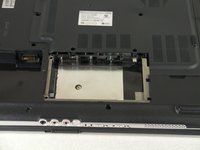
    • Lift up and remove the hard disk drive.

    • Slide in the new hard disk drive.

결론

To reassemble your device, follow these instructions in reverse order.

다른 6명이 해당 안내서를 완성하였습니다.

작성자

6다른 기여자 명과 함께

Brad Rollinson

회원 가입일: 09/29/10

1,113 평판

안내서 7개를 작성함

Cal Poly, Team 14-39, Forte Fall 2010 Cal Poly, Team 14-39, Forte Fall 2010 회원

CPSU-FORTE-F10S14G39

5 회원들

안내서 10개를 작성함

0가이드 댓글

댓글 쓰기

조회 통계:

지난 24시간: 3

지난 7일: 10

지난 30일: 27

전체 시간: 21,379