주요 콘텐츠로 건너뛰기

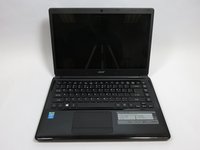
Acer Aspire E1-470P-6659 Cooling Fan Replacement

필요한 것

  1. Acer Aspire E1-470P-6659 Cooling Fan Replacement, Battery: 1 단계, 이미지 1개 중 1개
    • Turn off the laptop and disconnect all device cords.

  2. Acer Aspire E1-470P-6659 Cooling Fan Replacement: 2 단계, 이미지 1개 중 1개
    • Flip the laptop over so the bottom is facing you.

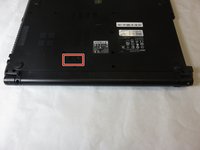
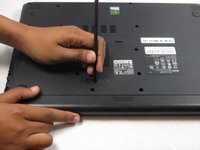
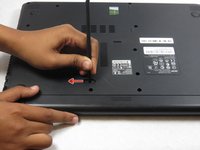
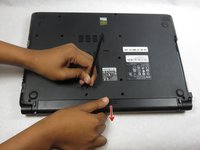
  3. Acer Aspire E1-470P-6659 Cooling Fan Replacement: 3 단계, 이미지 3개 중 1개 Acer Aspire E1-470P-6659 Cooling Fan Replacement: 3 단계, 이미지 3개 중 2개 Acer Aspire E1-470P-6659 Cooling Fan Replacement: 3 단계, 이미지 3개 중 3개
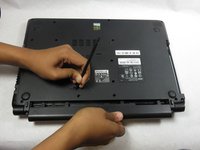
    • Use your finger or a spuger to pull the battery release switch.

  4. Acer Aspire E1-470P-6659 Cooling Fan Replacement: 4 단계, 이미지 3개 중 1개 Acer Aspire E1-470P-6659 Cooling Fan Replacement: 4 단계, 이미지 3개 중 2개 Acer Aspire E1-470P-6659 Cooling Fan Replacement: 4 단계, 이미지 3개 중 3개
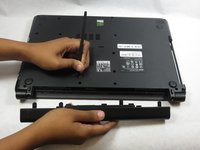
    • Remove the battery from the laptop.

  5. Acer Aspire E1-470P-6659 Cooling Fan Replacement, Hard Drive: 5 단계, 이미지 2개 중 1개 Acer Aspire E1-470P-6659 Cooling Fan Replacement, Hard Drive: 5 단계, 이미지 2개 중 2개
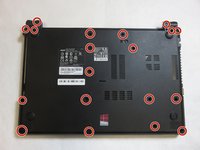
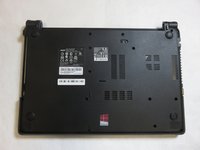
    • Remove nineteen screws from the back panel using a Phillips #0 Screwdriver .

  6. Acer Aspire E1-470P-6659 Cooling Fan Replacement: 6 단계, 이미지 3개 중 1개 Acer Aspire E1-470P-6659 Cooling Fan Replacement: 6 단계, 이미지 3개 중 2개 Acer Aspire E1-470P-6659 Cooling Fan Replacement: 6 단계, 이미지 3개 중 3개
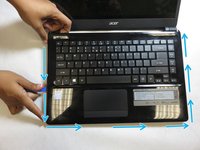
    • Run the plastic opening tool across from one corner to another along the edge.

    • Separate the keyboard panel gently.

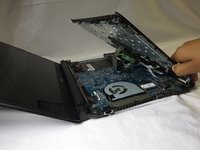
    • Lift the keyboard slowly from the laptop but do not lift completely because there are ribbon cables attached.

  7. Acer Aspire E1-470P-6659 Cooling Fan Replacement: 7 단계, 이미지 2개 중 1개 Acer Aspire E1-470P-6659 Cooling Fan Replacement: 7 단계, 이미지 2개 중 2개
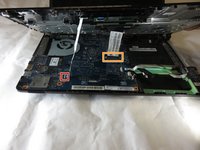
    • Disconnect the two keyboard assembly ribbon cables from motherboard.

    • To release small ribbon cable, use spudger or fingers to flip gray bar along edge over.

    • To release larger ribbon cable, use pry tool or spudger to slide white plastic clip forward.

  8. Acer Aspire E1-470P-6659 Cooling Fan Replacement: 8 단계, 이미지 1개 중 1개
    • Pull up the release tab beside the hard drive.

    • Disconnect portion of ribbon cable that is covering the hard drive.

    • Handle the ribbon carefully. Do not break the metal contact.

    • While reconnecting the ribbon after replacing a new hard drive, face the blue side with a label up. Make sure the black line beside the sticker is not crooked, so that the ribbon is tight.

  9. Acer Aspire E1-470P-6659 Cooling Fan Replacement: 9 단계, 이미지 1개 중 1개
    • Remove the hard drive screw using Phillips #0 Screwdriver.

  10. Acer Aspire E1-470P-6659 Cooling Fan Replacement: 10 단계, 이미지 1개 중 1개
    • Pull the hard drive out gently. Be aware that it is connected to the adapter.

    • Gently remove adapter by pulling on both ends simultaneously to separate it from the hard drive.

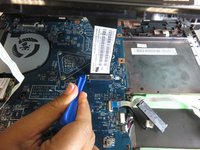
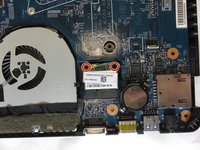
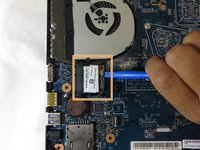
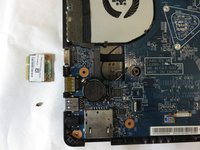
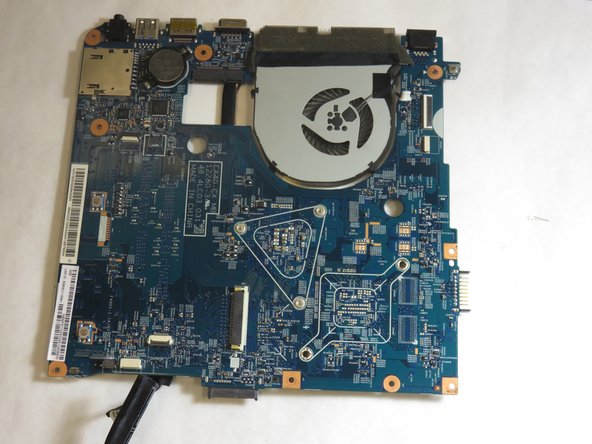
  11. Acer Aspire E1-470P-6659 Cooling Fan Replacement, Motherboard: 11 단계, 이미지 3개 중 1개 Acer Aspire E1-470P-6659 Cooling Fan Replacement, Motherboard: 11 단계, 이미지 3개 중 2개 Acer Aspire E1-470P-6659 Cooling Fan Replacement, Motherboard: 11 단계, 이미지 3개 중 3개
    • Remove additional screws that can be found on the motherboard.

    • Remove the green wifi card from motherboard.

    • Use spudger to disconnect the fan and motherboard from laptop.

  12. Acer Aspire E1-470P-6659 Cooling Fan Replacement: 12 단계, 이미지 2개 중 1개 Acer Aspire E1-470P-6659 Cooling Fan Replacement: 12 단계, 이미지 2개 중 2개
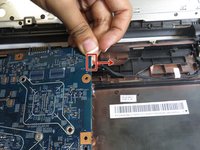
    • Remove the cable attached to motherboard.

    • Gently lift and remove the motherboard from the laptop.

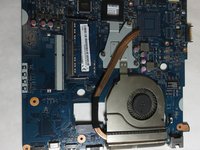
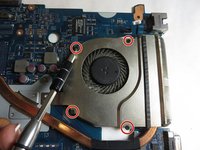
  13. Acer Aspire E1-470P-6659 Cooling Fan Replacement, Cooling Fan: 13 단계, 이미지 2개 중 1개 Acer Aspire E1-470P-6659 Cooling Fan Replacement, Cooling Fan: 13 단계, 이미지 2개 중 2개
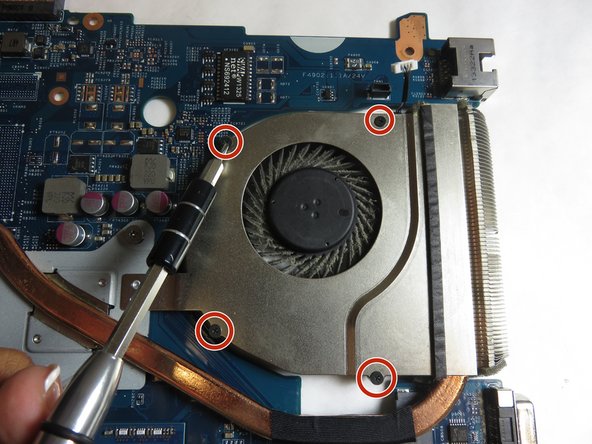
    • Flip the motherboard and fan piece over.

    • Remove the four screws using the Phillips #000 Screwdriver.

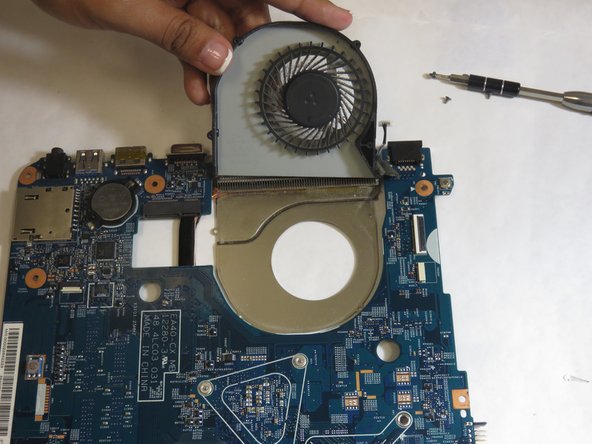
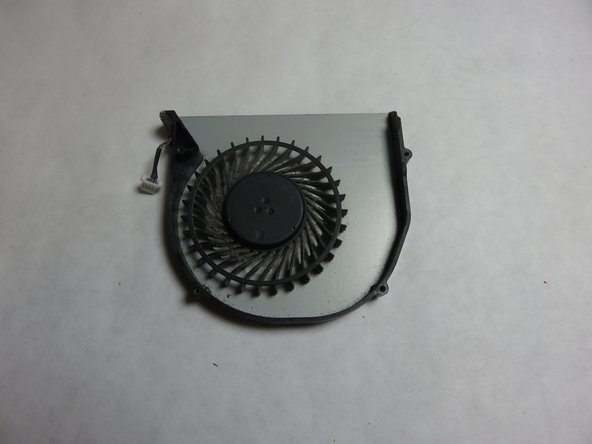
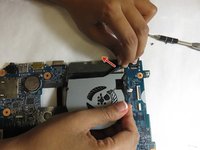
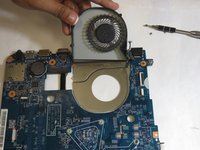
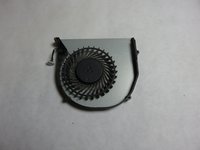
  14. Acer Aspire E1-470P-6659 Cooling Fan Replacement: 14 단계, 이미지 3개 중 1개 Acer Aspire E1-470P-6659 Cooling Fan Replacement: 14 단계, 이미지 3개 중 2개 Acer Aspire E1-470P-6659 Cooling Fan Replacement: 14 단계, 이미지 3개 중 3개
    • Flip the motherboard over and slowly remove the tape holding the cooling fan down.

    • Use a spudger to remove the top of the fan from the base of the fan.

    • Remove the cooling fan component from both the tape and the motherboard.

결론

To reassemble your device, follow these instructions in reverse order.

작성자

2다른 기여자 명과 함께

Faith Lobaton

회원 가입일: 10/22/18

518 평판

안내서 3개를 작성함

UC Davis, Team S4-G5, Lore Fall 2018 UC Davis, Team S4-G5, Lore Fall 2018 회원

UCD-LORE-F18S4G5

3 회원들

안내서 6개를 작성함

0가이드 댓글

댓글 쓰기

조회 통계:

지난 24시간: 0

지난 7일: 2

지난 30일: 22

전체 시간: 593