소개
If your Acer Aspire E5-571P-55TL is taking excessively long periods of time to open or run programs, your hard drive may need to be replaced. The hard drive is a physical disk that is constantly read from and written on, which leads to wear-and-tear over time. To see more common issues which may require hard drive removal, see our Acer E5-571P-55TL troubleshooting guide.
This guide will explain how to replace the hard drive for the Acer E5-571P-55TL. Before performing actions in this guide be sure to power off your laptop and remove the power adapter.
필요한 것
-
-
-
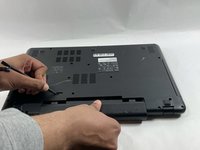
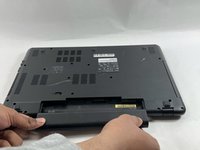
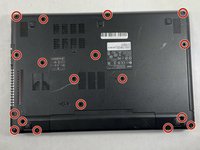
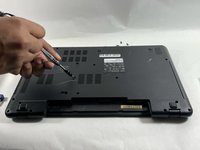
Using a Phillips #0 screwdriver, remove each of the eighteen 8 mm screws from the bottom of the laptop.
-
-
-
Carefully place your fingers underneath the top of the keyboard just below the screen.
-
Pull upwards until you can hear the keyboard click out of place.
-
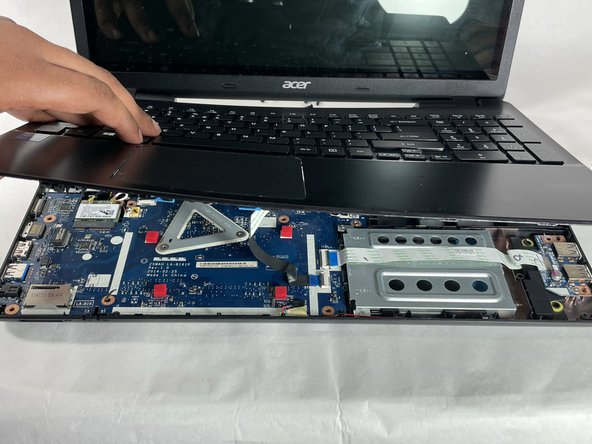
Continue around the entire laptop, carefully pulling the keyboard and palm rest assembly slightly from the frame to reveal the ribbon connectors.
-
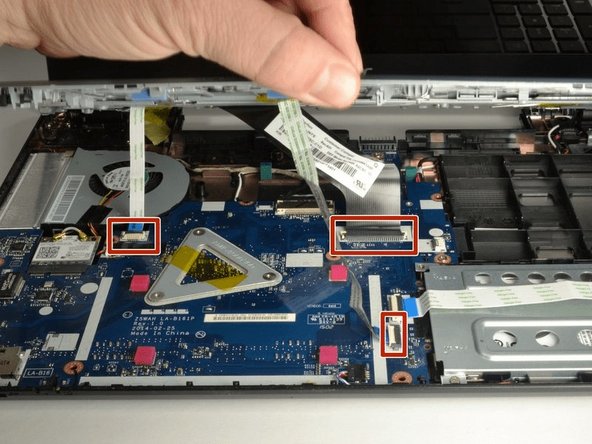
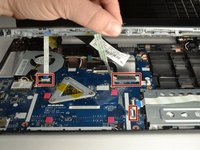
After the keyboard is detached, unplug each of the three ribbon cables and remove the keyboard and palm rest assembly.
-
-
-
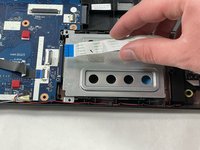
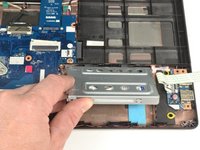
Using a Phillips #0 screwdriver, remove the two 8 mm screws holding the hard drive carriage in place.
-








To reassemble your device, follow these instructions in reverse order.



팀

UMass Dartmouth, Team B-1, Gurgel Spring 2022 UMass Dartmouth, Team B-1, Gurgel Spring 2022 회원
UMASSD-GURGEL-S22SBG1
4 회원들
안내서 6개를 작성함
