주요 콘텐츠로 건너뛰기

Acer Aspire ES1-512-C80E Disk Drive Replacement

필요한 것

  1. Acer Aspire ES1-512-C80E Disk Drive Replacement, Back Cover: 1 단계, 이미지 1개 중 1개
    • Place the device upside down on a flat surface.

    • Using a Phillips #00 screwdriver, remove all nineteen 1.2mm screws that secure the bottom cover of the device.

  2. Acer Aspire ES1-512-C80E Disk Drive Replacement: 2 단계, 이미지 3개 중 1개 Acer Aspire ES1-512-C80E Disk Drive Replacement: 2 단계, 이미지 3개 중 2개 Acer Aspire ES1-512-C80E Disk Drive Replacement: 2 단계, 이미지 3개 중 3개
    • Pry around the edges with a spudger to remove the back cover.

    • The two hinges on the back require additional force to be popped open.

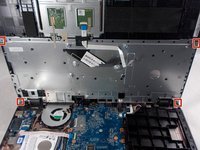
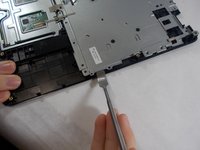
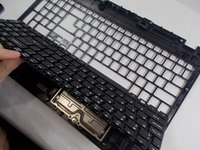
  3. Acer Aspire ES1-512-C80E Disk Drive Replacement, Keyboard: 3 단계, 이미지 3개 중 1개 Acer Aspire ES1-512-C80E Disk Drive Replacement, Keyboard: 3 단계, 이미지 3개 중 2개 Acer Aspire ES1-512-C80E Disk Drive Replacement, Keyboard: 3 단계, 이미지 3개 중 3개
    • The keyboard is the silver piece located by itself on the upper half of the laptop.

    • Using a Phillips #00 screwdriver, remove the four 1.2mm screws from the keyboard.

    • Using a spudger, go around the edges and pry off the keyboard.

    • All black clips will have to be removed before the keyboard can be removed.

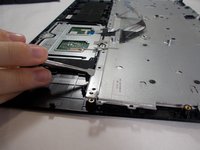
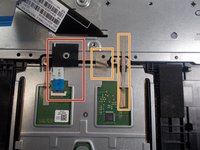
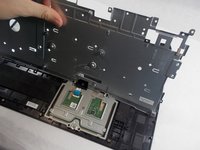
  4. Acer Aspire ES1-512-C80E Disk Drive Replacement: 4 단계, 이미지 3개 중 1개 Acer Aspire ES1-512-C80E Disk Drive Replacement: 4 단계, 이미지 3개 중 2개 Acer Aspire ES1-512-C80E Disk Drive Replacement: 4 단계, 이미지 3개 중 3개
    • Remove the ribbon cable connection from the keyboard.

    • Peel back the two pieces of tape to separate the keyboard.

    • Remove the keyboard from under the plastic covering.

    • Remove the silver plate back cover of the keyboard from the bottom base.

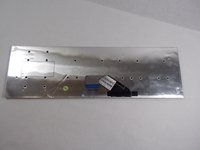
  5. Acer Aspire ES1-512-C80E Disk Drive Replacement: 5 단계, 이미지 2개 중 1개 Acer Aspire ES1-512-C80E Disk Drive Replacement: 5 단계, 이미지 2개 중 2개
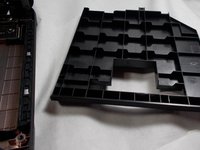
    • Remove the large silver plate from the keyboard.

    • You can not remove the silver backing with the attached wire from the back of the keyboard.

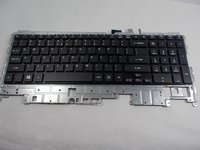
  6. Acer Aspire ES1-512-C80E Disk Drive Replacement: 6 단계, 이미지 1개 중 1개
    • The keyboard is removed and ready to be replaced.

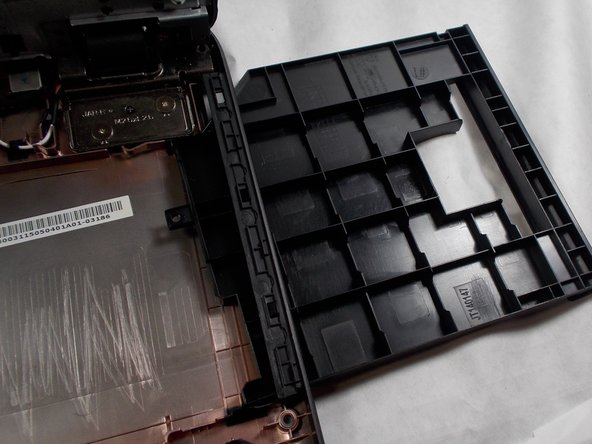
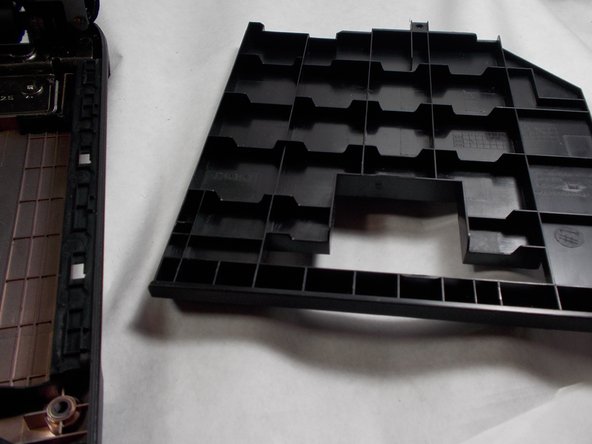
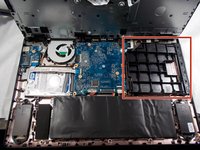
  7. Acer Aspire ES1-512-C80E Disk Drive Replacement, Disk Drive: 7 단계, 이미지 3개 중 1개 Acer Aspire ES1-512-C80E Disk Drive Replacement, Disk Drive: 7 단계, 이미지 3개 중 2개 Acer Aspire ES1-512-C80E Disk Drive Replacement, Disk Drive: 7 단계, 이미지 3개 중 3개
    • Push the disk drive out of the side slot.

결론

To reassemble your device, follow the steps in reverse order.

다른 한 분이 해당 안내서를 완성하였습니다.

작성자

3다른 기여자 명과 함께

Peter Bulman

회원 가입일: 10/31/19

237 평판

안내서 1개를 작성함

UMass Dartmouth, Team S2-G8, Barthe Fall 2019 UMass Dartmouth, Team S2-G8, Barthe Fall 2019 회원

UMASSD-BARTHE-F19S2G8

3 회원들

안내서 7개를 작성함

0가이드 댓글

댓글 쓰기

조회 통계:

지난 24시간: 0

지난 7일: 3

지난 30일: 12

전체 시간: 627