소개
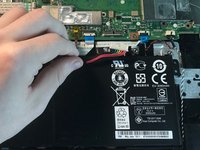
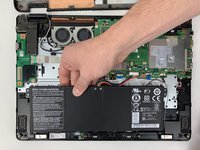
If your Acer Aspire R R5-471T-51UN battery will not hold a charge or has issues charging up, use this guide to replace the battery.
The battery should provide enough power to last for a while fully charged. Replacing the battery is normal with computers that see a lot of usage.
Before using this guide, inspect that the replacement battery is the correct model for the PC. Then proceed through the given instructions.
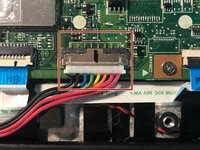
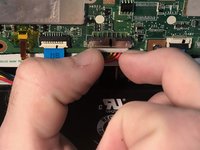
Step 4 requires you to pinch the white ends of the battery connector cable and slowly pull it from the motherboard. Proceed with this step with caution.
Before beginning, make sure to power off your PC completely and disconnect from any external power source.
필요한 것
-
-
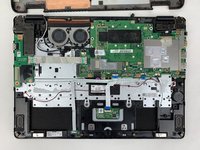
Flip your laptop over so the bottom is facing you.
-
Remove the twelve 5 mm screws with a Phillips #0 screwdriver.
-
-


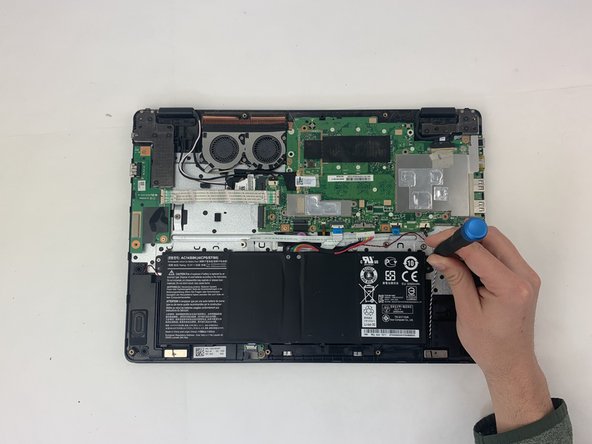
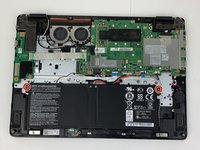
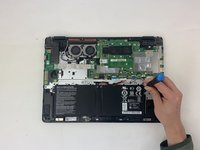




To reassemble your device, follow these instructions in reverse order.



팀

Embry-Riddle Aeronautical University, Team S3-G3, Watkins Spring 2020 Embry-Riddle Aeronautical University, Team S3-G3, Watkins Spring 2020 회원
ERAU-WATKINS-S20S3G3
4 회원들
안내서 5개를 작성함
