주요 콘텐츠로 건너뛰기

Acer Chromebook CB315-3HT-C3FQ Back Panel Replacement

필요한 것

  1. Acer Chromebook CB315-3HT-C3FQ Back Panel Replacement, Back Panel: 1 단계, 이미지 1개 중 1개
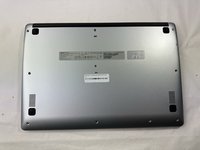
    • Flip the Chromebook over so the bottom is facing up.

  2. Acer Chromebook CB315-3HT-C3FQ Back Panel Replacement: 2 단계, 이미지 1개 중 1개
    • Remove all 10 screws that hold the bottom panel in place using a Phillips #1 screwdriver.

  3. Acer Chromebook CB315-3HT-C3FQ Back Panel Replacement: 3 단계, 이미지 2개 중 1개 Acer Chromebook CB315-3HT-C3FQ Back Panel Replacement: 3 단계, 이미지 2개 중 2개
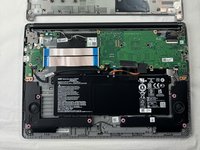
    • Use an iFixit opening tool to pry the bottom panel up and detach it from the rest of the Chromebook.

  4. Acer Chromebook CB315-3HT-C3FQ Back Panel Replacement: 4 단계, 이미지 2개 중 1개 Acer Chromebook CB315-3HT-C3FQ Back Panel Replacement: 4 단계, 이미지 2개 중 2개
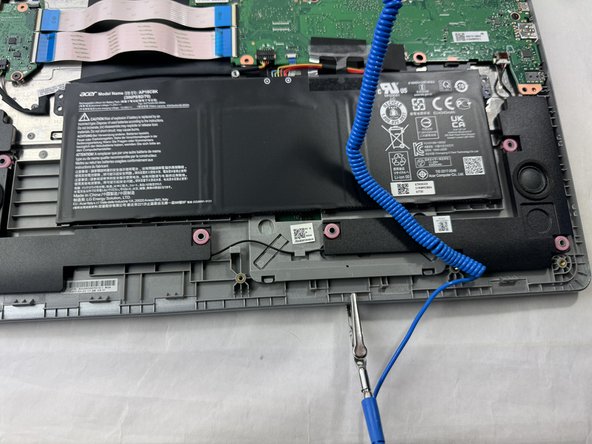
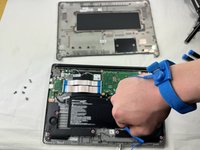
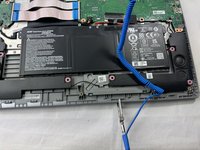
    • Always wear an anti-static wrist strap when working with an electronic device, as static electricity from your hand could damage it.

    • To use the anti-static strap, attach the strap to your wrist and then attach the end of the cord to something that is also metal, preferably something in your Chromebook. This strap will discharge any static electricity that you build up instead of it going into the metal parts of your computer, which could damage the components.

결론

To reassemble your device, follow these instructions in reverse order.

다른 한 분이 해당 안내서를 완성하였습니다.

작성자

2다른 기여자 명과 함께

Ethan Sylvia

회원 가입일: 03/20/24

372 평판

안내서 3개를 작성함

UMass Dartmouth, Team 1-5, Santin Spring 2024 UMass Dartmouth, Team 1-5, Santin Spring 2024 회원

UMASSD-SANTIN-S24S1G5

3 회원들

안내서 7개를 작성함

0가이드 댓글

댓글 쓰기

조회 통계:

지난 24시간: 0

지난 7일: 10

지난 30일: 40

전체 시간: 432