소개
Usually, on turntables the stroboscopic effect is used to setup the speed. In the following I will show two easy methods to setup the speed so music doesn't sound to slow or too fast.
필요한 것
-
-
First method is to put a pattern disc on the table such as the shown one. There are also print templates on the web.
-
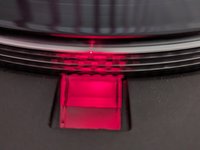
These patterns on the disc interact with light. Except it doesn't work with most led lights. So you need an old fashion glowing filament or fluorescent lamp because they are flickering with our power line frequnecy.
-
On the patterned disc you see two main areas with thicker lines. The inner three pattern circles are for 60 Hz e.g. north america and the outer patterns are for 50Hz.
-
The 3 pattern circles itself representing 3 different speeds. 33 1/3, 45 and 78 rpm. The stroboscopic effect occurs if the flickering light is directed to the pattern disc and the corresponding speed of the table makes the patter look as it stands still. So the pattern in the corresponding circle isn't moving, if the speed setup is right.
-
-


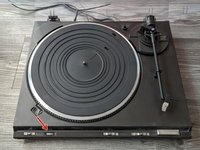
This is the way to easily improve your turntable sound.
다른 2명이 해당 안내서를 완성하였습니다.


