주요 콘텐츠로 건너뛰기

Afterglow Wireless PS3 Controller Button Replacement

필요한 것

  1. Afterglow Wireless PS3 Controller Button Replacement, Back Cover: 1 단계, 이미지 2개 중 1개 Afterglow Wireless PS3 Controller Button Replacement, Back Cover: 1 단계, 이미지 2개 중 2개
    • Lay the controller face down on a flat surface and remove the seven 9mm Phillips #0 screws on the back of the controller.

    • Lift up and remove the controller back plate.

  2. Afterglow Wireless PS3 Controller Button Replacement, Button: 2 단계, 이미지 2개 중 1개 Afterglow Wireless PS3 Controller Button Replacement, Button: 2 단계, 이미지 2개 중 2개
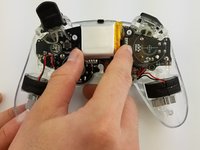
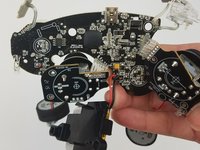
    • Carefully remove the battery by lifting it straight up from its place.

    • Keep in mind that the red and black battery wires are attached to the motherboard. Handle these with care.

  3. Afterglow Wireless PS3 Controller Button Replacement: 3 단계, 이미지 1개 중 1개
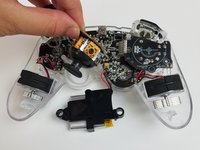
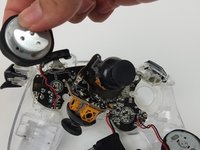
    • Unscrew the four 9mm Phillips #0 screws that are attached to both joy stick control mini-motherboards. There are two screws for each mini-motherboard.

  4. Afterglow Wireless PS3 Controller Button Replacement: 4 단계, 이미지 2개 중 1개 Afterglow Wireless PS3 Controller Button Replacement: 4 단계, 이미지 2개 중 2개
    • Jiggle both joy stick control mini-motherboards out of their holding place.

    • Set aside the mini-motherboards so you can access the main motherboard.

  5. Afterglow Wireless PS3 Controller Button Replacement: 5 단계, 이미지 2개 중 1개 Afterglow Wireless PS3 Controller Button Replacement: 5 단계, 이미지 2개 중 2개
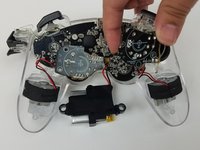
    • Pull both vibration motors straight up from their holding place.

  6. Afterglow Wireless PS3 Controller Button Replacement: 6 단계, 이미지 2개 중 1개 Afterglow Wireless PS3 Controller Button Replacement: 6 단계, 이미지 2개 중 2개
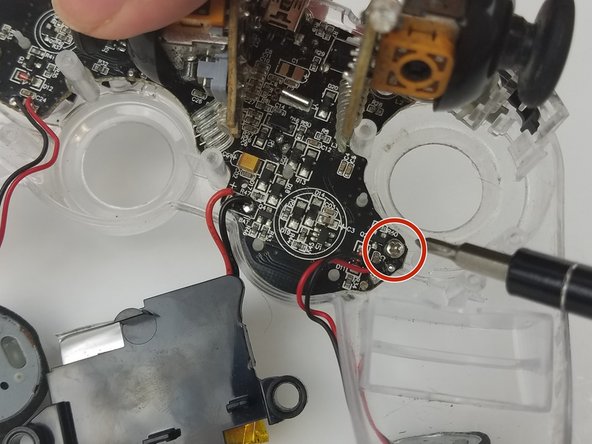
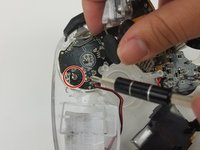
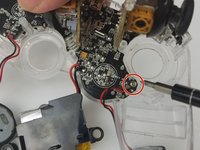
    • Unscrew the two 9mm Phillips #0 screws holding the motherboard to the controller front plate.

  7. Afterglow Wireless PS3 Controller Button Replacement: 7 단계, 이미지 2개 중 1개 Afterglow Wireless PS3 Controller Button Replacement: 7 단계, 이미지 2개 중 2개
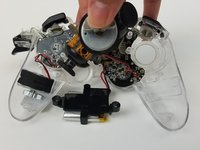
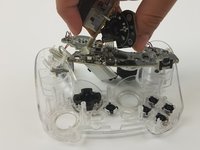
    • Detach the main motherboard fom the front pate by carefully pulling it off.

    • Be careful of the trigger buttons when pulling out the motherboard. The buttons have mini-motherboards secured in place on the front plate. Carefully pull these out.

  8. Afterglow Wireless PS3 Controller Button Replacement: 8 단계, 이미지 3개 중 1개 Afterglow Wireless PS3 Controller Button Replacement: 8 단계, 이미지 3개 중 2개 Afterglow Wireless PS3 Controller Button Replacement: 8 단계, 이미지 3개 중 3개
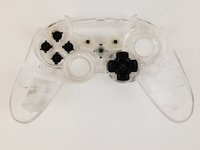
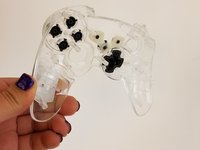
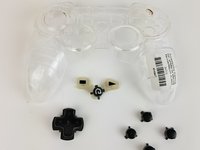
    • Pick up the controller front plate and carefully turn it over so that the buttons left in it will fall out.

    • You may want to flip it while holding it over a container so the buttons do not go bouncing away from your work space.

결론

To reassemble your device, follow these instructions in reverse order.

다른 3명이 해당 안내서를 완성하였습니다.

작성자

2다른 기여자 명과 함께

Aj Coello

회원 가입일: 02/17/17

1,014 평판

안내서 6개를 작성함

USF Tampa, Team S19-G5, Hoffman Spring 2017 USF Tampa, Team S19-G5, Hoffman Spring 2017 회원

USFT-HOFFMAN-S17S19G5

4 회원들

안내서 20개를 작성함

0가이드 댓글

댓글 쓰기

조회 통계:

지난 24시간: 1

지난 7일: 17

지난 30일: 63

전체 시간: 1,957