주요 콘텐츠로 건너뛰기

Alcatel OneTouch Elevate SIM Card Replacement

필요한 것

  1. Alcatel OneTouch Elevate SIM Card Replacement, Battery: 1 단계, 이미지 3개 중 1개 Alcatel OneTouch Elevate SIM Card Replacement, Battery: 1 단계, 이미지 3개 중 2개 Alcatel OneTouch Elevate SIM Card Replacement, Battery: 1 단계, 이미지 3개 중 3개
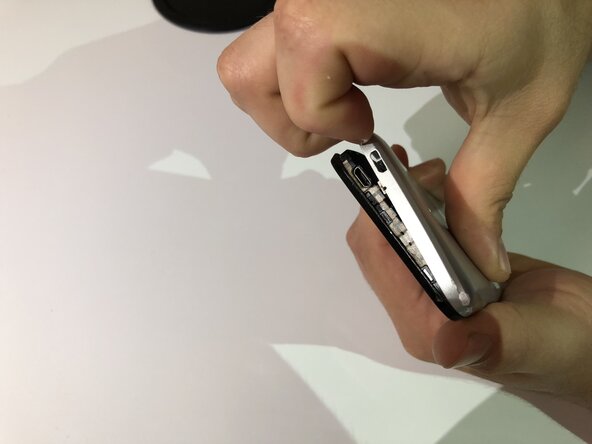
    • Locate the small indent on the lower left corner.

    • Use your fingers or a small plastic opening tool to lift the back cover off.

  2. Alcatel OneTouch Elevate SIM Card Replacement: 2 단계, 이미지 3개 중 1개 Alcatel OneTouch Elevate SIM Card Replacement: 2 단계, 이미지 3개 중 2개 Alcatel OneTouch Elevate SIM Card Replacement: 2 단계, 이미지 3개 중 3개
    • Locate the indent between the battery and your phone.

    • Use your finger or a small plastic opening tool to lift the battery free.

  3. Alcatel OneTouch Elevate SIM Card Replacement, SIM card: 3 단계, 이미지 2개 중 1개 Alcatel OneTouch Elevate SIM Card Replacement, SIM card: 3 단계, 이미지 2개 중 2개
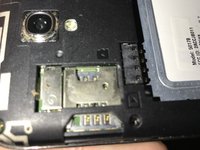
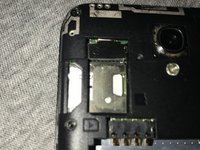
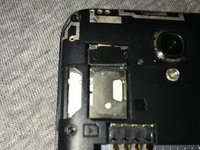
    • Locate the SIM card slot at the top left of the phone.

    • If an SIM card is not present, you can skip to step 4

  4. Alcatel OneTouch Elevate SIM Card Replacement: 4 단계, 이미지 1개 중 1개
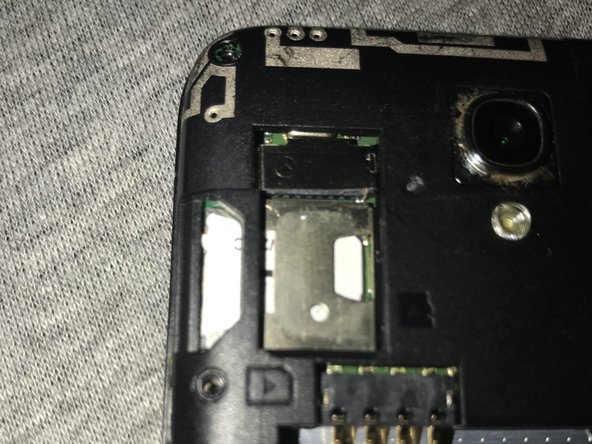
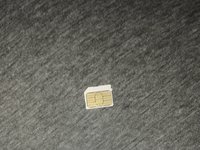
    • The SIM card will have an indent at the top, use this to carefully pull the card from the slot.

  5. Alcatel OneTouch Elevate SIM Card Replacement: 5 단계, 이미지 2개 중 1개 Alcatel OneTouch Elevate SIM Card Replacement: 5 단계, 이미지 2개 중 2개
    • Grab the new SIM card making sure not to touch the metallic area.

    • With the metallic patch facing down, insert the card into the slot.

결론

To reassemble your device, follow these instructions in reverse order.

다른 한 분이 해당 안내서를 완성하였습니다.

작성자

2다른 기여자 명과 함께

Jorge

회원 가입일: 02/08/18

165 평판

안내서 1개를 작성함

0가이드 댓글

댓글 쓰기

조회 통계:

지난 24시간: 1

지난 7일: 3

지난 30일: 21

전체 시간: 905