주요 콘텐츠로 건너뛰기

Alienware Aurora M9700 Battery Replacement

  1. Alienware Aurora M9700 Battery Replacement, Battery: 1 단계, 이미지 1개 중 1개
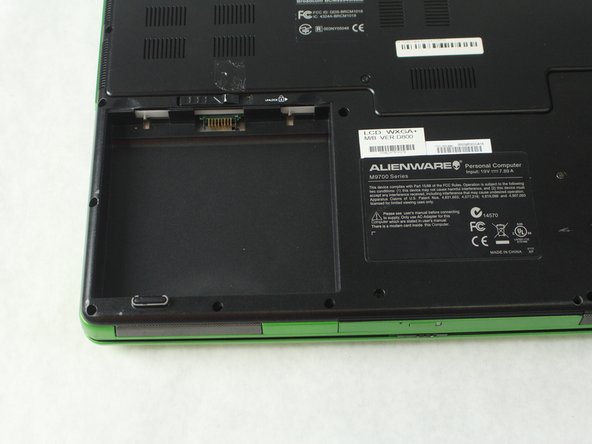
    • Turn laptop over so that the bottom of the device is facing upward.

    • Locate the square battery pack on the bottom left corner.

  2. Alienware Aurora M9700 Battery Replacement: 2 단계, 이미지 2개 중 1개 Alienware Aurora M9700 Battery Replacement: 2 단계, 이미지 2개 중 2개
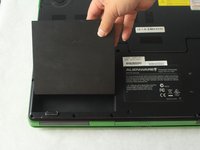
    • Notice a unlock emblem directly above the battery pack with a sliding lock button.

    • Using your finger, slide the button to the right, releasing the battery from its designated compartment.

  3. Alienware Aurora M9700 Battery Replacement: 3 단계, 이미지 2개 중 1개 Alienware Aurora M9700 Battery Replacement: 3 단계, 이미지 2개 중 2개
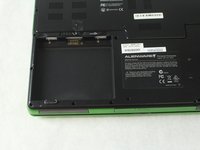
    • Now that the battery is free, use your finger to pry the battery upward, out of its designated compartment.

결론

To reassemble your device, follow these instructions in reverse order.

작성자

2다른 기여자 명과 함께

Jasmine Anchondo

회원 가입일: 10/09/18

679 평판

안내서 5개를 작성함

Sam Houston State, Team S15-G3, Blackburne Fall 2018 Sam Houston State, Team S15-G3, Blackburne Fall 2018 회원

SHSU-BLACKBURNE-F18S15G3

4 회원들

안내서 5개를 작성함

0가이드 댓글

댓글 쓰기

조회 통계:

지난 24시간: 0

지난 7일: 1

지난 30일: 5

전체 시간: 464