주요 콘텐츠로 건너뛰기

AmazonBasics B0050BPWBQ On/Off Switch Replacement

필요한 것

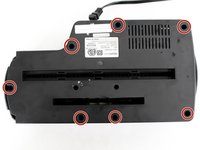
  1. AmazonBasics B0050BPWBQ On/Off Switch Replacement, Front and Back Panel Disassembly: 1 단계, 이미지 2개 중 1개 AmazonBasics B0050BPWBQ On/Off Switch Replacement, Front and Back Panel Disassembly: 1 단계, 이미지 2개 중 2개
    • The unit head needs to be switched to the off position and unplugged before any disassembly.

    • When removing screws in the following steps, make sure the unit is resting on a flat surface because pieces will easily come apart.

    • Remove seven 11 mm Phillips #1 screws from the underside of the head unit.

  2. AmazonBasics B0050BPWBQ On/Off Switch Replacement: 2 단계, 이미지 2개 중 1개 AmazonBasics B0050BPWBQ On/Off Switch Replacement: 2 단계, 이미지 2개 중 2개
    • Upon removal of the next screws, the front panel and the shredding component attached to it will fall apart from the back panel so have the unit resting on a flat surface.

    • Remove two 50 mm Phillips #1 screws from the middle of the underside of the head unit.

  3. AmazonBasics B0050BPWBQ On/Off Switch Replacement: 3 단계, 이미지 1개 중 1개
    • Lay the back panel away from the front panel on a flat surface.

    • The back panel will be light because it is only the plastic, while the front panel will be heavy with the shredding component attached to it.

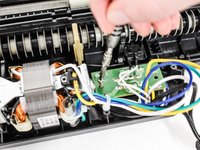
  4. AmazonBasics B0050BPWBQ On/Off Switch Replacement: 4 단계, 이미지 2개 중 1개 AmazonBasics B0050BPWBQ On/Off Switch Replacement: 4 단계, 이미지 2개 중 2개
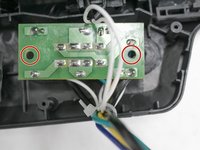
    • Find the green control board that is located next to the shredding motor.

    • Remove two 11 mm Phillips #1 screws located on opposite sides of the control board.

    • You may need to move wires over to find the screws.

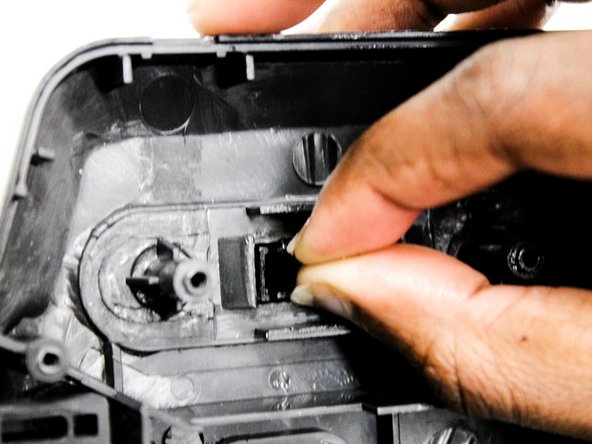
  5. AmazonBasics B0050BPWBQ On/Off Switch Replacement, On/Off Switch: 5 단계, 이미지 3개 중 1개 AmazonBasics B0050BPWBQ On/Off Switch Replacement, On/Off Switch: 5 단계, 이미지 3개 중 2개 AmazonBasics B0050BPWBQ On/Off Switch Replacement, On/Off Switch: 5 단계, 이미지 3개 중 3개
    • Pull the front panel away from the shredding unit.

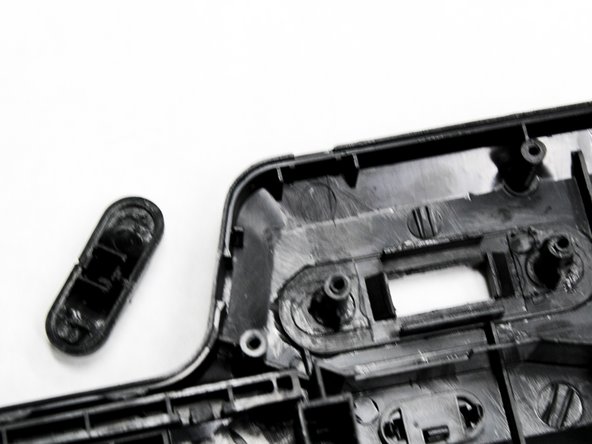
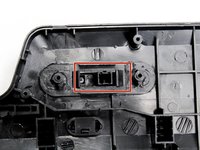
    • Locate the black On/Off switch attached to the front panel where the control board was once attached.

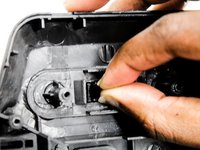
    • Squeeze the wings of the On/Off switch from the inside of the front panel to detach it from its slot in the panel.

결론

To reassemble your device, follow these instructions in reverse order.

다른 한 분이 해당 안내서를 완성하였습니다.

작성자

1다른 기여자 명과 함께

Natalie Meert

회원 가입일: 02/11/16

690 평판

안내서 4개를 작성함

IUPUI, Team 2-4, Baechle Spring 2016 IUPUI, Team 2-4, Baechle Spring 2016 회원

IUPUI-BAECHLE-S16S2G4

4 회원들

안내서 8개를 작성함

1가이드 댓글

Does anyone know where to buy a replacement switch?

Shawn - 답글

댓글 쓰기

조회 통계:

지난 24시간: 0

지난 7일: 3

지난 30일: 14

전체 시간: 2,673