소개
This is a replacement guide for the battery on your Anker Soundcore 3. Please note that as you follow this guide, there are a number of small screws that will be taken out so please ensure that you keep track of each one by storing them in a secure location.
필요한 것
-
-
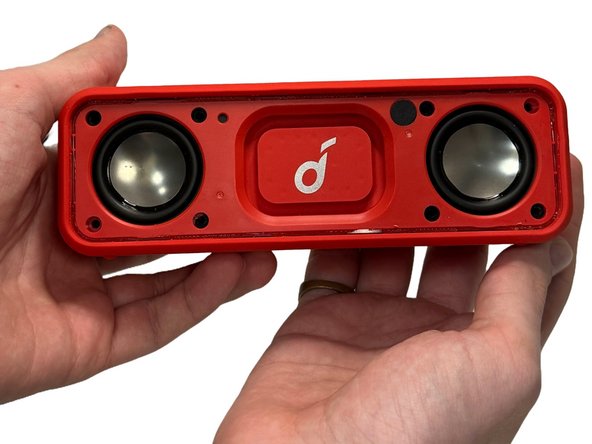
Gently heat the perimeter of the device with a hairdryer to loosen the adhesive.
-
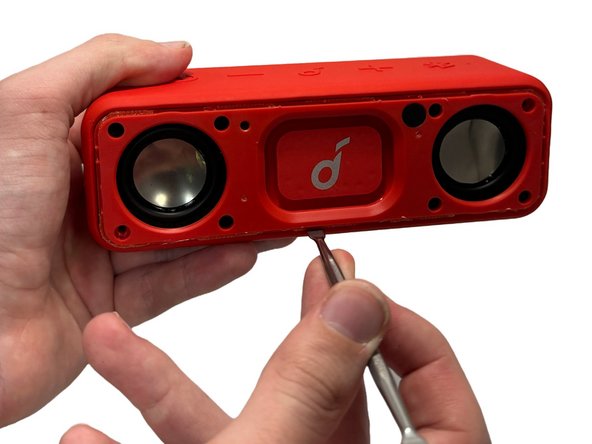
Insert a metal spudger in between the speaker's front grill and chassis.
-
Continuously pry around the edges of the casing; you should hear the glue start to separate from the front panel before the two parts separate.
-
-
-
-
Remove 8 of the 10 mm screws from the speaker panel using a Phillips #0 screwdriver.
-
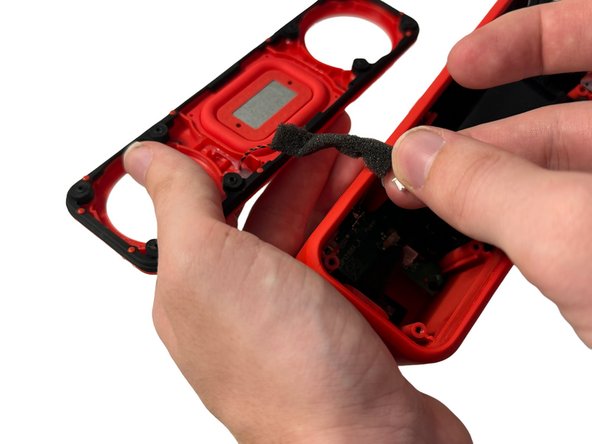
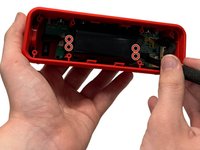
Using the metal spudger, gently pry at the outer-edges of the speaker to remove the rubber/plastic panel that sits above the motherboard.
-
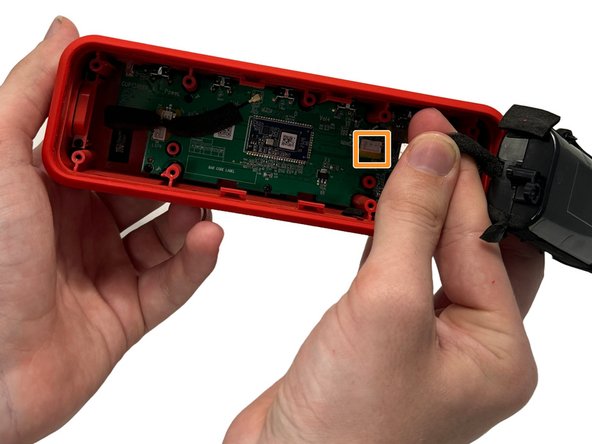
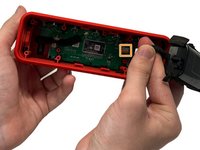
Grip and disconnect the cable connector from both the rubber/plastic panel and the mainboard.
-





To reassemble your device, follow these instructions in reverse order.


팀

University of North Texas, Team 5-3, Kilpatrick Fall 2024 University of North Texas, Team 5-3, Kilpatrick Fall 2024 회원
UNT-KILPATRICK-F24S5G3
4 회원들
안내서 5개를 작성함
