주요 콘텐츠로 건너뛰기

Apple IIc Power Converter Replacement

필요한 것

  1. Apple IIc Power Converter Replacement, Disassembling Apple IIc Cover: 1 단계, 이미지 2개 중 1개 Apple IIc Power Converter Replacement, Disassembling Apple IIc Cover: 1 단계, 이미지 2개 중 2개
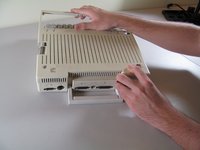
    • Remove the six 19 mm long screws with a #2 Phillips head screwdriver.

  2. Apple IIc Power Converter Replacement: 2 단계, 이미지 2개 중 1개 Apple IIc Power Converter Replacement: 2 단계, 이미지 2개 중 2개
    • Release the catch by pushing it in using a plastic opening tool.

    • The catch is off-center, but in line with the middle of the speaker underneath.

  3. Apple IIc Power Converter Replacement: 3 단계, 이미지 2개 중 1개 Apple IIc Power Converter Replacement: 3 단계, 이미지 2개 중 2개
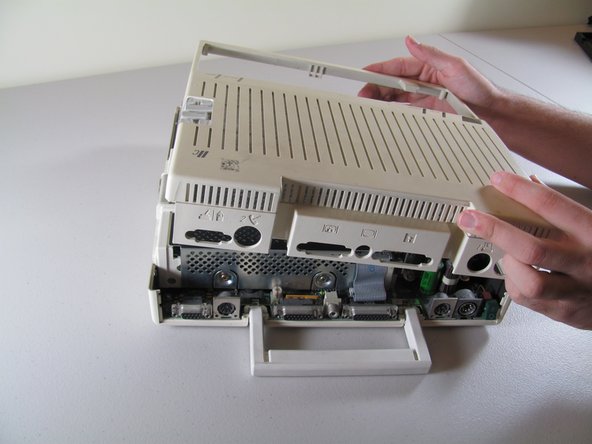
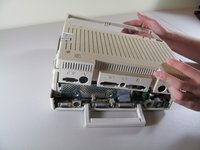
    • Slide the case toward the ports on the back, then grip under the catch and pull up while moving toward the ports to remove.

  4. Apple IIc Power Converter Replacement: 4 단계, 이미지 2개 중 1개 Apple IIc Power Converter Replacement: 4 단계, 이미지 2개 중 2개
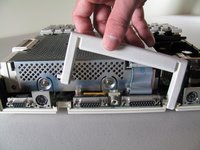
    • Lift the handle straight up to remove.

  5. Apple IIc Power Converter Replacement, Power Converter: 5 단계, 이미지 1개 중 1개
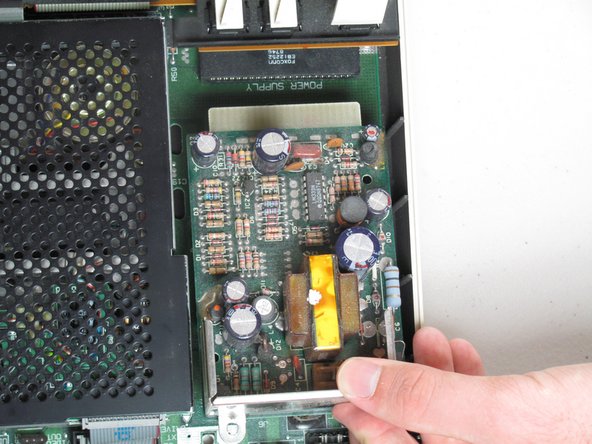
    • Remove the two 7.7mm length Phillips screws that secure the power converter.

  6. Apple IIc Power Converter Replacement: 6 단계, 이미지 2개 중 1개 Apple IIc Power Converter Replacement: 6 단계, 이미지 2개 중 2개
    • Grab the back of the power supply and pull out while lifting up so that it will clear the other components.

    • The power supply can be difficult to remove so be careful not to bend or damage any nearby components while you pull out the power supply.

결론

To reassemble your device, follow these instructions in reverse order.

다른 7명이 해당 안내서를 완성하였습니다.

작성자

5다른 기여자 명과 함께

Josiah

회원 가입일: 10/06/11

658 평판

안내서 3개를 작성함

Cal Poly, Team 21-23, Maness Fall 2011 Cal Poly, Team 21-23, Maness Fall 2011 회원

CPSU-MANESS-F11S21G23

4 회원들

안내서 13개를 작성함

0가이드 댓글

댓글 쓰기

조회 통계:

지난 24시간: 0

지난 7일: 2

지난 30일: 21

전체 시간: 4,604