주요 콘텐츠로 건너뛰기

Asus Chromebook C523N Motherboard Replacement

필요한 것

  1. Asus Chromebook C523N Motherboard Replacement, Back Cover: 1 단계, 이미지 2개 중 1개 Asus Chromebook C523N Motherboard Replacement, Back Cover: 1 단계, 이미지 2개 중 2개
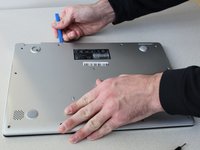
    • Remove the four 0.5mm JIS #00 screws from the bottom edge of the Chromebook and one in the center.

    • Remove the six 1.7mm JIS #00 screws from the sides and top edge of the Chromebook.

  2. Asus Chromebook C523N Motherboard Replacement: 2 단계, 이미지 2개 중 1개 Asus Chromebook C523N Motherboard Replacement: 2 단계, 이미지 2개 중 2개
    • Using a spudger, lift the top left base pad and remove it to reveal a final screw underneath.

    • Remove the one 0.5mm JIS #00 screw underneath the base pad.

  3. Asus Chromebook C523N Motherboard Replacement: 3 단계, 이미지 2개 중 1개 Asus Chromebook C523N Motherboard Replacement: 3 단계, 이미지 2개 중 2개
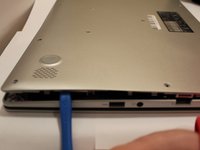
    • Use an opening tool to gently pry the base enclosure up and remove from the laptop.

  4. Asus Chromebook C523N Motherboard Replacement, Battery: 4 단계, 이미지 3개 중 1개 Asus Chromebook C523N Motherboard Replacement, Battery: 4 단계, 이미지 3개 중 2개 Asus Chromebook C523N Motherboard Replacement, Battery: 4 단계, 이미지 3개 중 3개
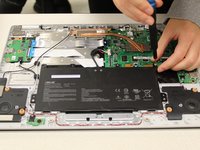
    • To disconnect the cable, use the tip of a spudger or your fingernail to flip up the small locking flap.

    • Gently disconnect the battery cable from the motherboard.

  5. Asus Chromebook C523N Motherboard Replacement: 5 단계, 이미지 2개 중 1개 Asus Chromebook C523N Motherboard Replacement: 5 단계, 이미지 2개 중 2개
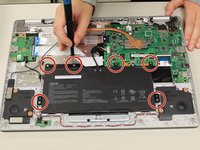
    • Remove six 1.4 mm JIS #00 screws from the battery.

  6. Asus Chromebook C523N Motherboard Replacement: 6 단계, 이미지 1개 중 1개
    • Remove the battery from the laptop.

  7. Asus Chromebook C523N Motherboard Replacement, Motherboard: 7 단계, 이미지 3개 중 1개 Asus Chromebook C523N Motherboard Replacement, Motherboard: 7 단계, 이미지 3개 중 2개 Asus Chromebook C523N Motherboard Replacement, Motherboard: 7 단계, 이미지 3개 중 3개
    이 단계에 사용된 도구:
    Tweezers
    $4.99
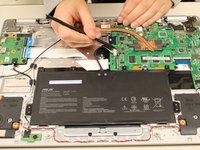
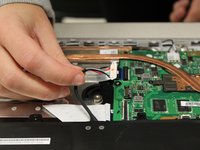
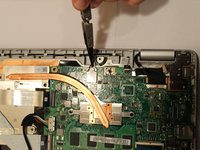
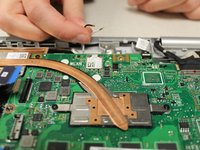
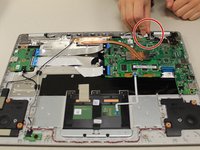
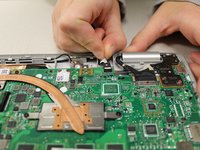
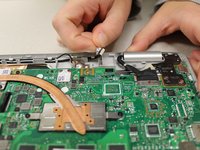
    • Using tweezers, gently pry the black and white wires from the wireless card and lift.

  8. Asus Chromebook C523N Motherboard Replacement: 8 단계, 이미지 3개 중 1개 Asus Chromebook C523N Motherboard Replacement: 8 단계, 이미지 3개 중 2개 Asus Chromebook C523N Motherboard Replacement: 8 단계, 이미지 3개 중 3개
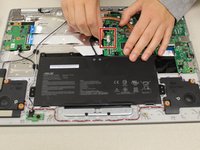
    • Gently pull the trackpad cable from the connector, located next to the wireless card.

  9. Asus Chromebook C523N Motherboard Replacement: 9 단계, 이미지 3개 중 1개 Asus Chromebook C523N Motherboard Replacement: 9 단계, 이미지 3개 중 2개 Asus Chromebook C523N Motherboard Replacement: 9 단계, 이미지 3개 중 3개
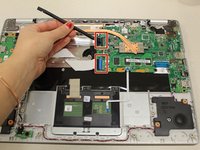
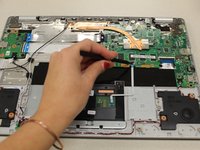
    • Using a spudger, disconnect the two side-by-side ribbon cables from their connectors, pushing in the direction of the ribbons (toward the left side of the Chromebook).

  10. Asus Chromebook C523N Motherboard Replacement: 10 단계, 이미지 2개 중 1개 Asus Chromebook C523N Motherboard Replacement: 10 단계, 이미지 2개 중 2개
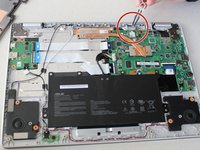
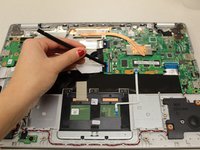
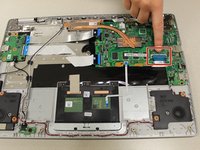
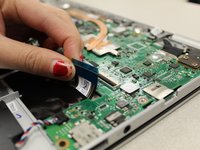
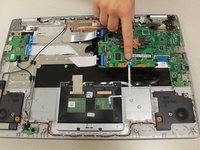
    • Disconnect the thick blue ribbon cable from the connector by pulling it away from the motherboard.

  11. Asus Chromebook C523N Motherboard Replacement: 11 단계, 이미지 3개 중 1개 Asus Chromebook C523N Motherboard Replacement: 11 단계, 이미지 3개 중 2개 Asus Chromebook C523N Motherboard Replacement: 11 단계, 이미지 3개 중 3개
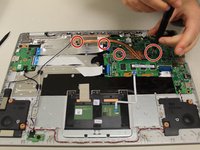
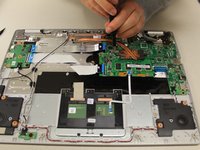
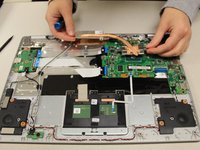
    • Remove the 0.4mm JIS #0 screws from the heat sink in the center of the motherboard.

    • Lift and remove the heat sink.

  12. Asus Chromebook C523N Motherboard Replacement: 12 단계, 이미지 3개 중 1개 Asus Chromebook C523N Motherboard Replacement: 12 단계, 이미지 3개 중 2개 Asus Chromebook C523N Motherboard Replacement: 12 단계, 이미지 3개 중 3개
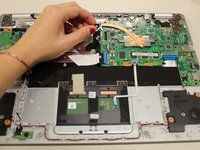
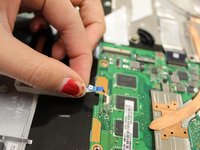
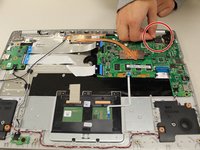
    • Gripping the thin white ribbon cable, gently pull it away from the motherboard to disconnect.

  13. Asus Chromebook C523N Motherboard Replacement: 13 단계, 이미지 2개 중 1개 Asus Chromebook C523N Motherboard Replacement: 13 단계, 이미지 2개 중 2개
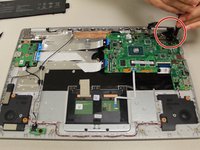
    • Disconnect the thick black connector by gently pulling it up, away from the motherboard.

  14. Asus Chromebook C523N Motherboard Replacement: 14 단계, 이미지 2개 중 1개 Asus Chromebook C523N Motherboard Replacement: 14 단계, 이미지 2개 중 2개
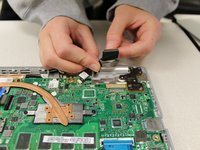
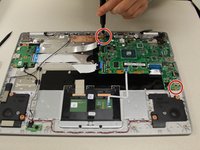
    • Remove the two 0.4mm JIS #00 screws at the bottom of the hinge (closest to the motherboard).

    • Using an opening tool, pry the hinge upward.

  15. Asus Chromebook C523N Motherboard Replacement: 15 단계, 이미지 2개 중 1개 Asus Chromebook C523N Motherboard Replacement: 15 단계, 이미지 2개 중 2개
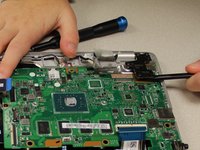
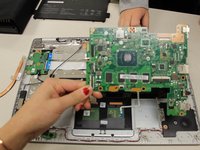
    • Remove the two 0.4 mm JIS #00 screws from the motherboard.

    • Gently lift and remove the motherboard.

결론

To reassemble your device, follow these instructions in reverse order.

다른 4명이 해당 안내서를 완성하였습니다.

작성자

4다른 기여자 명과 함께

Savannah Kramer

회원 가입일: 10/15/19

343 평판

안내서 1개를 작성함

2가이드 댓글

Hi!

I assembled the motherboard but it isn't working. There is no power light. How to validate that the motherboard is functioning?

If I just connect power stream to its USBC power port the LED should be lighting?

mmm - 답글

I was following this guide and I found there were actually four screws holding the MB down. The red/blue/white/black speaker cable must also be disconnected to get the board out entirely.

Jaret Meier - 답글

댓글 쓰기

조회 통계:

지난 24시간: 1

지난 7일: 6

지난 30일: 44

전체 시간: 4,421