주요 콘텐츠로 건너뛰기

Asus EeeBook X205TA Screen Assembly Replacement

필요한 것

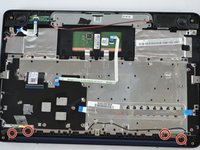
  1. Asus EeeBook X205TA Screen Assembly Replacement, Screen Assembly: 1 단계, 이미지 2개 중 1개 Asus EeeBook X205TA Screen Assembly Replacement, Screen Assembly: 1 단계, 이미지 2개 중 2개
    • Unscrew all 10 screws located on the bottom of the laptop using 2mm Phillips Screwdriver.

    • Keep in mind that some of the screws vary in length, so keep track of which screws were placed in each hole.

  2. Asus EeeBook X205TA Screen Assembly Replacement: 2 단계, 이미지 1개 중 1개
    • Insert the plastic opening tool in the crevice between the back of the laptop and the rest of the case.

    • Carefully pry open the case from several points.

    • Slowly remove the back of the laptop, revealing the parts inside.

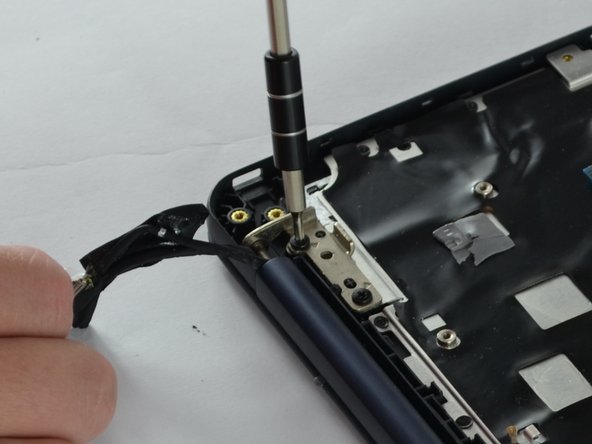
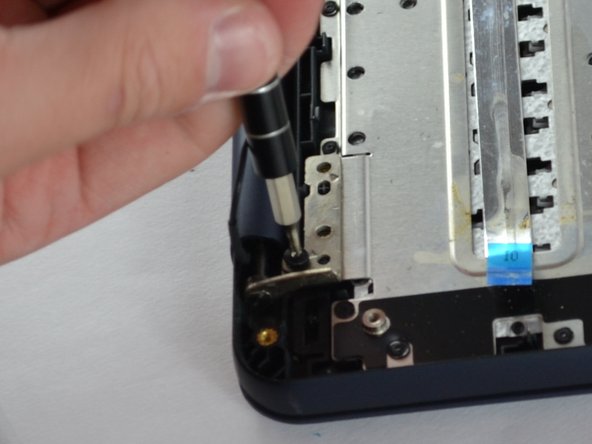
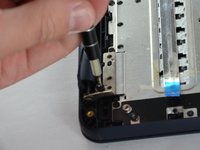
  3. Asus EeeBook X205TA Screen Assembly Replacement: 3 단계, 이미지 3개 중 1개 Asus EeeBook X205TA Screen Assembly Replacement: 3 단계, 이미지 3개 중 2개 Asus EeeBook X205TA Screen Assembly Replacement: 3 단계, 이미지 3개 중 3개
    • Unscrew the four screws using Philips #2 screwdriver that connect the screen to the inside of the case for the laptop.

  4. Asus EeeBook X205TA Screen Assembly Replacement: 4 단계, 이미지 1개 중 1개
    • Unplug the No-Fuss Ribbon connector of the screen from the motherboard.

    • Carefully lift the screen away from the case.

결론

To reassemble your device, follow these instructions in reverse order.

다른 3명이 해당 안내서를 완성하였습니다.

작성자

4다른 기여자 명과 함께

Lorena Santiago

회원 가입일: 10/06/16

736 평판

안내서 4개를 작성함

USF Tampa, Team 2-2, Sullivan Fall 2016 USF Tampa, Team 2-2, Sullivan Fall 2016 회원

USFT-SULLIVAN-F16S2G2

3 회원들

안내서 10개를 작성함

1가이드 댓글

What's that small black screen hanging out from the laptop

Tayler Grant - 답글

댓글 쓰기

조회 통계:

지난 24시간: 1

지난 7일: 12

지난 30일: 22

전체 시간: 2,588