주요 콘텐츠로 건너뛰기
수리 커뮤니티 가입 - 계정 만들기

Atmega328P Microcontroller Replacement for Arduino Board

필요한 것

  1. Atmega328P Microcontroller Replacement for Arduino Board, Atmega328P Microcontroller: 1 단계, 이미지 1개 중 1개
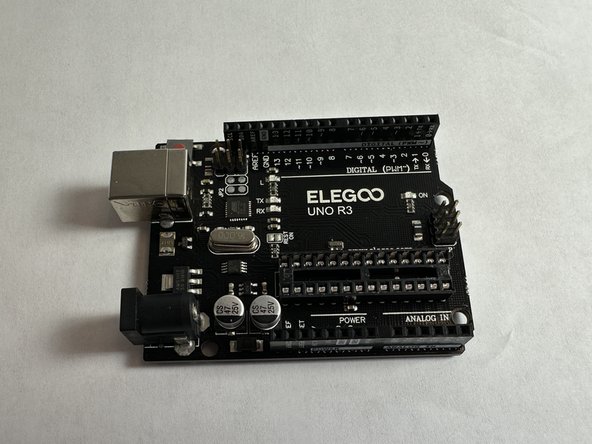
    • Place the Arduino UNO R3 board on a flat clean surface.

    댓글 쓰기

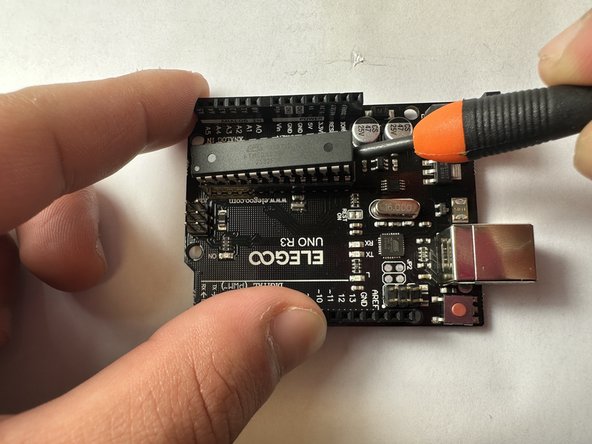
  2. Atmega328P Microcontroller Replacement for Arduino Board: 2 단계, 이미지 2개 중 1개 Atmega328P Microcontroller Replacement for Arduino Board: 2 단계, 이미지 2개 중 2개
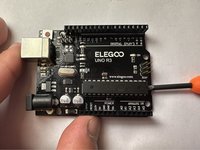
    • On the right side of board, position a nylon spudger in between the microcontroller and the dip socket, and gently lift upwards to pry it out.

    • The bottom of the microcontroller can be scratched if not done carefully. Do not use a metal tool for this step.

    댓글 쓰기

  3. Atmega328P Microcontroller Replacement for Arduino Board: 3 단계, 이미지 2개 중 1개 Atmega328P Microcontroller Replacement for Arduino Board: 3 단계, 이미지 2개 중 2개
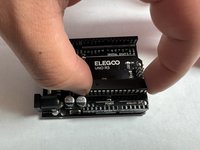
    • Repeat the same process on the other side.

    • Lift both sides evenly to prevent any damage to the pins.

    댓글 쓰기

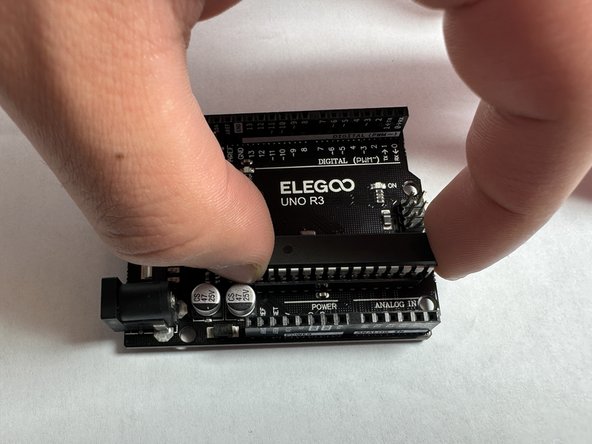
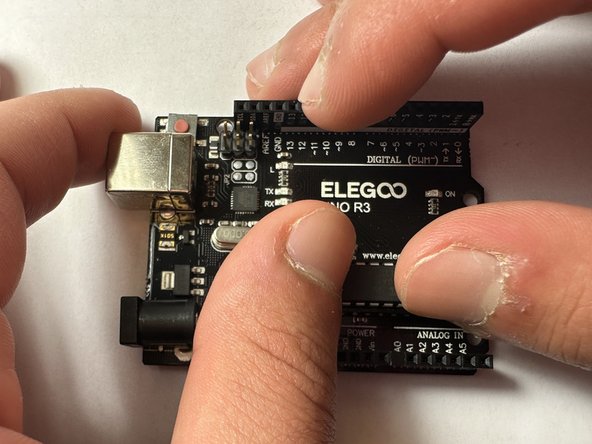
  4. Atmega328P Microcontroller Replacement for Arduino Board: 4 단계, 이미지 3개 중 1개 Atmega328P Microcontroller Replacement for Arduino Board: 4 단계, 이미지 3개 중 2개 Atmega328P Microcontroller Replacement for Arduino Board: 4 단계, 이미지 3개 중 3개
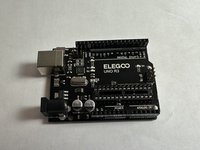
    • Repeat steps 2 and 3 until the microcontroller is loose enough to remove out of the socket.

    댓글 쓰기

  5. Atmega328P Microcontroller Replacement for Arduino Board: 5 단계, 이미지 1개 중 1개
    • Remove replacement microcontroller out of packaging.

    댓글 쓰기

  6. Atmega328P Microcontroller Replacement for Arduino Board: 6 단계, 이미지 1개 중 1개
    • If needed, straighten the pins of the replacement microcontroller and place it directly over the dip socket.

    • Make sure the notch on the side of the microcontroller is facing the right, matching the white lines on the board.

    댓글 쓰기

  7. Atmega328P Microcontroller Replacement for Arduino Board: 7 단계, 이미지 2개 중 1개 Atmega328P Microcontroller Replacement for Arduino Board: 7 단계, 이미지 2개 중 2개
    • Gently press the microcontroller into the dip socket

    댓글 쓰기

결론

To reassemble your device, follow these instructions in reverse order.

취소: 해당 안내서를 완성하지 않았습니다.

다른 3명이 해당 안내서를 완성하였습니다.

작성자

2다른 기여자 명과 함께

Youssef Qteshat

회원 가입일: 01/26/23

217 평판

안내서 1개를 작성함

UC Davis, Team 5-5, Morris Winter 2023 UC Davis, Team 5-5, Morris Winter 2023 회원

UCD-MORRIS-W23S5G5

2 회원들

안내서 2개를 작성함

0가이드 댓글

댓글 쓰기

조회 통계:

지난 24시간: 1

지난 7일: 15

지난 30일: 78

전체 시간: 1,359