소개
Replace your broken fingerprint sensor with this guide. Adhesive tape might be needed upon installation of a new fingerprint sensor if the new one doesn’t come with adhesive tape.
필요한 것
-
-
Be sure that your BLU R2 Plus is completely powered off and has less than 25% battery left. This will lower the chance of your battery catching fire and your logic board/motherboard shorting out.
-
-
-
Insert your pick in the top left-hand corner where the little indent is.
-
Slide the pick all the way around the phone until the back cover is loose and ready to be released.
-
-
-
Remove the Back Cover to gain access to sim card trays, the memory card slot, or just to replace it.
-
-
-
-
Use a plastic opening pick to peel up the sticker from the arms of both the upper and lower plastic plates on both sides of the battery. This will reveal screws to both plates.
-
To hold back the sticker, use small bits of tape.
-
-
-
Use a Phillips #00 screwdriver to unscrew the nine screws from the upper plastic plate.
-
-
-
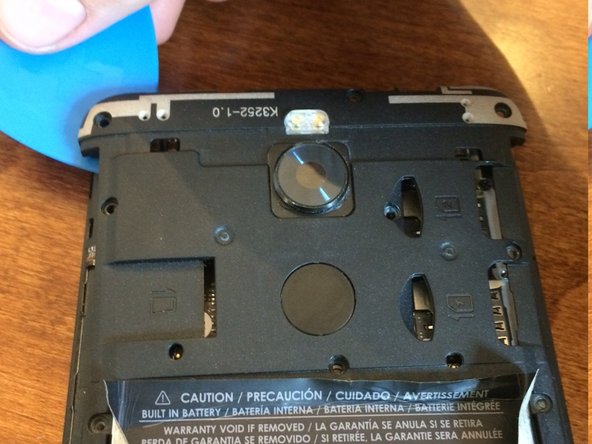
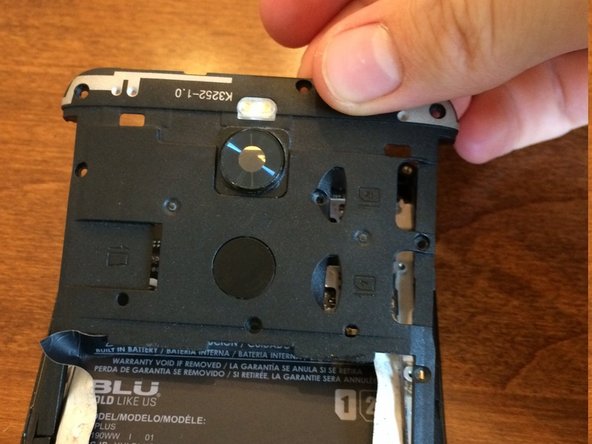
Using an opening pick to wedge under spaces around the upper plate, unclip the upper plate from the phone and slide it up and out.
-
-
이 단계에 사용된 도구:Tweezers$4.99
-
Use tweezers to carefully pull up the fingerprint sensor from the upper plate.
-




To reassemble your device, follow these instructions in reverse order.


