주요 콘텐츠로 건너뛰기

Bionaire BDF1214CR-CN Fan Blade Replacement

필요한 것

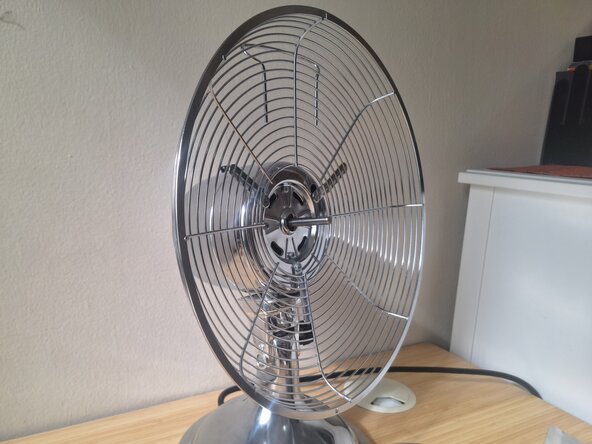
  1. Bionaire BDF1214CR-CN Fan Blade Replacement, Fan Blade: 1 단계, 이미지 3개 중 1개 Bionaire BDF1214CR-CN Fan Blade Replacement, Fan Blade: 1 단계, 이미지 3개 중 2개 Bionaire BDF1214CR-CN Fan Blade Replacement, Fan Blade: 1 단계, 이미지 3개 중 3개
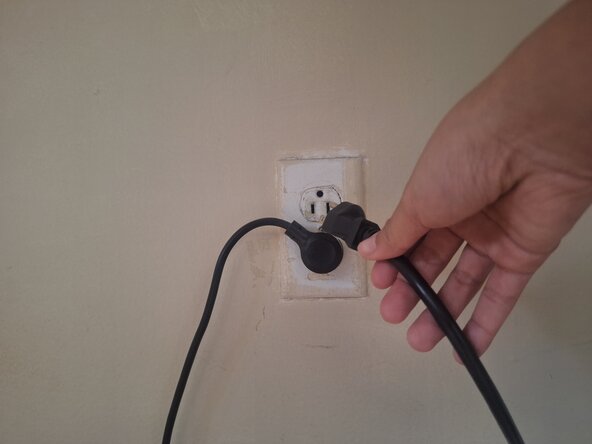
    • Unplug the fan and switch it off.

  2. Bionaire BDF1214CR-CN Fan Blade Replacement: 2 단계, 이미지 3개 중 1개 Bionaire BDF1214CR-CN Fan Blade Replacement: 2 단계, 이미지 3개 중 2개 Bionaire BDF1214CR-CN Fan Blade Replacement: 2 단계, 이미지 3개 중 3개
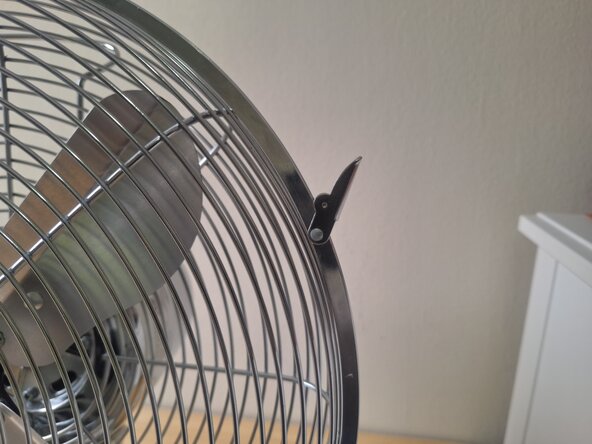
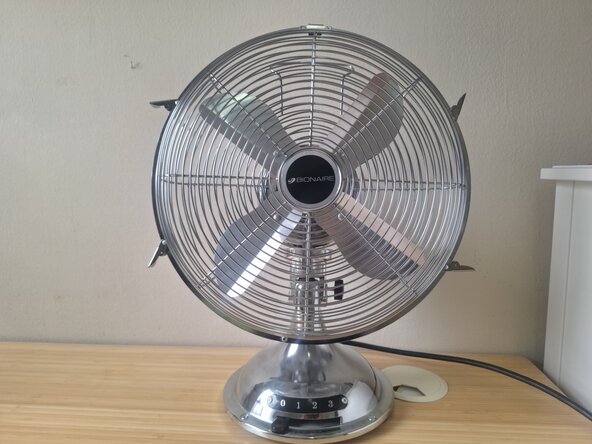
    • Flip open the clip locks positioned along the seam of the housing or cage.

  3. Bionaire BDF1214CR-CN Fan Blade Replacement: 3 단계, 이미지 3개 중 1개 Bionaire BDF1214CR-CN Fan Blade Replacement: 3 단계, 이미지 3개 중 2개 Bionaire BDF1214CR-CN Fan Blade Replacement: 3 단계, 이미지 3개 중 3개
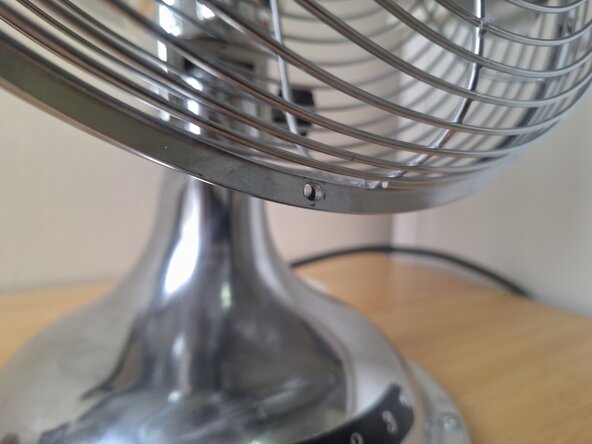
    • Use the Phillips #2 screwdriver to loosen the 7 mm screw at the bottom of the grill.

    • When the 7 mm Phillips #2 screw is loose, turn to the back of the fan and rotate the small bolt counterclockwise until it pops out.

    • Remove the 7 mm Phillips #2 screw.

  4. Bionaire BDF1214CR-CN Fan Blade Replacement: 4 단계, 이미지 3개 중 1개 Bionaire BDF1214CR-CN Fan Blade Replacement: 4 단계, 이미지 3개 중 2개 Bionaire BDF1214CR-CN Fan Blade Replacement: 4 단계, 이미지 3개 중 3개
    • Lift the front housing upward to remove it from the fan.

    • You might need a little bit of force to remove it.

  5. Bionaire BDF1214CR-CN Fan Blade Replacement: 5 단계, 이미지 3개 중 1개 Bionaire BDF1214CR-CN Fan Blade Replacement: 5 단계, 이미지 3개 중 2개 Bionaire BDF1214CR-CN Fan Blade Replacement: 5 단계, 이미지 3개 중 3개
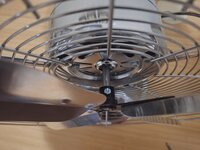
    • Rotate the fan blade until the 6 mm Phillips #2 screw behind the blade is pointing upwards.

    • Use the Phillips #2 screwdriver to remove the 6 mm screw

    • Use the 6 mm flathead screwdriver to remove the screw if you have difficulty removing it using the Phillips #2 screwdriver.

  6. Bionaire BDF1214CR-CN Fan Blade Replacement: 6 단계, 이미지 3개 중 1개 Bionaire BDF1214CR-CN Fan Blade Replacement: 6 단계, 이미지 3개 중 2개 Bionaire BDF1214CR-CN Fan Blade Replacement: 6 단계, 이미지 3개 중 3개
    • Pull the fan blade straight off of the rotor to remove it.

  7. Bionaire BDF1214CR-CN Fan Blade Replacement: 7 단계, 이미지 2개 중 1개 Bionaire BDF1214CR-CN Fan Blade Replacement: 7 단계, 이미지 2개 중 2개
    • Position the new fan blade where the dents are faced upward and the 6 mm Phillips #2 screw on the fan blade is also pointed upwards.

    • Slide the fan blade onto the rotor.

    • Use a Phillips #2 screwdriver to tighten the screw.

    • To test if it's tightened, gently tug the fan blade toward you. If it does not budge, then it is tight enough.

결론

To reassemble your device, follow these instructions in reverse order starting from Step 4.

작성자

2다른 기여자 명과 함께

Zoe

회원 가입일: 01/29/25

145 평판

안내서 1개를 작성함

0가이드 댓글

댓글 쓰기

조회 통계:

지난 24시간: 1

지난 7일: 9

지난 30일: 19

전체 시간: 290