주요 콘텐츠로 건너뛰기

Brother PT-210 Cutter Blade Replacement

필요한 것

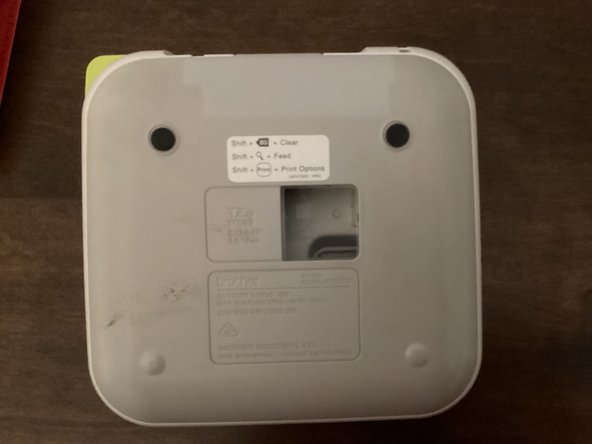
  1. Brother PT-210 Cutter Blade Replacement, Back Cover: 1 단계, 이미지 3개 중 1개 Brother PT-210 Cutter Blade Replacement, Back Cover: 1 단계, 이미지 3개 중 2개 Brother PT-210 Cutter Blade Replacement, Back Cover: 1 단계, 이미지 3개 중 3개
    • Use the tab to open the back cover of your machine.

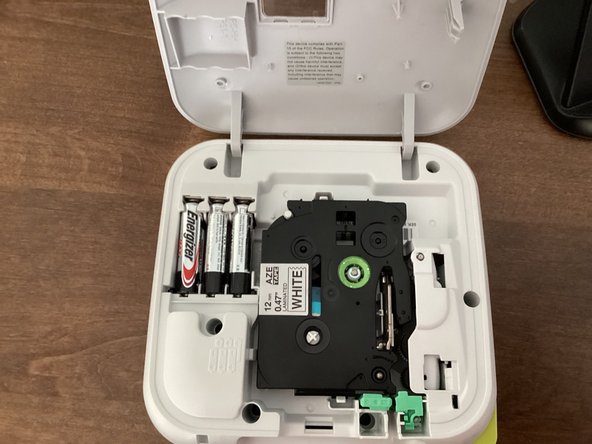
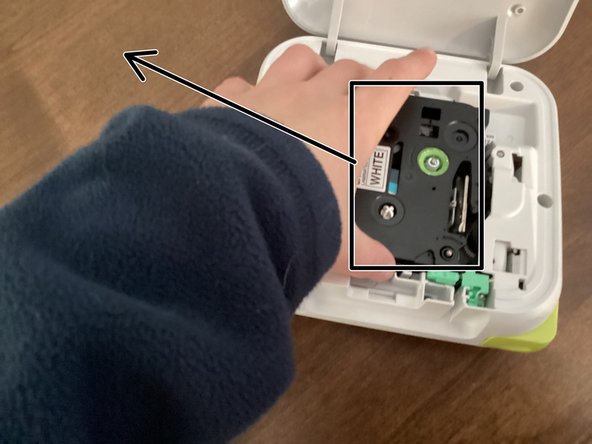
  2. Brother PT-210 Cutter Blade Replacement, Tape: 2 단계, 이미지 2개 중 1개 Brother PT-210 Cutter Blade Replacement, Tape: 2 단계, 이미지 2개 중 2개
    • Remove the tape by grabbing the tape and pulling it up & out of your machine.

  3. Brother PT-210 Cutter Blade Replacement, New Tape: 3 단계, 이미지 1개 중 1개
    • If you are going to use a new tape, you have to turn the green knob counterclockwise a few times to get the tape ready to use.

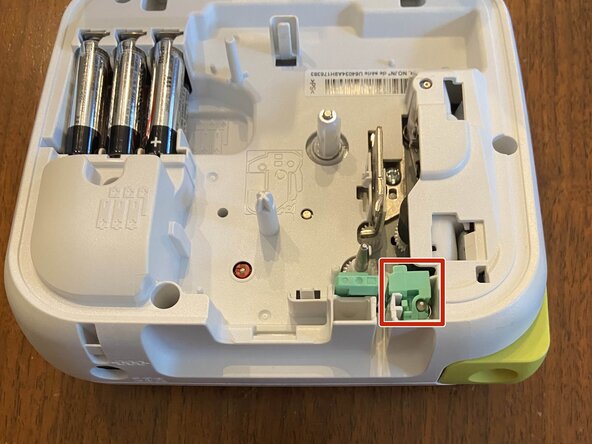
  4. Brother PT-210 Cutter Blade Replacement, Remove Cutter Blade: 4 단계, 이미지 3개 중 1개 Brother PT-210 Cutter Blade Replacement, Remove Cutter Blade: 4 단계, 이미지 3개 중 2개 Brother PT-210 Cutter Blade Replacement, Remove Cutter Blade: 4 단계, 이미지 3개 중 3개
    이 단계에 사용된 도구:
    Spudger
    $3.99
    • This is the cutter blade.

    • WARNING: The cutter blade is sharp

    • Pull this up and out with your fingers or a spudger.

결론

To reassemble your device, follow these instructions in reverse order. For a new cutter blade if you need one, just look on Amazon.

작성자

1다른 기여자 명과 함께

TheMasterG

회원 가입일: 07/19/24

1,369 평판

안내서 12개를 작성함

0가이드 댓글

댓글 쓰기

조회 통계:

지난 24시간: 0

지난 7일: 1

지난 30일: 40

전체 시간: 44