주요 콘텐츠로 건너뛰기

Canon Powershot SD550 LCD Screen Replacement

필요한 것

  1. Canon Powershot SD550 LCD Screen Replacement, Outer Case: 1 단계, 이미지 1개 중 1개
    • Remove the battery and SD card from the camera.

  2. Canon Powershot SD550 LCD Screen Replacement: 2 단계, 이미지 1개 중 1개
    • Remove the three 3.8 mm screws from the underside of the camera.

    • Each of the screws is slightly different, so it is important that you note the original location of each screw.

  3. Canon Powershot SD550 LCD Screen Replacement: 3 단계, 이미지 3개 중 1개 Canon Powershot SD550 LCD Screen Replacement: 3 단계, 이미지 3개 중 2개 Canon Powershot SD550 LCD Screen Replacement: 3 단계, 이미지 3개 중 3개
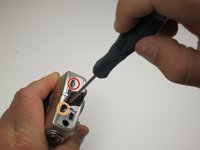
    • Remove the 3.2 mm screw from the right side of the camera.

    • Remove the 2.2 mm screw from the right side of the camera.

    • One of these screws is hidden under the USB port cover.

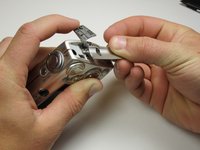
    • Lift the side panel off.

    • Remove the 1.8 mm screw from underneath the side panel.

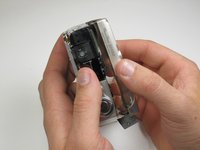
  4. Canon Powershot SD550 LCD Screen Replacement: 4 단계, 이미지 3개 중 1개 Canon Powershot SD550 LCD Screen Replacement: 4 단계, 이미지 3개 중 2개 Canon Powershot SD550 LCD Screen Replacement: 4 단계, 이미지 3개 중 3개
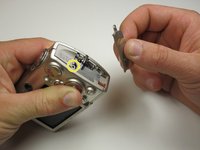
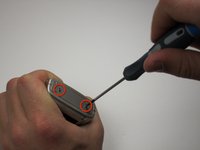
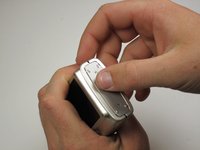
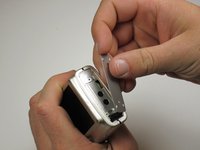
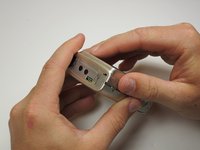
    • Remove the two 2.2 mm screws from the left side of the camera.

    • Lift the plate from the camera.

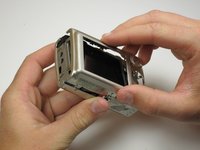
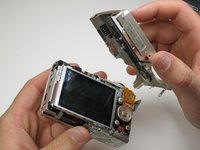
  5. Canon Powershot SD550 LCD Screen Replacement: 5 단계, 이미지 3개 중 1개 Canon Powershot SD550 LCD Screen Replacement: 5 단계, 이미지 3개 중 2개 Canon Powershot SD550 LCD Screen Replacement: 5 단계, 이미지 3개 중 3개
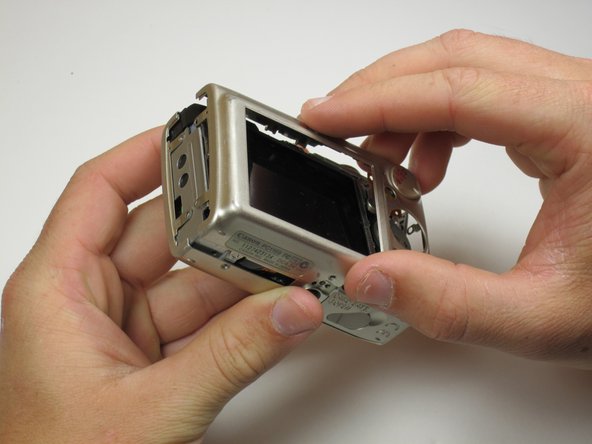
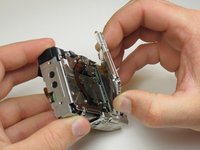
    • Gently lift the rear of the case to remove it from the camera.

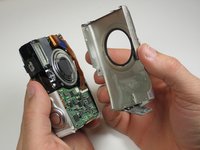
  6. Canon Powershot SD550 LCD Screen Replacement: 6 단계, 이미지 3개 중 1개 Canon Powershot SD550 LCD Screen Replacement: 6 단계, 이미지 3개 중 2개 Canon Powershot SD550 LCD Screen Replacement: 6 단계, 이미지 3개 중 3개
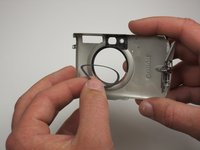
    • Remove the front of the camera body.

    • Be sure to keep track of the rubber ring.

  7. Canon Powershot SD550 LCD Screen Replacement, LCD Screen: 7 단계, 이미지 3개 중 1개 Canon Powershot SD550 LCD Screen Replacement, LCD Screen: 7 단계, 이미지 3개 중 2개 Canon Powershot SD550 LCD Screen Replacement, LCD Screen: 7 단계, 이미지 3개 중 3개
    • Peel the navigation buttons from the button panel and set them aside.

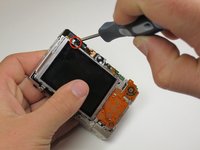
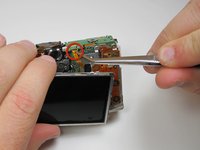
    • To free the LCD display, remove the 2.9 mm screw in the top left corner.

    • Rotate the screen clockwise until it lifts away from the camera.

    • There are two ribbon cables attached to the rear of the screen. Do not try to pull the screen off at this point.

  8. Canon Powershot SD550 LCD Screen Replacement: 8 단계, 이미지 2개 중 1개 Canon Powershot SD550 LCD Screen Replacement: 8 단계, 이미지 2개 중 2개
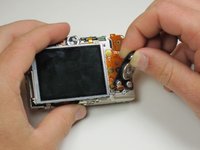
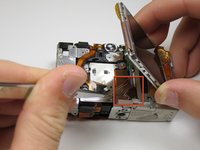
    • To unplug the ribbon cables, pull them straight out of their plugs. Do this gently to avoid damaging the connections.

    • After disconnecting both cables, pull the screen away from the camera to remove it.

결론

To reassemble your device, follow these instructions in reverse order.

다른 2명이 해당 안내서를 완성하였습니다.

작성자

5다른 기여자 명과 함께

Vivian Su

회원 가입일: 04/17/11

31 평판

안내서 1개를 작성함

Cal Poly, Team 18-23, Garner Spring 2011 Cal Poly, Team 18-23, Garner Spring 2011 회원

CPSU-GARNER-S11S18G23

5 회원들

안내서 7개를 작성함

0가이드 댓글

댓글 쓰기

조회 통계:

지난 24시간: 0

지난 7일: 2

지난 30일: 24

전체 시간: 3,590