주요 콘텐츠로 건너뛰기

Cherry Stream Desktop - Low Profile Keycap - Repair

  1. Cherry Stream Desktop - Low Profile Keycap - Repair, Place components on a flat surface: 1 단계, 이미지 2개 중 1개 Cherry Stream Desktop - Low Profile Keycap - Repair, Place components on a flat surface: 1 단계, 이미지 2개 중 2개
    • Image 1: Put the 3 components on a flat surface. The keycap (black component)

    • Image 2: the 2-component bracket

  2. Cherry Stream Desktop - Low Profile Keycap - Repair, Click bracket on keycap: 2 단계, 이미지 2개 중 1개 Cherry Stream Desktop - Low Profile Keycap - Repair, Click bracket on keycap: 2 단계, 이미지 2개 중 2개
    • image 1: Click the inserts of the smaller bracket onto the keycap

    • image 2: once it's clicked, the bracket should stay in place if you shake the keycap

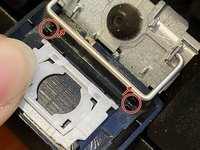
  3. Cherry Stream Desktop - Low Profile Keycap - Repair, Join the small with the larger bracket: 3 단계, 이미지 2개 중 1개 Cherry Stream Desktop - Low Profile Keycap - Repair, Join the small with the larger bracket: 3 단계, 이미지 2개 중 2개
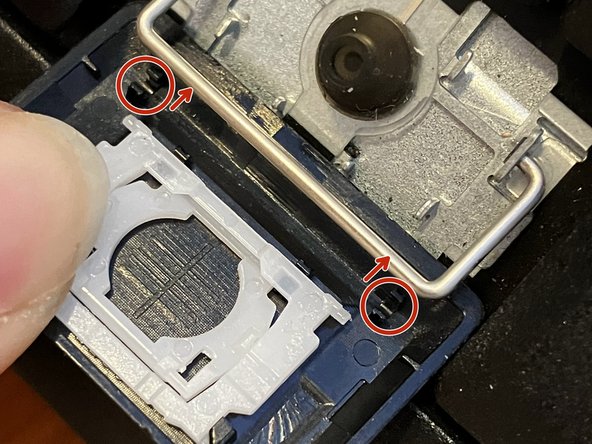
    • Image 1: Insert the pin of the small bracket onto the larger one.

    • Note: There are two small pins. Ideally, you should insert both. One after the other. But if one breaks, the keycap will still work.

    • Image 2: Just place the larger bracket on the keycap. There is no click

  4. Cherry Stream Desktop - Low Profile Keycap - Repair, The final touch: 4 단계, 이미지 3개 중 1개 Cherry Stream Desktop - Low Profile Keycap - Repair, The final touch: 4 단계, 이미지 3개 중 2개 Cherry Stream Desktop - Low Profile Keycap - Repair, The final touch: 4 단계, 이미지 3개 중 3개
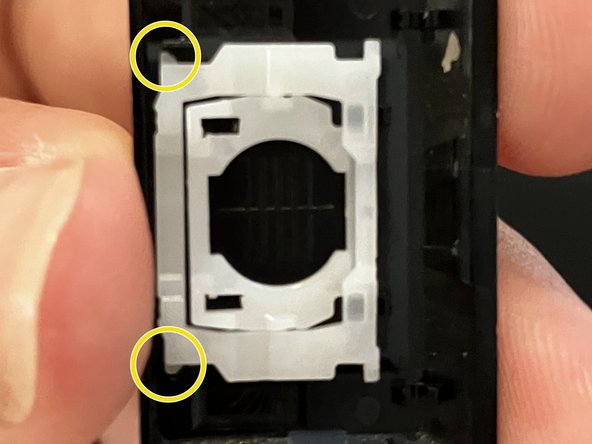
    • Image 1: you need to orient the keycap so that it can click to the tiny metal bar

    • Note: This is just a reference

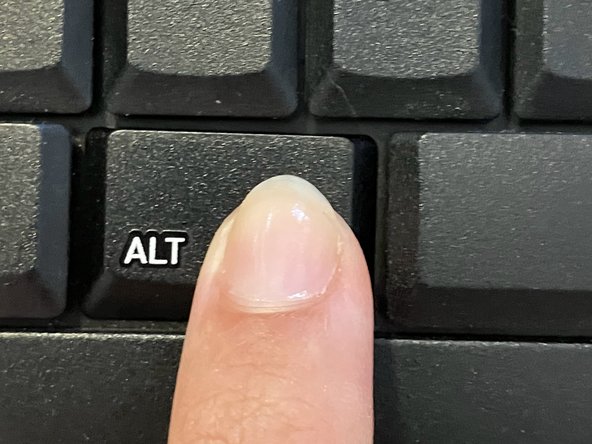
    • Image 2: Once oriented, place the keycap on top of the space for the keycap on the keyboard, while holding the white bracket.

    • Next, simply press the keycap down

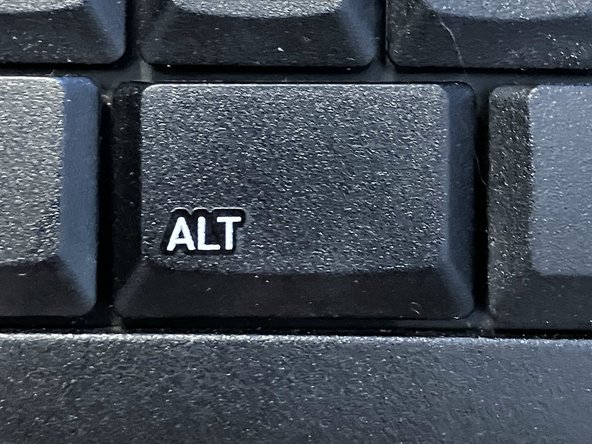
    • Image 3: Congratulations! Your keyboard should be working again. :D

결론

To reassemble your device, follow these instructions in reverse order.

작성자

1다른 기여자 명과 함께

Beatriz Pozo Arcos

회원 가입일: 06/08/22

897 평판

안내서 4개를 작성함

0가이드 댓글

댓글 쓰기

조회 통계:

지난 24시간: 1

지난 7일: 9

지난 30일: 39

전체 시간: 645