주요 콘텐츠로 건너뛰기

DJI Phantom 4 Advanced Remote Controller Motherboard Replacement

필요한 것

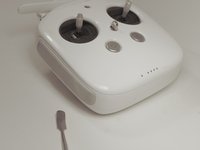
  1. DJI Phantom 4 Advanced Remote Controller Motherboard Replacement, Back Panel: 1 단계, 이미지 1개 중 1개
    • Remove the four screws with a Torx T8 screwdriver to access the back con board.

  2. DJI Phantom 4 Advanced Remote Controller Motherboard Replacement: 2 단계, 이미지 2개 중 1개 DJI Phantom 4 Advanced Remote Controller Motherboard Replacement: 2 단계, 이미지 2개 중 2개
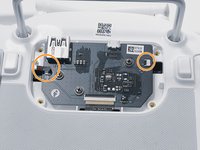
    • Remove three screws using a Phillips #00 screwdriver.

  3. DJI Phantom 4 Advanced Remote Controller Motherboard Replacement: 3 단계, 이미지 2개 중 1개 DJI Phantom 4 Advanced Remote Controller Motherboard Replacement: 3 단계, 이미지 2개 중 2개
    이 단계에 사용된 도구:
    Tweezers
    $4.99
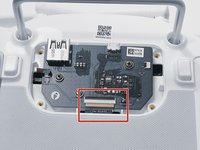
    • With tweezers, gently remove the large con board tab.

    • Use your hands to remove the two small clips. Pull out from the socket, in a horizontal direction.

  4. DJI Phantom 4 Advanced Remote Controller Motherboard Replacement: 4 단계, 이미지 2개 중 1개 DJI Phantom 4 Advanced Remote Controller Motherboard Replacement: 4 단계, 이미지 2개 중 2개
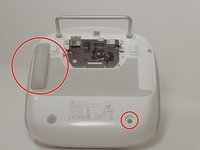
    • Peel off the rubber grips to access the screw holes.

    • Make sure to save your grips and do not to get them stuck to anything, you are going to want to save the adhesive.

    • Remove the back board and set it aside.

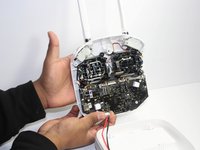
  5. DJI Phantom 4 Advanced Remote Controller Motherboard Replacement: 5 단계, 이미지 2개 중 1개 DJI Phantom 4 Advanced Remote Controller Motherboard Replacement: 5 단계, 이미지 2개 중 2개
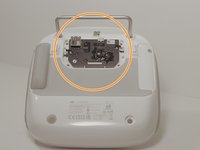
    • Pull apart the back plastic panel.

    • Recommended tool for this would be the metal spudger, but not required.

    • Once the back panel is off, you will have access to the motherboard.

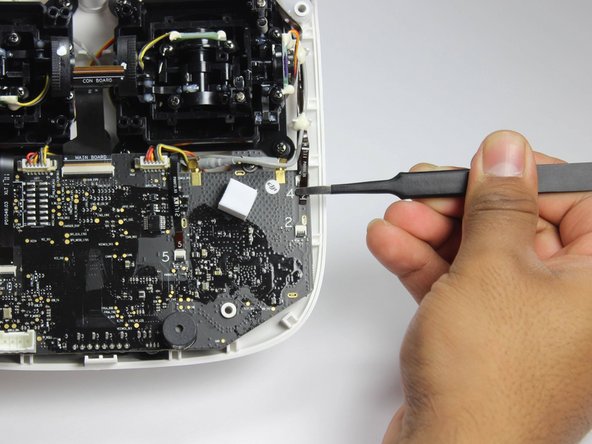
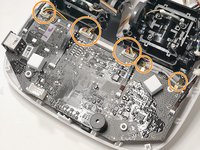
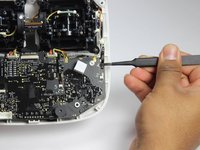
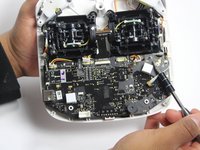
  6. DJI Phantom 4 Advanced Remote Controller Motherboard Replacement, Motherboard: 6 단계, 이미지 3개 중 1개 DJI Phantom 4 Advanced Remote Controller Motherboard Replacement, Motherboard: 6 단계, 이미지 3개 중 2개 DJI Phantom 4 Advanced Remote Controller Motherboard Replacement, Motherboard: 6 단계, 이미지 3개 중 3개
    • Disconnect ribbon tabs 1,2,5,8G, and 3.

    • Remove ribbon tab by pulling gently along motherboard. Do not pull straight out.

    • Then remove the plugs

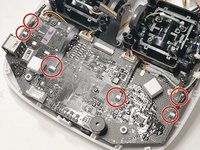
  7. DJI Phantom 4 Advanced Remote Controller Motherboard Replacement: 7 단계, 이미지 2개 중 1개 DJI Phantom 4 Advanced Remote Controller Motherboard Replacement: 7 단계, 이미지 2개 중 2개
    • With the Phillips #00 screwdriver, remove the two Phillips screws.

  8. DJI Phantom 4 Advanced Remote Controller Motherboard Replacement: 8 단계, 이미지 1개 중 1개
    • Double check to make sure all tabs, plugs and screws are removed or disconnected.

    • Gently lift motherboard out of the case.

결론

To reassemble your device, follow these instructions in reverse order.

다른 2명이 해당 안내서를 완성하였습니다.

작성자

6다른 기여자 명과 함께

cade knott

회원 가입일: 10/02/18

511 평판

안내서 3개를 작성함

2가이드 댓글

Do you know here can i buy a main board for phantom 4 advanced remote controller?

carl_darklife - 답글

I would like to know too, can’t find one anywhere

Luke James -

댓글 쓰기

조회 통계:

지난 24시간: 1

지난 7일: 2

지난 30일: 27

전체 시간: 2,430