주요 콘텐츠로 건너뛰기
수리 커뮤니티 가입 - 계정 만들기

DJI Spark Camera Replacement

필요한 것

  1. DJI Spark Camera Replacement, Propellers: 1 단계, 이미지 1개 중 1개
    • Push down on the propeller that is being replaced.

  2. DJI Spark Camera Replacement: 2 단계, 이미지 2개 중 1개 DJI Spark Camera Replacement: 2 단계, 이미지 2개 중 2개
    • Twist the propeller until it feels loose.

    • Pull on it until it comes off.

  3. DJI Spark Camera Replacement, Battery: 3 단계, 이미지 3개 중 1개 DJI Spark Camera Replacement, Battery: 3 단계, 이미지 3개 중 2개 DJI Spark Camera Replacement, Battery: 3 단계, 이미지 3개 중 3개
    • Flip the drone over.

    • Grip the left and right sides of the battery.

    • Slide firmly forward until it pops out.

  4. DJI Spark Camera Replacement, Lid: 4 단계, 이미지 3개 중 1개 DJI Spark Camera Replacement, Lid: 4 단계, 이미지 3개 중 2개 DJI Spark Camera Replacement, Lid: 4 단계, 이미지 3개 중 3개
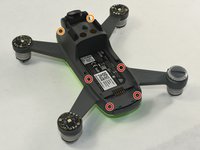
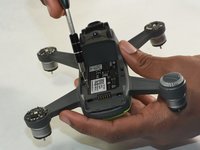
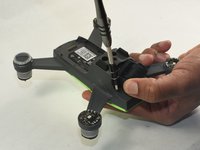
    • Flip the drone over.

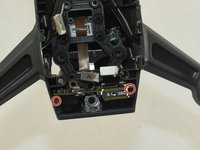
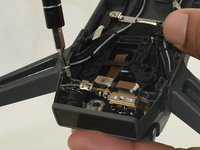
    • Remove the four 1.5mm Hex screws.

    • Remove the two 1.5mm Hex screws near the camera head.

    • You may need to remove plastic nubs from the hex screws using a spudger first.

  5. DJI Spark Camera Replacement: 5 단계, 이미지 3개 중 1개 DJI Spark Camera Replacement: 5 단계, 이미지 3개 중 2개 DJI Spark Camera Replacement: 5 단계, 이미지 3개 중 3개
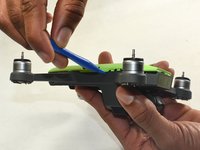
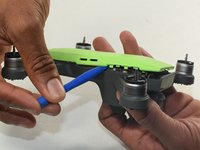
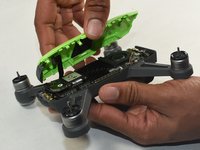
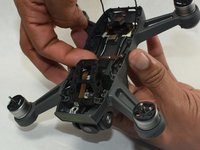
    • Hold the drone so the lid is facing up.

    • Insert the plastic opening tool into the side of the drone.

    • Slide the tool around the perimeter until you can lift the top off.

  6. DJI Spark Camera Replacement, Camera: 6 단계, 이미지 2개 중 1개 DJI Spark Camera Replacement, Camera: 6 단계, 이미지 2개 중 2개
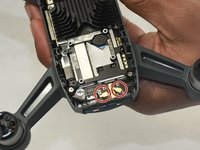
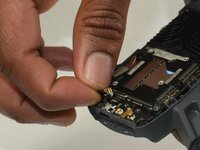
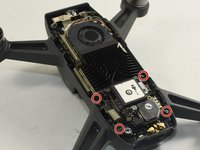
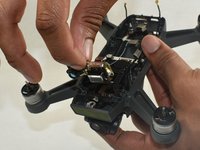
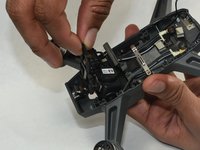
    • Disconnect two gold antenna next to the internal GPS while removing the motherboard.

  7. DJI Spark Camera Replacement: 7 단계, 이미지 3개 중 1개 DJI Spark Camera Replacement: 7 단계, 이미지 3개 중 2개 DJI Spark Camera Replacement: 7 단계, 이미지 3개 중 3개
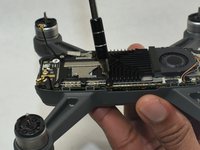
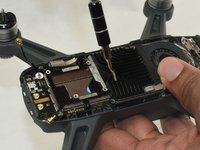
    • Remove all the Phillips #0 screws attaching the motherboard to the drone.

    • It is the piece with both the fan and GPS module on it.

  8. DJI Spark Camera Replacement: 8 단계, 이미지 2개 중 1개 DJI Spark Camera Replacement: 8 단계, 이미지 2개 중 2개
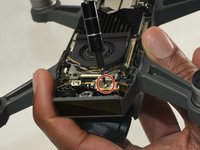
    • Remove the 3.0 mm Phillips #000 screw.

  9. DJI Spark Camera Replacement: 9 단계, 이미지 3개 중 1개 DJI Spark Camera Replacement: 9 단계, 이미지 3개 중 2개 DJI Spark Camera Replacement: 9 단계, 이미지 3개 중 3개
    • Remove the two Phillips #0 screws on the right and left sides.

    • Once removed, pull the front facing sensor out.

  10. DJI Spark Camera Replacement: 10 단계, 이미지 3개 중 1개 DJI Spark Camera Replacement: 10 단계, 이미지 3개 중 2개 DJI Spark Camera Replacement: 10 단계, 이미지 3개 중 3개
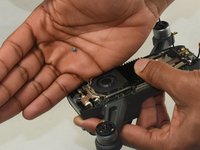
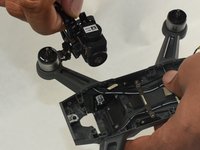
    • Gently remove the gimbal along with the camera from the top of the device.

결론

To reassemble your device, follow these instructions in reverse order.

다른 3명이 해당 안내서를 완성하였습니다.

작성자

5다른 기여자 명과 함께

Amelia Hagberg

회원 가입일: 10/21/19

463 평판

안내서 3개를 작성함

UMass Dartmouth, Team S1-G7, Botvin Fall 2019 UMass Dartmouth, Team S1-G7, Botvin Fall 2019 회원

UMASSD-BOTVIN-F19S1G7

3 회원들

안내서 7개를 작성함

2가이드 댓글

Good start, but missing many steps and details.

Basil Yokarinis - 답글

I am now going to try and fix my drone. thank you so much

sebasnavarro1116 - 답글

댓글 쓰기

조회 통계:

지난 24시간: 1

지난 7일: 16

지난 30일: 57

전체 시간: 6,927