주요 콘텐츠로 건너뛰기

Dell Inspiron 13-7373 Keyboard Replacement

필요한 것

  1. Dell Inspiron 13-7373 Keyboard Replacement, Back Cover: 1 단계, 이미지 3개 중 1개 Dell Inspiron 13-7373 Keyboard Replacement, Back Cover: 1 단계, 이미지 3개 중 2개 Dell Inspiron 13-7373 Keyboard Replacement, Back Cover: 1 단계, 이미지 3개 중 3개
    • Before you begin, be sure to turn off your laptop and unplug it from the outlet.

    • Remove the ten 7.5mm Phillips #00 screws from the bottom of the laptop.

    • Use an opening tool to remove the bottom half of the case from the laptop.

  2. Dell Inspiron 13-7373 Keyboard Replacement, Battery: 2 단계, 이미지 1개 중 1개
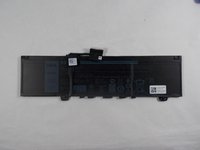
    • Use a Phillips screwdriver to remove the four screws holding the battery in place.

  3. Dell Inspiron 13-7373 Keyboard Replacement: 3 단계, 이미지 2개 중 1개 Dell Inspiron 13-7373 Keyboard Replacement: 3 단계, 이미지 2개 중 2개
    • Pull the plastic tab on the battery cable to disconnect the cable from the battery.

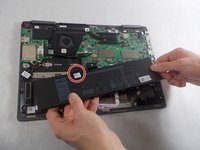
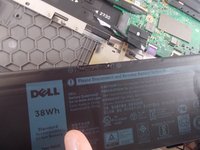
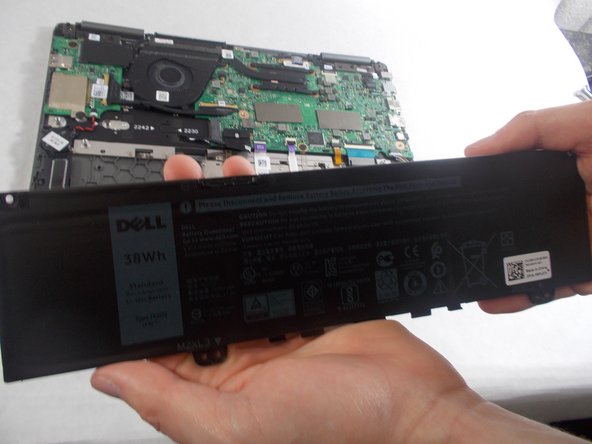
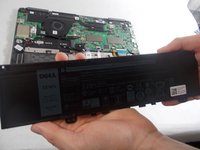
  4. Dell Inspiron 13-7373 Keyboard Replacement: 4 단계, 이미지 2개 중 1개 Dell Inspiron 13-7373 Keyboard Replacement: 4 단계, 이미지 2개 중 2개
    • Remove the battery from the laptop.

  5. Dell Inspiron 13-7373 Keyboard Replacement, Fan: 5 단계, 이미지 1개 중 1개
    • Remove the two screws holding the cover for the fan.

  6. Dell Inspiron 13-7373 Keyboard Replacement: 6 단계, 이미지 1개 중 1개
    • Unplug the connector holding the fan’s wires.

    • Remove the fan from the laptop.

  7. Dell Inspiron 13-7373 Keyboard Replacement, Network Card: 7 단계, 이미지 1개 중 1개
    • Use the Phillips #00 screwdriver to remove the single screw holding in the network card.

    • Remove the network card from the laptop.

  8. Dell Inspiron 13-7373 Keyboard Replacement, Daughterboard: 8 단계, 이미지 1개 중 1개
    • Use the Phillips #00 screwdriver to remove the two 1mm screws holding in the daughterboard.

    • Remove the metal piece holding in the daughterboard.

    • Disconnect the two cable connectors from the daughterboard.

    • If the cables are stuck, gently wiggle them until they disconnect.

  9. Dell Inspiron 13-7373 Keyboard Replacement: 9 단계, 이미지 1개 중 1개
    • Remove the daughterboard.

  10. Dell Inspiron 13-7373 Keyboard Replacement, Motherboard: 10 단계, 이미지 1개 중 1개
    • Remove the seven 2mm screws securing the motherboard.

  11. Dell Inspiron 13-7373 Keyboard Replacement: 11 단계, 이미지 3개 중 1개 Dell Inspiron 13-7373 Keyboard Replacement: 11 단계, 이미지 3개 중 2개 Dell Inspiron 13-7373 Keyboard Replacement: 11 단계, 이미지 3개 중 3개
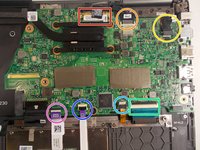
    • Release the IO Board Cable.

    • Release the Touchpad cable.

    • Release the keyboard back-light cable.

    • Release the keyboard cable.

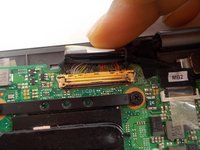
    • Release the eDP cable.

    • Release the dc-in cable.

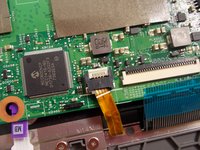
    • Release the cable for the LED charging indicator by gently pulling up on the connector.

  12. Dell Inspiron 13-7373 Keyboard Replacement: 12 단계, 이미지 1개 중 1개
    • Gently lift up on the motherboard to remove it.

  13. Dell Inspiron 13-7373 Keyboard Replacement, Keyboard: 13 단계, 이미지 2개 중 1개 Dell Inspiron 13-7373 Keyboard Replacement, Keyboard: 13 단계, 이미지 2개 중 2개
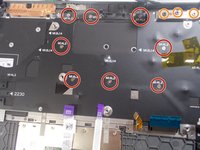
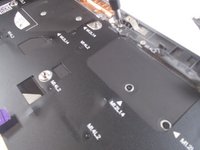
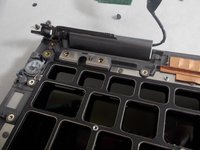
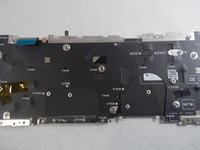
    • Use the Phillips #00 screwdriver to remove the eight 1mm screws at the back of the keyboard.

    • Remove the 3 screws holding the hinges of the laptop on each side.

  14. Dell Inspiron 13-7373 Keyboard Replacement: 14 단계, 이미지 2개 중 1개 Dell Inspiron 13-7373 Keyboard Replacement: 14 단계, 이미지 2개 중 2개
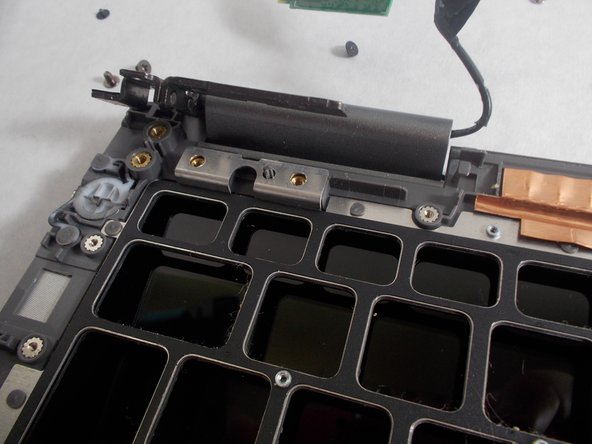
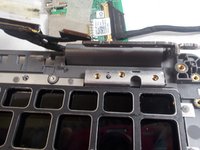
    • Lift up on the hinges that the three screws were removed from.

    • They are difficult to move and may require a tad bit more effort.

  15. Dell Inspiron 13-7373 Keyboard Replacement: 15 단계, 이미지 2개 중 1개 Dell Inspiron 13-7373 Keyboard Replacement: 15 단계, 이미지 2개 중 2개
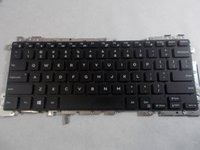
    • Gently remove the keyboard from beneath the hinges that were lifted up.

결론

To reassemble your device, follow these instructions in reverse order.

작성자

2다른 기여자 명과 함께

Kameron Jusseaume

회원 가입일: 10/25/19

492 평판

안내서 2개를 작성함

UMass Dartmouth, Team S1-G4, O'Connell Fall 2019 UMass Dartmouth, Team S1-G4, O'Connell Fall 2019 회원

UMASSD-O'CONNELL-F19S1G4

3 회원들

안내서 5개를 작성함

0가이드 댓글

댓글 쓰기

조회 통계:

지난 24시간: 0

지난 7일: 10

지난 30일: 18

전체 시간: 1,991