주요 콘텐츠로 건너뛰기

Dell Inspiron 15-7547 LCD Assembly Replacement

필요한 것

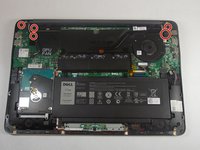
  1. Dell Inspiron 15-7547 LCD Assembly Replacement, Bottom Cover: 1 단계, 이미지 1개 중 1개
    • Before you begin, be sure to turn off your laptop and unplug it from the outlet.

    • Close the display and flip the laptop on its back.

    • Loosen the ten 5.0 mm-long Phillips #0 screws.

    • The four screws marked with orange will remain captive to the cover.

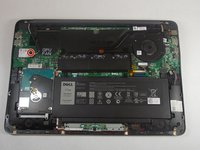
  2. Dell Inspiron 15-7547 LCD Assembly Replacement: 2 단계, 이미지 1개 중 1개
    • Use a spudger to pry up and loosen the back cover.

    • Remove the back cover.

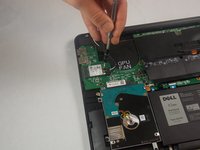
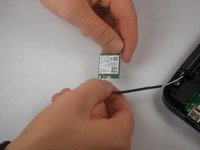
  3. Dell Inspiron 15-7547 LCD Assembly Replacement, WiFi Card: 3 단계, 이미지 2개 중 1개 Dell Inspiron 15-7547 LCD Assembly Replacement, WiFi Card: 3 단계, 이미지 2개 중 2개
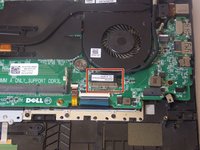
    • Remove the 3.0 mm-long Philips #0 screw at the end of the Wifi-Card

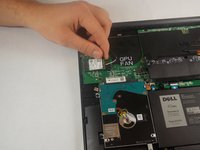
  4. Dell Inspiron 15-7547 LCD Assembly Replacement: 4 단계, 이미지 2개 중 1개 Dell Inspiron 15-7547 LCD Assembly Replacement: 4 단계, 이미지 2개 중 2개
    • Remove the Wifi-Card from its socket by pulling away and up from the connector.

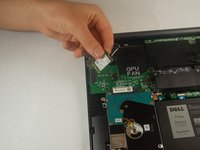
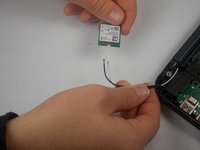
  5. Dell Inspiron 15-7547 LCD Assembly Replacement: 5 단계, 이미지 2개 중 1개 Dell Inspiron 15-7547 LCD Assembly Replacement: 5 단계, 이미지 2개 중 2개
    • Disconnect the white and black cables from the Wifi-Card.

    • Make a note of which wire goes where for reconnecting them to the replacement card.

  6. Dell Inspiron 15-7547 LCD Assembly Replacement, LCD Assembly: 6 단계, 이미지 3개 중 1개 Dell Inspiron 15-7547 LCD Assembly Replacement, LCD Assembly: 6 단계, 이미지 3개 중 2개 Dell Inspiron 15-7547 LCD Assembly Replacement, LCD Assembly: 6 단계, 이미지 3개 중 3개
    • Remove the six 7.0 mm-long Philips #0 screws that mount the hinges.

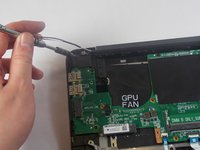
  7. Dell Inspiron 15-7547 LCD Assembly Replacement: 7 단계, 이미지 3개 중 1개 Dell Inspiron 15-7547 LCD Assembly Replacement: 7 단계, 이미지 3개 중 2개 Dell Inspiron 15-7547 LCD Assembly Replacement: 7 단계, 이미지 3개 중 3개
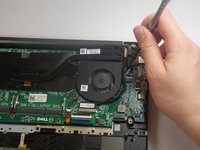
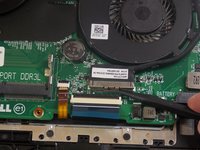
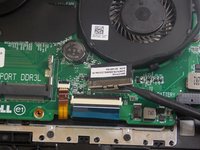
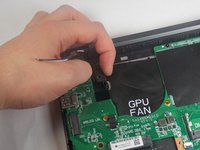
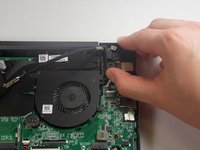
    • Use a spudger to unlatch and unplug the display cable.

    • There will be a notch on the side of the connector.

  8. Dell Inspiron 15-7547 LCD Assembly Replacement: 8 단계, 이미지 3개 중 1개 Dell Inspiron 15-7547 LCD Assembly Replacement: 8 단계, 이미지 3개 중 2개 Dell Inspiron 15-7547 LCD Assembly Replacement: 8 단계, 이미지 3개 중 3개
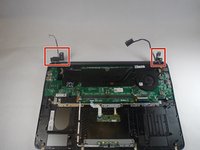
    • Raise the left and right hinges.

  9. Dell Inspiron 15-7547 LCD Assembly Replacement: 9 단계, 이미지 1개 중 1개
    • Remove the LCD display assembly from the laptop.

결론

To reassemble your device, follow these instructions in reverse order.

작성자

2다른 기여자 명과 함께

Kevin Smith

회원 가입일: 09/10/18

321 평판

안내서 2개를 작성함

0가이드 댓글

댓글 쓰기

조회 통계:

지난 24시간: 0

지난 7일: 1

지난 30일: 4

전체 시간: 889