주요 콘텐츠로 건너뛰기
수리 커뮤니티 가입 - 계정 만들기

Dell Inspiron 15-7547 RAM Replacement

필요한 것

  1. Dell Inspiron 15-7547 RAM Replacement, Bottom Cover: 1 단계, 이미지 1개 중 1개
    • Before you begin, be sure to turn off your laptop and unplug it from the outlet.

    • Close the display and flip the laptop on its back.

    • Loosen the ten 5.0 mm-long Phillips #0 screws.

    • The four screws marked with orange will remain captive to the cover.

  2. Dell Inspiron 15-7547 RAM Replacement: 2 단계, 이미지 1개 중 1개
    • Use a spudger to pry up and loosen the back cover.

    • Remove the back cover.

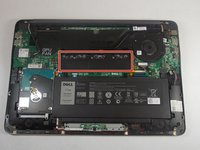
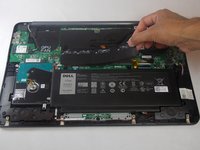
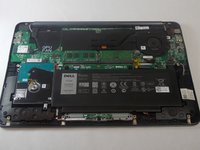
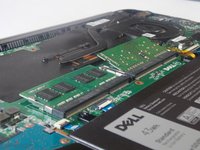
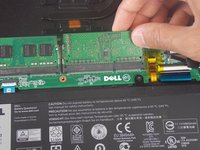
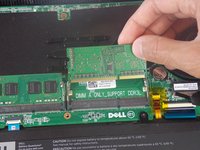
  3. Dell Inspiron 15-7547 RAM Replacement, RAM: 3 단계, 이미지 3개 중 1개 Dell Inspiron 15-7547 RAM Replacement, RAM: 3 단계, 이미지 3개 중 2개 Dell Inspiron 15-7547 RAM Replacement, RAM: 3 단계, 이미지 3개 중 3개
    • Remove the plastic heat spreader that covers the RAM sticks.

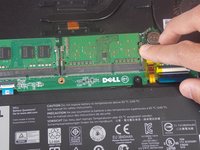
  4. Dell Inspiron 15-7547 RAM Replacement: 4 단계, 이미지 2개 중 1개 Dell Inspiron 15-7547 RAM Replacement: 4 단계, 이미지 2개 중 2개
    • Release the clamps on each side of the RAM sticks by pushing away from the center.

    • When done properly the RAM stick should pop up.

  5. Dell Inspiron 15-7547 RAM Replacement: 5 단계, 이미지 2개 중 1개 Dell Inspiron 15-7547 RAM Replacement: 5 단계, 이미지 2개 중 2개
    • Pull the RAM stick in a straight line out of the socket.

결론

To reassemble your device, follow these instructions in reverse order.

작성자

2다른 기여자 명과 함께

Claro

회원 가입일: 09/10/18

591 평판

안내서 5개를 작성함

0가이드 댓글

댓글 쓰기

조회 통계:

지난 24시간: 1

지난 7일: 8

지난 30일: 63

전체 시간: 546