주요 콘텐츠로 건너뛰기

Dell Inspiron 1521 Memory Modules Replacement

필요한 것

  1. Dell Inspiron 1521 Memory Modules Replacement, Lifting the Module Cover: 1 단계, 이미지 1개 중 1개
    • Follow the procedures in Before You Begin.

    • Lift the memory module cover but do not remove it.

    • NOTICE: To prevent damage to the memory module connector, do not use tools to spread the memory module securing clips.

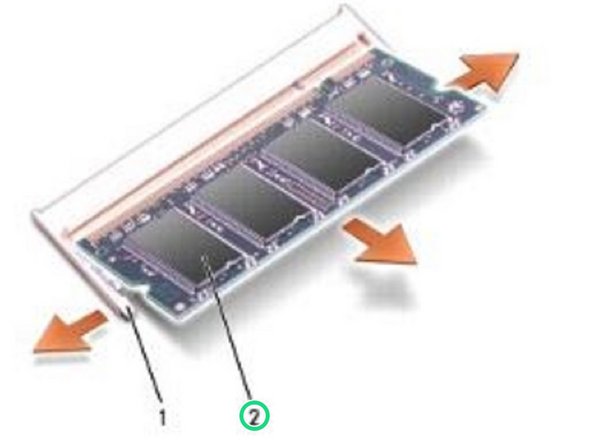
  2. Dell Inspiron 1521 Memory Modules Replacement, Popping up the Memory Module: 2 단계, 이미지 1개 중 1개
    • Use your fingertips to carefully spread apart the securing clips on each end of the memory module connector until the module pops up.

  3. Dell Inspiron 1521 Memory Modules Replacement, Remove the DIMM A Memory Module: 3 단계, 이미지 1개 중 1개
    • Remove the module from the connector.

  4. Dell Inspiron 1521 Memory Modules Replacement, DIMM B Memory Module: 4 단계, 이미지 1개 중 1개
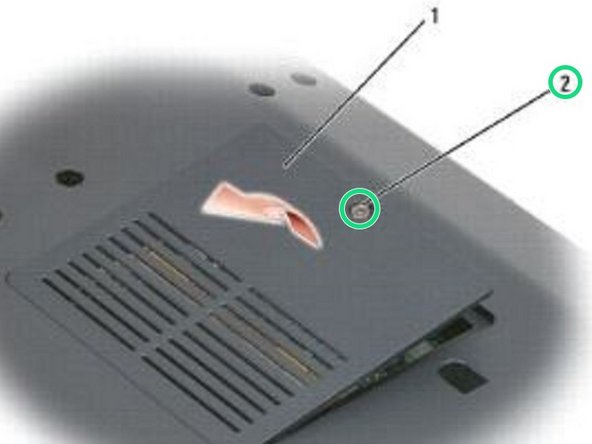
    • Turn the computer over.

    • Loosen the captive screw on the memory module cover, then remove the cover and set it aside.

    • NOTICE: To prevent damage to the memory module connector, do not use tools to spread the memory module securing clips.

  5. Dell Inspiron 1521 Memory Modules Replacement, Popping up the Memory Module: 5 단계, 이미지 2개 중 1개 Dell Inspiron 1521 Memory Modules Replacement, Popping up the Memory Module: 5 단계, 이미지 2개 중 2개
    • Use your fingertips to carefully spread apart the securing clips on each end of the memory module connector until the memory module pops up.

  6. Dell Inspiron 1521 Memory Modules Replacement, Remove the Memory Module: 6 단계, 이미지 1개 중 1개
    • Remove the memory module from the connector.

  7. Dell Inspiron 1521 Memory Modules Replacement, Replacing DIMM A Memory Module: 7 단계, 이미지 2개 중 1개 Dell Inspiron 1521 Memory Modules Replacement, Replacing DIMM A Memory Module: 7 단계, 이미지 2개 중 2개
    • Align the notch in the memory module edge connector with the tab in the connector slot.

  8. Dell Inspiron 1521 Memory Modules Replacement, Sliding the Memory Module: 8 단계, 이미지 1개 중 1개
    • Slide the memory module firmly into the slot at a 45-degree angle, and rotate the module down until it clicks into place. If you do not feel the click, remove the module and reinstall it.

    • NOTE: If the memory module is not installed properly, the computer may not boot. No error message indicates this failure.

  9. Dell Inspiron 1521 Memory Modules Replacement, Replace the Memory Module Cover: 9 단계, 이미지 1개 중 1개
    • Replace the memory module cover.

  10. Dell Inspiron 1521 Memory Modules Replacement, Loosen the Screw: 10 단계, 이미지 1개 중 1개
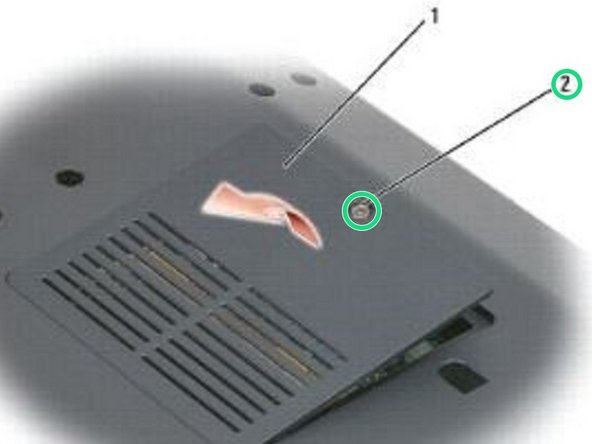
    • Turn the computer over.

    • Loosen the captive screw on the memory module cover, then remove the cover and set it aside.

  11. Dell Inspiron 1521 Memory Modules Replacement, Align the Notch: 11 단계, 이미지 2개 중 1개 Dell Inspiron 1521 Memory Modules Replacement, Align the Notch: 11 단계, 이미지 2개 중 2개
    • Align the notch in the module edge connector with the tab in the connector slot.

  12. Dell Inspiron 1521 Memory Modules Replacement, Sliding the Module: 12 단계, 이미지 1개 중 1개
    • Slide the module firmly into the slot at a 45-degree angle, and rotate the module down until it clicks into place. If you do not feel the click, remove the module and reinstall it.

    • NOTE: If the memory module is not installed properly, the computer may not boot. No error message indicates this failure.

    • NOTICE: If the cover is difficult to close, remove the module and reinstall it. Forcing the cover to close may damage your computer.

  13. Dell Inspiron 1521 Memory Modules Replacement, Replace the Module Cover: 13 단계, 이미지 2개 중 1개 Dell Inspiron 1521 Memory Modules Replacement, Replace the Module Cover: 13 단계, 이미지 2개 중 2개
    • Replace the memory module cover and tighten the screw.

결승점

작성자

1다른 기여자 명과 함께

Terrence15

회원 가입일: 12/18/17

79,858 평판

안내서 441개를 작성함

RampUP America, Inc. RampUP America, Inc. 회원

Community

43 회원들

안내서 1,994개를 작성함

0가이드 댓글

댓글 쓰기

조회 통계:

지난 24시간: 0

지난 7일: 2

지난 30일: 10

전체 시간: 290