주요 콘텐츠로 건너뛰기

Dell Optiplex 745 Small Form Factor Processor Replacement

필요한 것

  1. Dell Optiplex 745 Small Form Factor Processor Replacement, Opening the case: 1 단계, 이미지 2개 중 1개 Dell Optiplex 745 Small Form Factor Processor Replacement, Opening the case: 1 단계, 이미지 2개 중 2개
    • Pull the tab and the lid will pop up.

  2. Dell Optiplex 745 Small Form Factor Processor Replacement: 2 단계, 이미지 2개 중 1개 Dell Optiplex 745 Small Form Factor Processor Replacement: 2 단계, 이미지 2개 중 2개
    • Grab the lid and pull it up and off.

  3. Dell Optiplex 745 Small Form Factor Processor Replacement, Processor: 3 단계, 이미지 1개 중 1개
    • The processor is located inside the heat sink (indicated by the marker).

  4. Dell Optiplex 745 Small Form Factor Processor Replacement: 4 단계, 이미지 3개 중 1개 Dell Optiplex 745 Small Form Factor Processor Replacement: 4 단계, 이미지 3개 중 2개 Dell Optiplex 745 Small Form Factor Processor Replacement: 4 단계, 이미지 3개 중 3개
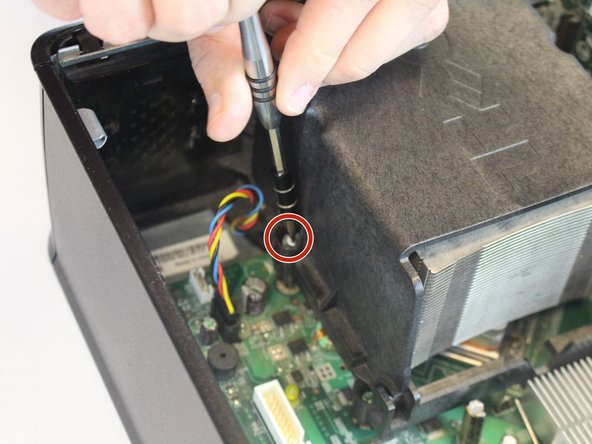
    • Unscrew the 9.5 mm screws from heatsink on both sides using the Phillips #2 screwdriver.

    • If the processor is glued on to the heat sink, gently scrape off the glue and detach it from the device.

  5. Dell Optiplex 745 Small Form Factor Processor Replacement: 5 단계, 이미지 3개 중 1개 Dell Optiplex 745 Small Form Factor Processor Replacement: 5 단계, 이미지 3개 중 2개 Dell Optiplex 745 Small Form Factor Processor Replacement: 5 단계, 이미지 3개 중 3개
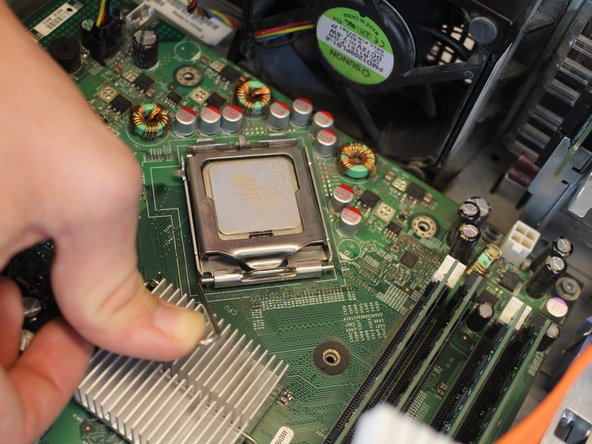
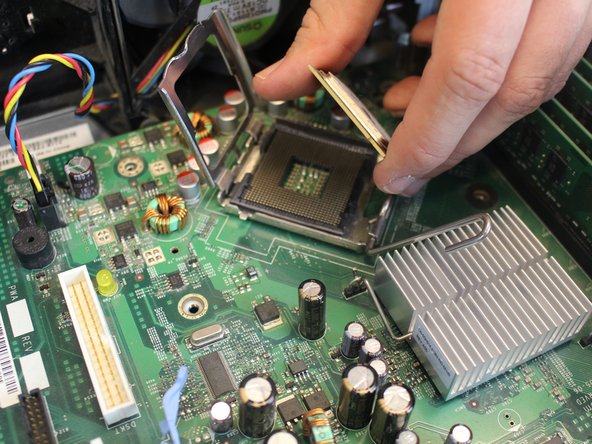
    • Push the small lever downwards, then sideways and upwards, in order to release it from the hook.

    • Remove the processor from its casing.

결론

To reassemble your device, follow these instructions in reverse order.

다른 3명이 해당 안내서를 완성하였습니다.

작성자

1다른 기여자 명과 함께

Abdullah Khan

회원 가입일: 10/03/17

181 평판

안내서 1개를 작성함

USF Tampa, Team S5-G5, Walkup Fall 2017 USF Tampa, Team S5-G5, Walkup Fall 2017 회원

USFT-WALKUP-F17S5G5

4 회원들

안내서 9개를 작성함

0가이드 댓글

댓글 쓰기

조회 통계:

지난 24시간: 1

지난 7일: 3

지난 30일: 41

전체 시간: 1,560