주요 콘텐츠로 건너뛰기

Dell Vostro 5510 SSD Card Replacement

필요한 것

  1. Dell Vostro 5510 SSD Card Replacement, Back Cover: 1 단계, 이미지 1개 중 1개
    • Power off your laptop before beginning disassembly.

    • Place the laptop so the bottom cover is facing upwards.

  2. Dell Vostro 5510 SSD Card Replacement: 2 단계, 이미지 1개 중 1개
    • Remove the remaining (M2x4mm) screws with the screwdriver.

    • Loosen the two captive (M2x7.5mm) corner screws with the screwdriver.

  3. Dell Vostro 5510 SSD Card Replacement: 3 단계, 이미지 3개 중 1개 Dell Vostro 5510 SSD Card Replacement: 3 단계, 이미지 3개 중 2개 Dell Vostro 5510 SSD Card Replacement: 3 단계, 이미지 3개 중 3개
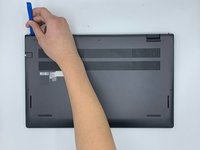
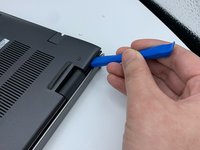
    • Pry open the top left corner of the cover with the opening tool.

    • Pry open the top right corner of the cover with the opening tool.

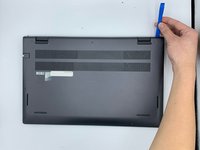
    • Pry the rest of the cover with the opening tool, working in a clockwise motion until it is completely loosened.

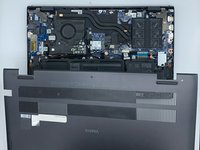
  4. Dell Vostro 5510 SSD Card Replacement: 4 단계, 이미지 3개 중 1개 Dell Vostro 5510 SSD Card Replacement: 4 단계, 이미지 3개 중 2개 Dell Vostro 5510 SSD Card Replacement: 4 단계, 이미지 3개 중 3개
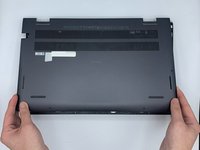
    • Lift the cover to remove it from the rest of the laptop.

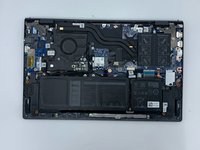
  5. Dell Vostro 5510 SSD Card Replacement, SSD Card: 5 단계, 이미지 1개 중 1개
    • Locate the SSD card.

  6. Dell Vostro 5510 SSD Card Replacement: 6 단계, 이미지 1개 중 1개
    • Remove the screw (M2x3mm) with the screwdriver.

  7. Dell Vostro 5510 SSD Card Replacement: 7 단계, 이미지 1개 중 1개
    • Grab the elevated side of the card.

    • Remove the card from the card slot.

결론

To reassemble your device, follow these instructions in reverse order.

작성자

2다른 기여자 명과 함께

Alexandra Moon

회원 가입일: 02/09/23

97 평판

안내서 1개를 작성함

0가이드 댓글

댓글 쓰기

조회 통계:

지난 24시간: 0

지난 7일: 8

지난 30일: 14

전체 시간: 355