주요 콘텐츠로 건너뛰기

Dexter 750W Wired Jigsaw Power Cable Replacement

필요한 것

  1. Dexter 750W Wired Jigsaw Power Cable Replacement, Unplug: 1 단계, 이미지 1개 중 1개
    • Before starting, remember to disconnect the outlet from the mains.

  2. Dexter 750W Wired Jigsaw Power Cable Replacement: 2 단계, 이미지 1개 중 1개
    • Remove the vacuum adaptor on the back of the device.

  3. Dexter 750W Wired Jigsaw Power Cable Replacement: 3 단계, 이미지 2개 중 1개 Dexter 750W Wired Jigsaw Power Cable Replacement: 3 단계, 이미지 2개 중 2개
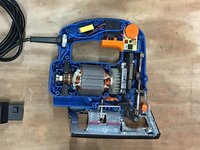
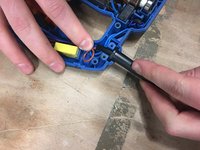
    • Using a screwdriver or screwdriver, unscrew and open the device.

    • Unlock the tray by lifting the lever.

  4. Dexter 750W Wired Jigsaw Power Cable Replacement: 4 단계, 이미지 1개 중 1개
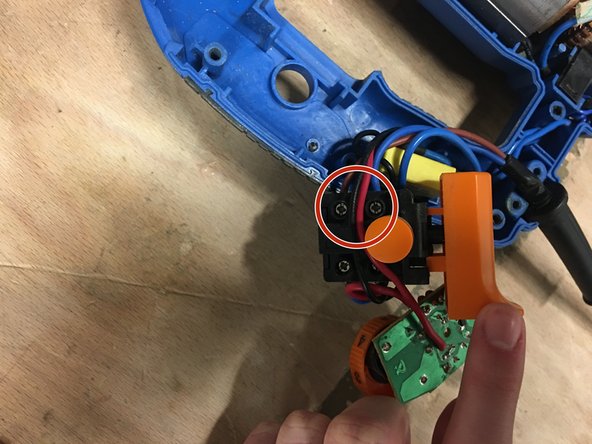
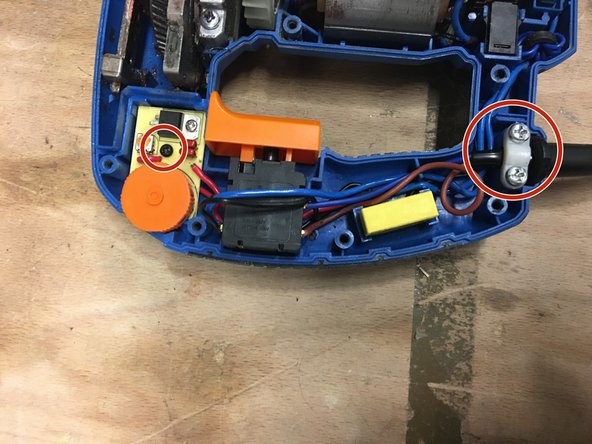
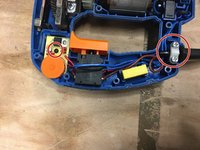
    • Remove the two screws to unlock the cable.

  5. Dexter 750W Wired Jigsaw Power Cable Replacement: 5 단계, 이미지 1개 중 1개
    • Remove the black screw, in order to remove the wheel.

    • Thanks to a screwdriver, leverage to be able to recover the wheel.

  6. Dexter 750W Wired Jigsaw Power Cable Replacement: 7 단계, 이미지 2개 중 1개 Dexter 750W Wired Jigsaw Power Cable Replacement: 7 단계, 이미지 2개 중 2개
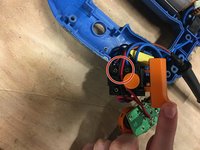
    • Turn the switch over.

    • Unscrew the 2 screws to remove the blue and brown cables.

  7. Dexter 750W Wired Jigsaw Power Cable Replacement: 8 단계, 이미지 1개 중 1개
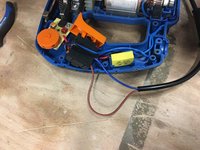
    • Reconnect the new cable.

    • The brown thread must be at the top and the blue thread must be at the bottom.

  8. Dexter 750W Wired Jigsaw Power Cable Replacement: 9 단계, 이미지 2개 중 1개 Dexter 750W Wired Jigsaw Power Cable Replacement: 9 단계, 이미지 2개 중 2개
    • Reposition each room in its housing.

    • Then screw each screw.

  9. Dexter 750W Wired Jigsaw Power Cable Replacement: 10 단계, 이미지 1개 중 1개
    • Close and screw the device.

결승점

다음 번역가들에게 특별히 감사 드립니다:

fr en

100%

HelloMacOS님은 저희가 세상을 수리하는데 동참하신 분입니다! 기여하시겠습니까?
번역 시작하기 ›

작성자

1다른 기여자 명과 함께

Céline Chemineau

회원 가입일: 01/29/20

17,013 평판

안내서 95개를 작성함

Leroy Merlin Leroy Merlin 회원

Community

38 회원들

안내서 249개를 작성함

0가이드 댓글

댓글 쓰기

조회 통계:

지난 24시간: 0

지난 7일: 1

지난 30일: 3

전체 시간: 401