주요 콘텐츠로 건너뛰기

Digiland 10.1'' DL1016 Screen Replacement

필요한 것

  1. Digiland 10.1'' DL1016 Screen Replacement, Digiland 10.1'' DL1016 Remove Backing: 1 단계, 이미지 2개 중 1개 Digiland 10.1'' DL1016 Screen Replacement, Digiland 10.1'' DL1016 Remove Backing: 1 단계, 이미지 2개 중 2개
    • Use an opening pick and an opening tool to pry the backing off the back of the tablet.

    • You may need some force when doing this and if needed use a metal spudger.

  2. Digiland 10.1'' DL1016 Screen Replacement: 2 단계, 이미지 2개 중 1개 Digiland 10.1'' DL1016 Screen Replacement: 2 단계, 이미지 2개 중 2개
    • Gently lift the backing off.

  3. 주의: 3 단계는 진행 중으로 표시된 안내서에서 제공되었습니다.

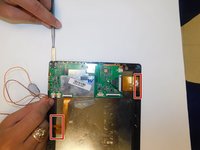
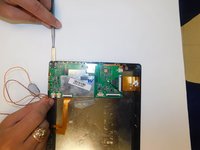
    Digiland 10.1'' DL1016 Screen Replacement, Digiland 10.1'' DL1016 Disconnect Wires going off the Motherboard: 3 단계, 이미지 2개 중 1개 Digiland 10.1'' DL1016 Screen Replacement, Digiland 10.1'' DL1016 Disconnect Wires going off the Motherboard: 3 단계, 이미지 2개 중 2개
    • Gently pull the wiring back.

    • You may need to use a metal spudger to lift the wire connector off the back of the screen.

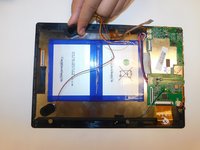
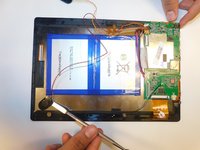
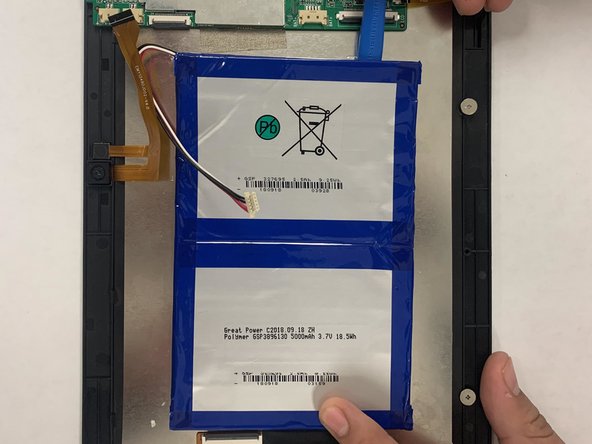
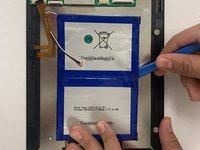
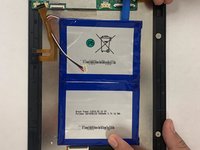
  4. Digiland 10.1'' DL1016 Screen Replacement, Digiland 10.1'' DL1016 Remove Battery: 4 단계, 이미지 2개 중 1개 Digiland 10.1'' DL1016 Screen Replacement, Digiland 10.1'' DL1016 Remove Battery: 4 단계, 이미지 2개 중 2개
    • Use an ESD safe pryer to lift the battery up.

    • There is glue that holds the battery down, so carefully pry it open. You may need to use some force.

  5. Digiland 10.1'' DL1016 Screen Replacement, Power Button: 5 단계, 이미지 1개 중 1개
    • Disconnect the black cable off the motherboard.

    • Remove the four 1.5mm Phillips #000 screws from the motherboard.

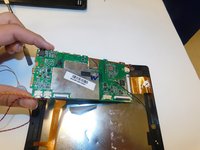
  6. Digiland 10.1'' DL1016 Screen Replacement: 6 단계, 이미지 2개 중 1개 Digiland 10.1'' DL1016 Screen Replacement: 6 단계, 이미지 2개 중 2개
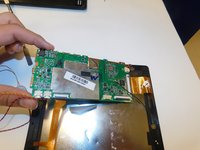
    • Make sure the ribbon cables are free or unconnected so the motherboard is able to be moved.

    • Use a metal spudger to slide underneath the motherboard and push it up so it's unstuck from the tablet.

    • Lift up the motherboard and place it somewhere that is clean and kept safe.

  7. Digiland 10.1'' DL1016 Screen Replacement, Screen: 7 단계, 이미지 2개 중 1개 Digiland 10.1'' DL1016 Screen Replacement, Screen: 7 단계, 이미지 2개 중 2개
    • Remove the tape from the backside of the tablet along with the wiring.

    • Make space so you can pry the motherboard away from the digitizer.

  8. Digiland 10.1'' DL1016 Screen Replacement: 8 단계, 이미지 2개 중 1개 Digiland 10.1'' DL1016 Screen Replacement: 8 단계, 이미지 2개 중 2개
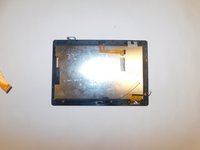
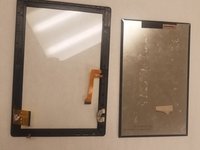
    • Once the motherboard is pulled away, the screen should be free of all other components.

    • Check around the edges so that no tape is stuck to the edges or wiring and just push off digitizer and replace screen if needed.

결론

To reassemble your device, follow these instructions in reverse order.

작성자

2다른 기여자 명과 함께

Virginia Tapia

회원 가입일: 08/26/19

395 평판

안내서 3개를 작성함

Gateway, Team S1-G2, Saknee Fall 2019 Gateway, Team S1-G2, Saknee Fall 2019 회원

GCC-SAKNEE-F19S1G2

4 회원들

안내서 5개를 작성함

3가이드 댓글

Where can i get the screen for this tablet? i need to order online and currently i am in india.

Arivu Alagan - 답글

Where will I get screen in kenya

Josphat Mutai - 답글

My phone crack,I need screen only

Josphat Mutai - 답글

댓글 쓰기

조회 통계:

지난 24시간: 0

지난 7일: 1

지난 30일: 8

전체 시간: 2,054