주요 콘텐츠로 건너뛰기

Disassembling Nokia 3395 Inner Components

필요한 것

  1. Disassembling Nokia 3395 Inner Components, Back Case: 1 단계, 이미지 3개 중 1개 Disassembling Nokia 3395 Inner Components, Back Case: 1 단계, 이미지 3개 중 2개 Disassembling Nokia 3395 Inner Components, Back Case: 1 단계, 이미지 3개 중 3개
    • Turn the phone off.

    • Hold the phone, and gently press the white button located at the bottom of the phone.

    • While pressing the button, slide the back plate upwards, opening the plate.

  2. Disassembling Nokia 3395 Inner Components, Battery: 2 단계, 이미지 2개 중 1개 Disassembling Nokia 3395 Inner Components, Battery: 2 단계, 이미지 2개 중 2개
    • Locate grey buttons beneath battery (shown).

    • Spread buttons simultaneously away from each other and the battery will pop out.

    • Remove battery from phone.

  3. Disassembling Nokia 3395 Inner Components, Front Case: 3 단계, 이미지 2개 중 1개 Disassembling Nokia 3395 Inner Components, Front Case: 3 단계, 이미지 2개 중 2개
    • Push the two black buttons on the side with your thumbs forward. This will release the front faceplate.

    • Flip over the device, and pry the faceplate away.

  4. Disassembling Nokia 3395 Inner Components, Screen: 4 단계, 이미지 2개 중 1개 Disassembling Nokia 3395 Inner Components, Screen: 4 단계, 이미지 2개 중 2개
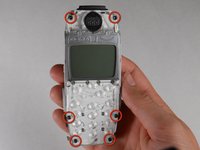
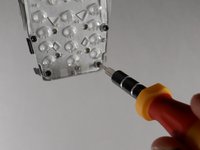
    • Remove six T6 screws.

  5. Disassembling Nokia 3395 Inner Components: 5 단계, 이미지 2개 중 1개 Disassembling Nokia 3395 Inner Components: 5 단계, 이미지 2개 중 2개
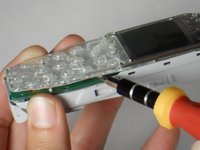
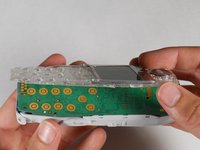
    • Insert spudger between screen assembly and phone body.

    • Spread apart as shown. Avoid damaging the screen assembly by removing the screen slowly.

  6. Disassembling Nokia 3395 Inner Components, Logic Board: 6 단계, 이미지 2개 중 1개 Disassembling Nokia 3395 Inner Components, Logic Board: 6 단계, 이미지 2개 중 2개
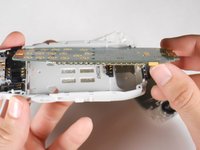
    • Remove logic board as shown.

  7. Disassembling Nokia 3395 Inner Components, Inner Components: 7 단계, 이미지 1개 중 1개
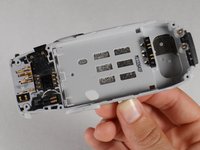
    • Use the following legend to locate each component:

    • Microphone/power assembly.

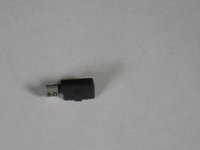
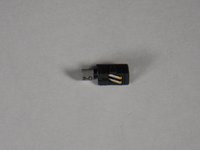
    • Vibrating unit.

    • SIM card reader.

    • Audio speaker.

    • Power toggle button.

    • Battery connector.

  8. Disassembling Nokia 3395 Inner Components: 8 단계, 이미지 2개 중 1개 Disassembling Nokia 3395 Inner Components: 8 단계, 이미지 2개 중 2개
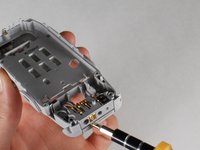
    • Insert spudger between power assembly/micro-phone and phone body.

    • Pry as shown and remove the power assembly/microphone.

  9. Disassembling Nokia 3395 Inner Components: 9 단계, 이미지 1개 중 1개
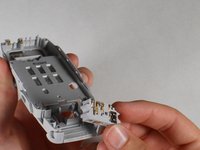
    • Once located, the following components are easily removed by pulling them out with your hand.

    • Microphone/power assembly.

    • Vibrating unit.

    • SIM card reader.

    • Audio speaker.

    • Power toggle button.

    • Battery connector.

  10. Disassembling Nokia 3395 Inner Components: 10 단계, 이미지 2개 중 1개 Disassembling Nokia 3395 Inner Components: 10 단계, 이미지 2개 중 2개
    • Audio speaker.

  11. Disassembling Nokia 3395 Inner Components: 11 단계, 이미지 2개 중 1개 Disassembling Nokia 3395 Inner Components: 11 단계, 이미지 2개 중 2개
    • SIM card reader.

  12. Disassembling Nokia 3395 Inner Components: 12 단계, 이미지 2개 중 1개 Disassembling Nokia 3395 Inner Components: 12 단계, 이미지 2개 중 2개
    • Vibrating unit.

  13. Disassembling Nokia 3395 Inner Components: 13 단계, 이미지 2개 중 1개 Disassembling Nokia 3395 Inner Components: 13 단계, 이미지 2개 중 2개
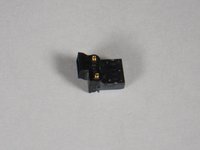
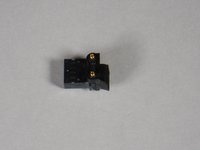
    • Power toggle button.

  14. Disassembling Nokia 3395 Inner Components: 14 단계, 이미지 2개 중 1개 Disassembling Nokia 3395 Inner Components: 14 단계, 이미지 2개 중 2개
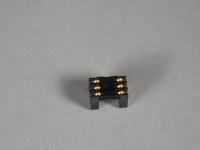
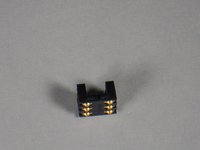
    • Battery connector.

결론

To reassemble your device, follow these instructions in reverse order.

다른 한 분이 해당 안내서를 완성하였습니다.

작성자

5다른 기여자 명과 함께

Nico Lee

회원 가입일: 04/19/10

83 평판

안내서 6개를 작성함

Cal Poly, Team 30-41, Garner Spring 2010 Cal Poly, Team 30-41, Garner Spring 2010 회원

CPSU-GARNER-S10S30G41

4 회원들

안내서 11개를 작성함

0가이드 댓글

댓글 쓰기

조회 통계:

지난 24시간: 0

지난 7일: 2

지난 30일: 8

전체 시간: 3,065