주요 콘텐츠로 건너뛰기

Droid Ultra XT1080 Charging Port Replacement

필요한 것

  1. Droid Ultra XT1080 Charging Port  Replacement, Charging Port: 1 단계, 이미지 1개 중 1개
    • Remove SIM card tray from the device with a plastic opening tool.

  2. Droid Ultra XT1080 Charging Port  Replacement: 2 단계, 이미지 1개 중 1개
    • Once SIM card tray is removed press the spudger between the plastic case and the frame of the device until you hear a snap.

    • Work your away around the device until all the plastic clips are undone.

    • Be gentle with the plastic to make sure it doesn't break.

  3. Droid Ultra XT1080 Charging Port  Replacement: 3 단계, 이미지 1개 중 1개
    • Remove the five screws on top of the device with a T5 Torx.

    • Remove the single screw holding the camera with a T4 Torx.

    • Remove the two screws on the bottom of the device with a T5 Torx.

  4. Droid Ultra XT1080 Charging Port  Replacement: 4 단계, 이미지 2개 중 1개 Droid Ultra XT1080 Charging Port  Replacement: 4 단계, 이미지 2개 중 2개
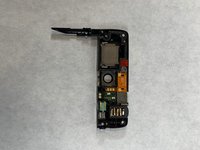
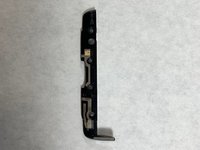
    • Once the screws are removed, use a plastic spudger and lift up the two plastic pieces that were secured by the screws.

  5. Droid Ultra XT1080 Charging Port  Replacement: 5 단계, 이미지 1개 중 1개
    • Remove the four T5 Torx screws securing the motherboard.

  6. Droid Ultra XT1080 Charging Port  Replacement: 6 단계, 이미지 1개 중 1개
    • Gently pry the motherboard out of the frame of the device.

  7. Droid Ultra XT1080 Charging Port  Replacement: 7 단계, 이미지 2개 중 1개 Droid Ultra XT1080 Charging Port  Replacement: 7 단계, 이미지 2개 중 2개
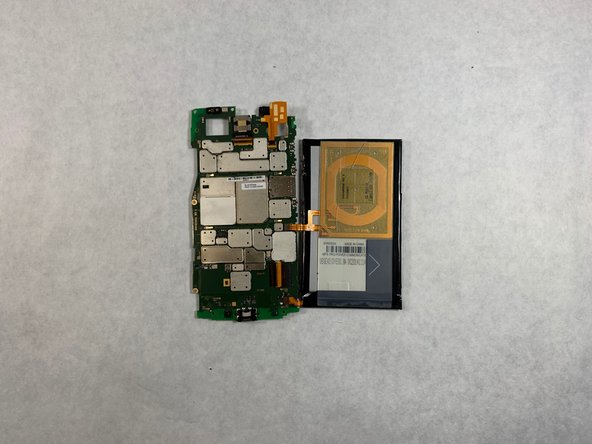
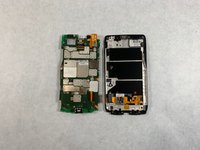
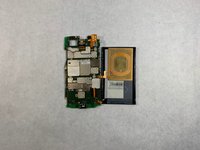
    • Once the motherboard is free flip it over on its back so all the components are showing.

  8. Droid Ultra XT1080 Charging Port  Replacement: 8 단계, 이미지 1개 중 1개
    • To fully replace the charging port you need to desolder the port and solder a new one in.

결론

To reassemble your device, follow these instructions in reverse order.

다른 한 분이 해당 안내서를 완성하였습니다.

작성자

1다른 기여자 명과 함께

knoyes

회원 가입일: 10/30/18

785 평판

안내서 5개를 작성함

UMass Dartmouth, Team S3-G8, Peak Fall 2018 UMass Dartmouth, Team S3-G8, Peak Fall 2018 회원

UMASSD-PEAK-F18S3G8

3 회원들

안내서 10개를 작성함

0가이드 댓글

댓글 쓰기

조회 통계:

지난 24시간: 0

지난 7일: 4

지난 30일: 11

전체 시간: 1,000