주요 콘텐츠로 건너뛰기

Eluktronics N850HK SSD Replacement

필요한 것
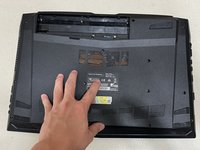
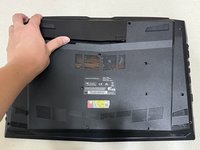
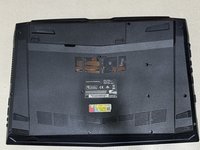
  1. Eluktronics N850HK SSD Replacement, SSD: 1 단계, 이미지 3개 중 1개 Eluktronics N850HK SSD Replacement, SSD: 1 단계, 이미지 3개 중 2개 Eluktronics N850HK SSD Replacement, SSD: 1 단계, 이미지 3개 중 3개
    • Push both switch locks inward to unlock the battery from the bottom panel.

    • The switch on the left must be held in place.

    • Remove the battery from the back of the laptop.

  2. Eluktronics N850HK SSD Replacement: 2 단계, 이미지 2개 중 1개 Eluktronics N850HK SSD Replacement: 2 단계, 이미지 2개 중 2개
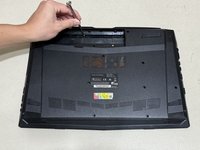
    • Use a Phillips #00 screwdriver to remove the twelve 4 mm screws from the bottom panel of the laptop.

  3. Eluktronics N850HK SSD Replacement: 3 단계, 이미지 2개 중 1개 Eluktronics N850HK SSD Replacement: 3 단계, 이미지 2개 중 2개
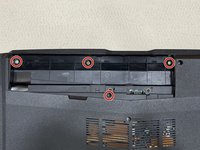
    • Use a Phillips #00 screwdriver to remove the four 3 mm screws located under where the battery usually rests.

    • Do not remove the two additional screws near the bottom screw. These are connected to the motherboard and do not need to be removed.

  4. Eluktronics N850HK SSD Replacement: 4 단계, 이미지 2개 중 1개 Eluktronics N850HK SSD Replacement: 4 단계, 이미지 2개 중 2개
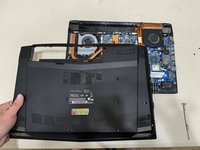
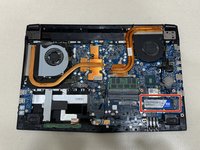
    • Lift the back case off and identify the SSD in the lower right corner.

    • Although the chances of damage are low, it is important to be aware of static electricity in your surroundings when working a computer motherboard. Ground yourself or use an anti-static wrist strap.

  5. Eluktronics N850HK SSD Replacement: 5 단계, 이미지 3개 중 1개 Eluktronics N850HK SSD Replacement: 5 단계, 이미지 3개 중 2개 Eluktronics N850HK SSD Replacement: 5 단계, 이미지 3개 중 3개
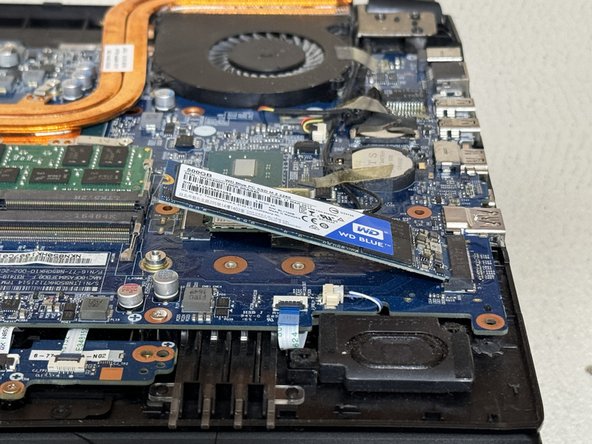
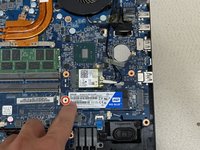
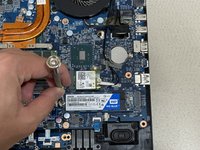
    • Use a Phillips #00 screwdriver to remove 3 mm screw securing the SSD.

    • The SSD will naturally lift by a few millimeters.

    • Carefully slide the SSD from the M.2 slot.

  6. Eluktronics N850HK SSD Replacement: 6 단계, 이미지 3개 중 1개 Eluktronics N850HK SSD Replacement: 6 단계, 이미지 3개 중 2개 Eluktronics N850HK SSD Replacement: 6 단계, 이미지 3개 중 3개
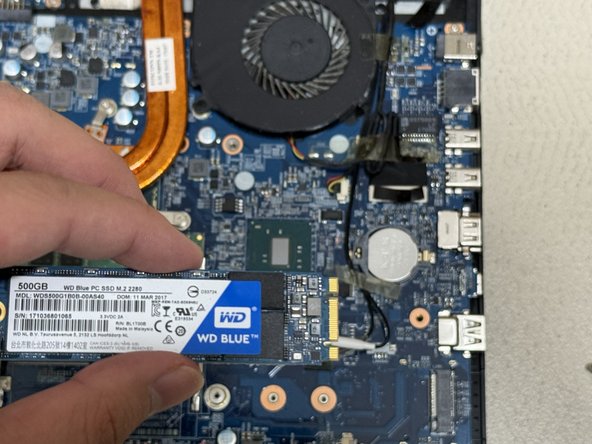
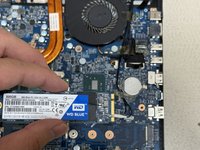
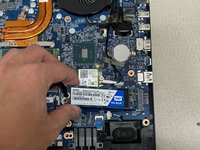
    • Use the ridges on the right side to align the SSD properly.

    • Slide the new SSD into the M.2 mounting slot.

    • Use the Phillips #00 screwdriver to replace the 3 mm screw that secures the SSD.

  7. Eluktronics N850HK SSD Replacement: 7 단계, 이미지 3개 중 1개 Eluktronics N850HK SSD Replacement: 7 단계, 이미지 3개 중 2개 Eluktronics N850HK SSD Replacement: 7 단계, 이미지 3개 중 3개
    • Reassemble by following the directions in reverse order.

결론

Alternative models where this guide may still apply:

  • Eluktronics N857HK1
  • Eluktronics N850HP6

다른 4명이 해당 안내서를 완성하였습니다.

작성자

1다른 기여자 명과 함께

Brandon Yuan

회원 가입일: 06/22/24

226 평판

안내서 1개를 작성함

0가이드 댓글

댓글 쓰기

조회 통계:

지난 24시간: 13

지난 7일: 102

지난 30일: 345

전체 시간: 4,176