주요 콘텐츠로 건너뛰기
수리 커뮤니티 가입 - 계정 만들기
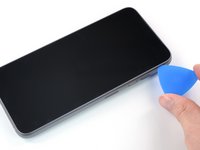
Fairphone 4 Screen Replacement

필요한 것

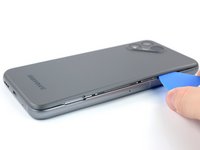
  1. Fairphone 4 Screen Replacement, Pry the back cover up: 1 단계, 이미지 2개 중 1개 Fairphone 4 Screen Replacement, Pry the back cover up: 1 단계, 이미지 2개 중 2개
    • Be sure to power off your phone before you begin.

    • Insert your thumbnail, or a prying tool like a spudger, into the notch at the bottom right of the back cover.

    • Pry the back cover up to start separating its plastic clips.

  2. Fairphone 4 Screen Replacement: 2 단계, 이미지 3개 중 1개 Fairphone 4 Screen Replacement: 2 단계, 이미지 3개 중 2개 Fairphone 4 Screen Replacement: 2 단계, 이미지 3개 중 3개
    • Using your thumbnail or an opening pick, slide along the right side of the phone to loosen the plastic clips.

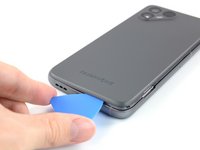
  3. Fairphone 4 Screen Replacement: 3 단계, 이미지 3개 중 1개 Fairphone 4 Screen Replacement: 3 단계, 이미지 3개 중 2개 Fairphone 4 Screen Replacement: 3 단계, 이미지 3개 중 3개
    • Slide along the bottom of the phone to loosen the plastic clips.

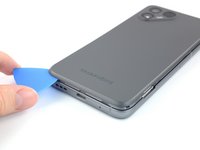
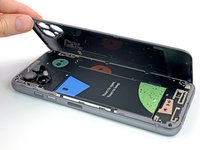
  4. Fairphone 4 Screen Replacement: 4 단계, 이미지 3개 중 1개 Fairphone 4 Screen Replacement: 4 단계, 이미지 3개 중 2개 Fairphone 4 Screen Replacement: 4 단계, 이미지 3개 중 3개
    • Slide along the left side of the phone to loosen the plastic clips.

    • Lift the back cover to release the rest of the plastic clips and remove it.

    • To reinstall the back cover press it firmly into place until you hear a snap from the plastic clips.

  5. Fairphone 4 Screen Replacement, Lever up the Battery: 5 단계, 이미지 3개 중 1개 Fairphone 4 Screen Replacement, Lever up the Battery: 5 단계, 이미지 3개 중 2개 Fairphone 4 Screen Replacement, Lever up the Battery: 5 단계, 이미지 3개 중 3개
    • Use a fingernail or a prying tool at the marked notch to lever the battery out of its recess.

    • Lift the battery out of its recess and remove it.

    • Remove the battery.

  6. Fairphone 4 Screen Replacement, Unscrew the display: 6 단계, 이미지 1개 중 1개
    • Remove the eight 4.8 mm-long Phillips screws.

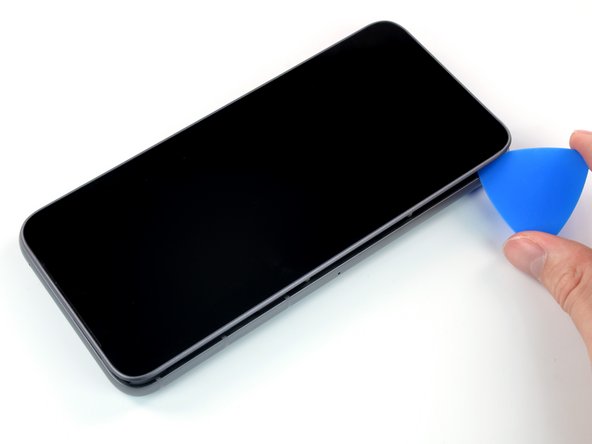
  7. Fairphone 4 Screen Replacement, Create a gap: 7 단계, 이미지 3개 중 1개 Fairphone 4 Screen Replacement, Create a gap: 7 단계, 이미지 3개 중 2개 Fairphone 4 Screen Replacement, Create a gap: 7 단계, 이미지 3개 중 3개
    • Flip the phone over so the screen faces up

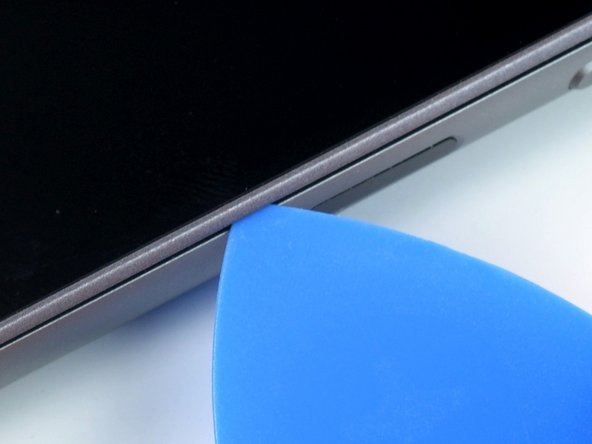
    • Insert an opening pick between the screen and the frame.

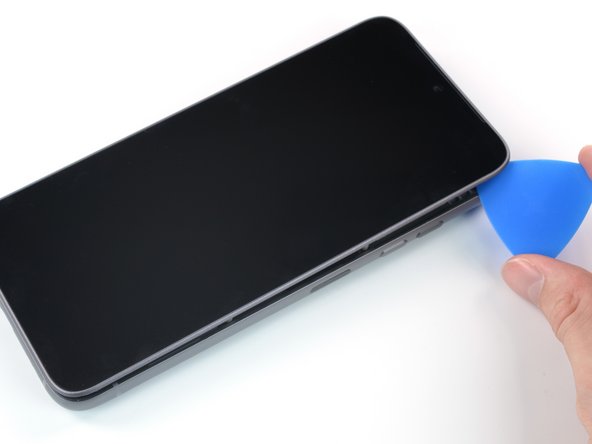
  8. Fairphone 4 Screen Replacement, Slide along the edge: 8 단계, 이미지 2개 중 1개 Fairphone 4 Screen Replacement, Slide along the edge: 8 단계, 이미지 2개 중 2개
    • Slide the opening pick along the edge to the top right corner.

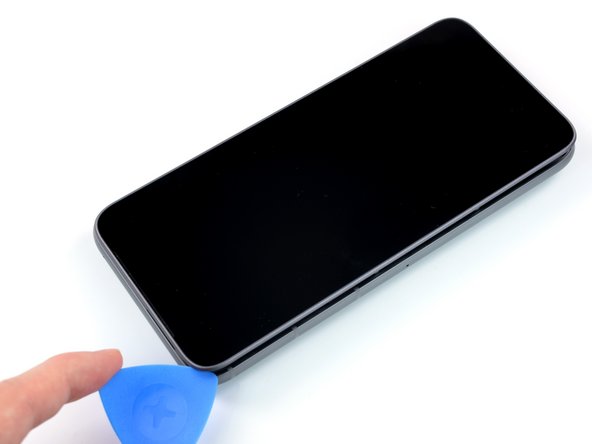
  9. Fairphone 4 Screen Replacement: 9 단계, 이미지 2개 중 1개 Fairphone 4 Screen Replacement: 9 단계, 이미지 2개 중 2개
    • Continue to slide the opening pick along the top of the phone.

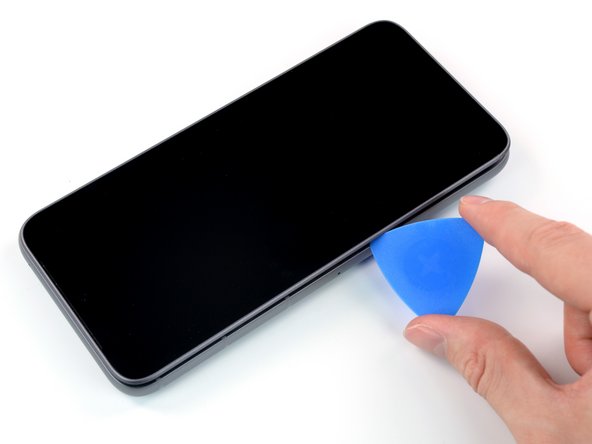
  10. Fairphone 4 Screen Replacement: 10 단계, 이미지 3개 중 1개 Fairphone 4 Screen Replacement: 10 단계, 이미지 3개 중 2개 Fairphone 4 Screen Replacement: 10 단계, 이미지 3개 중 3개
    • Slide the opening pick along the left side to the bottom left corner.

  11. Fairphone 4 Screen Replacement, Flip the screen over: 11 단계, 이미지 3개 중 1개 Fairphone 4 Screen Replacement, Flip the screen over: 11 단계, 이미지 3개 중 2개 Fairphone 4 Screen Replacement, Flip the screen over: 11 단계, 이미지 3개 중 3개
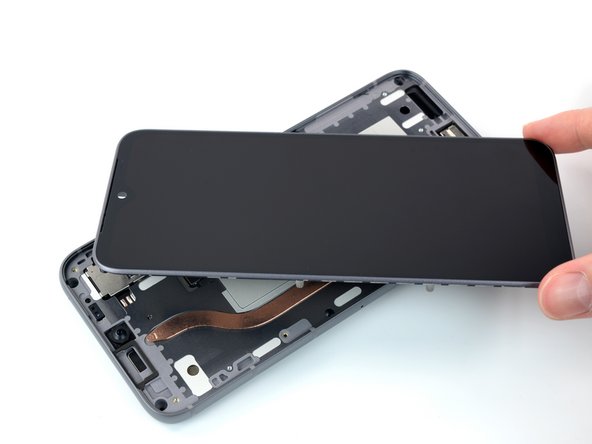
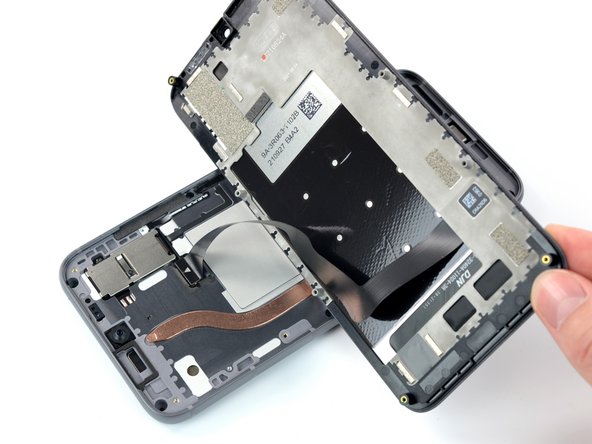
    • Do not remove the screen yet. It's still connected to the phone with a connection cable.

    • Grab the screen and lift it straight up just enough to clear its pegs from the frame.

    • Rotate the display carefully clock-wise and flip it over to get access to the connector.

    • Place the display on the device with the screen facing downwards.

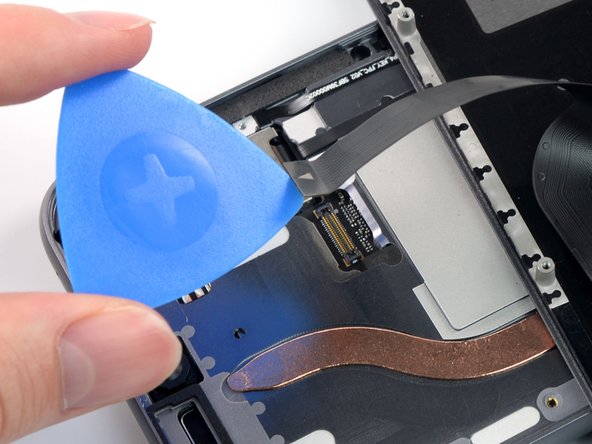
  12. Fairphone 4 Screen Replacement, Disconnect the cable: 12 단계, 이미지 2개 중 1개 Fairphone 4 Screen Replacement, Disconnect the cable: 12 단계, 이미지 2개 중 2개
    • Use an opening pick to pry up and disconnect the display connection cable.

    • Remove the screen.

    • Compare your new replacement screen to the original part—you may need to remove a front camera dust cover before you install it.

결론

To reassemble your device, follow these instructions in reverse order.

Take your e-waste to an R2 or e-Stewards certified recycler.

Repair didn’t go as planned? Try some basic troubleshooting, or ask our Answers community for help.

다른 27명이 해당 안내서를 완성하였습니다.

작성자

2다른 기여자 명과 함께

Manuel Haeussermann

회원 가입일: 07/13/22

25,098 평판

안내서 71개를 작성함

iFixit iFixit 회원

Staff

123 회원들

안내서 25,583개를 작성함

16가이드 댓글

20-40 Minutes? ... more like 10 ... and I wasn't even pushing it

Patrick Küster - 답글 공유

Thanks for your comment! The time estimate was set a little too high, you're right. I've adjusted it!

Manuel Haeussermann - 공유

10 minutes, like you. Honnestly I'm so happy to be apple to fix it by my own. Thanks to the Fairphone's engineers. I would never buy another phone yet. And I hope I could keep this one 10 more years!

Cédric Chauveau - 공유

Vielen Dank für die präzise Anleitung. Auf alle heiklen Punkte wurde hingewiesen. Habe es locker geschafft und war danach ganz stolz!

Johanna - 답글 공유

I can confirm that you need a #0 screwdriver, not a #00, as has been changed in the latest unchecked version.

Jonathan - 답글 공유

댓글 쓰기

조회 통계:

지난 24시간: 26

지난 7일: 187

지난 30일: 651

전체 시간: 25,530