소개
If the LCD screen in your Game Boy Pocket is damaged or simply not working and needs replaced, this guide will help you replace and repair your screen. No special skills are required for this replacement. All you need is a small Phillips screwdriver and a plastic opening tool. There is nothing unusual about this repair and it is straightforward.
필요한 것
-
-
Place the Game Boy Pocket face-down on a clean, flat surface.
-
Remove batteries from battery compartment.
-
Use a Y1 tri-wing screwdriver and turn counterclockwise to remove the four external screws.
-
Use a Y1 tri-wing screwdriver and turn counterclockwise to remove the two screws inside the battery compartment.
 FixBot에 문의하기
-
-
-
Place your hands on the front and back covers of the Game Boy Pocket, and carefully separate the device.
-
-
-
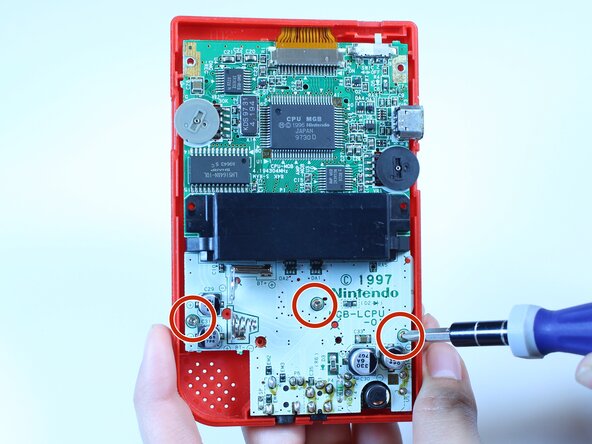
Use a Phillips #1 screwdriver and turn counterclockwise to remove the three screws on the motherboard.
-
-
-
-
Use a plastic opening tool to dislodge and remove the clip securing the ribbon cable.
-
-
-
Use a plastic opening tool to dislodge the ribbon cable.
-
-
-
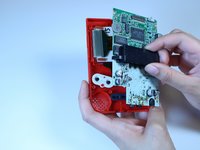
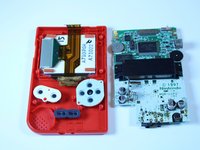
Grab the black piece protruding from the motherboard, and lift up to remove the motherboard.
-
-
-
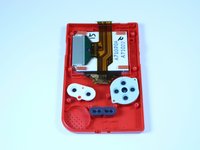
Use a plastic opening tool to lift the LCD screen away from the front cover.
-
Use your fingers to remove the LCD screen.
-






To reassemble your device, follow these instructions in reverse order. Take your e-waste to an R2 or e-Stewards certified recycler.
다른 21명이 해당 안내서를 완성하였습니다.

팀

USF Tampa, Team 1-1, Leahy Fall 2014 USF Tampa, Team 1-1, Leahy Fall 2014 회원
USFT-LEAHY-F14S1G1
4 회원들
안내서 24개를 작성함
3가이드 댓글
please can anyone give me a website that sells replacemtn screens for the Gameboy pocket?
help please - 답글 공유
There's no website that sells replacement screens the only way to get one is to order another Gameboy off of eBay and take out the screen
Isaac fraser - 답글 공유
I get mine from Handheld Legend. They have all the Gameboy parts you could ever want.
Chris Pavlik - 답글 공유
