주요 콘텐츠로 건너뛰기

Gamestop G3 Gamecube Left and Right Trigger Replacement

필요한 것

  1. Gamestop G3 Gamecube Left and Right Trigger Replacement, Back Panel: 1 단계, 이미지 3개 중 1개 Gamestop G3 Gamecube Left and Right Trigger Replacement, Back Panel: 1 단계, 이미지 3개 중 2개 Gamestop G3 Gamecube Left and Right Trigger Replacement, Back Panel: 1 단계, 이미지 3개 중 3개
    • First, remove the 6 screws in the back panel and pull the back panel off.

    • Separate the halves of the controller. However, be careful when separating due to the little wires that could get mixed up.

  2. Gamestop G3 Gamecube Left and Right Trigger Replacement: 2 단계, 이미지 3개 중 1개 Gamestop G3 Gamecube Left and Right Trigger Replacement: 2 단계, 이미지 3개 중 2개 Gamestop G3 Gamecube Left and Right Trigger Replacement: 2 단계, 이미지 3개 중 3개
    • Next, remove the rumble motor by unscrewing the 2 screws connecting it.

  3. Gamestop G3 Gamecube Left and Right Trigger Replacement: 3 단계, 이미지 3개 중 1개 Gamestop G3 Gamecube Left and Right Trigger Replacement: 3 단계, 이미지 3개 중 2개 Gamestop G3 Gamecube Left and Right Trigger Replacement: 3 단계, 이미지 3개 중 3개
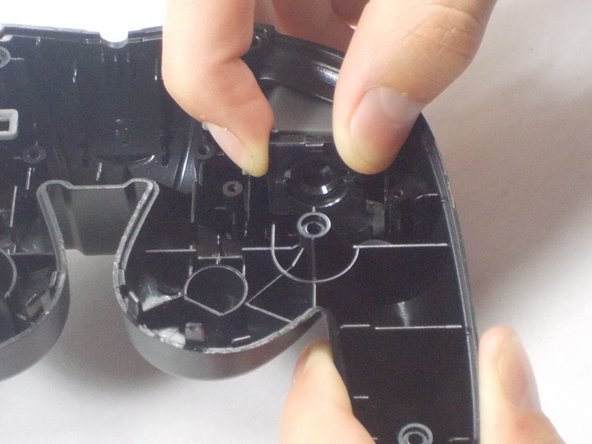
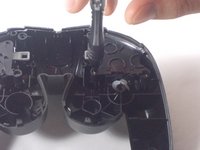
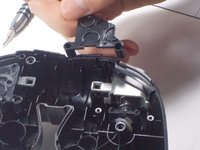
    • Finally remove the screws holding in the right and left triggers. It's easiest to hold the trigger together as shown in the third picture. Remove both the left and right trigger, and then you have successfully removed your back panel.

  4. Gamestop G3 Gamecube Left and Right Trigger Replacement, Left and Right Trigger: 4 단계, 이미지 2개 중 1개 Gamestop G3 Gamecube Left and Right Trigger Replacement, Left and Right Trigger: 4 단계, 이미지 2개 중 2개
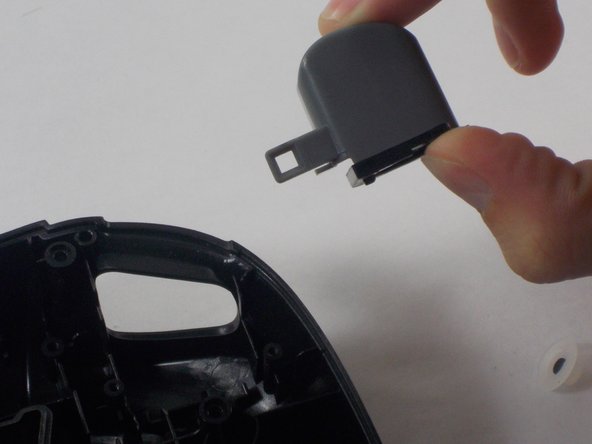
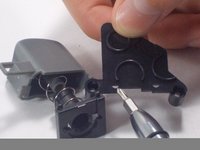
    • Remove the screws holding the plastic bumper cover in place and remove it.

  5. Gamestop G3 Gamecube Left and Right Trigger Replacement: 5 단계, 이미지 3개 중 1개 Gamestop G3 Gamecube Left and Right Trigger Replacement: 5 단계, 이미지 3개 중 2개 Gamestop G3 Gamecube Left and Right Trigger Replacement: 5 단계, 이미지 3개 중 3개
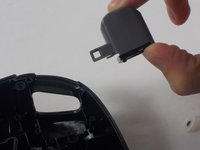
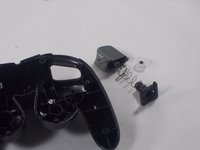
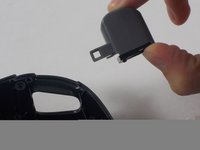
    • At this point you should be able to remove the bumper along with its spring from the controller.

    • Clean thoroughly underneath the bumper and remove any dirt or debris before reattaching.

    • To reassemble the device, follow these steps in reverse order.

결론

To reassemble your device, follow these instructions in reverse order.

작성자

4다른 기여자 명과 함께

John Harrison

회원 가입일: 10/28/16

213 평판

안내서 2개를 작성함

UMass Dartmouth, Team 3-5, Isaacson Fall 2016 UMass Dartmouth, Team 3-5, Isaacson Fall 2016 회원

UMASSD-ISAACSON-F16S3G5

3 회원들

안내서 10개를 작성함

0가이드 댓글

댓글 쓰기

조회 통계:

지난 24시간: 0

지난 7일: 4

지난 30일: 8

전체 시간: 504