소개
I searched far and wide and only found videos that repaired the 935. There was one that showed the 945 but didn't actually show you the repair or the back of the screen. I was confused on an extra part (later found out it was the NFC antenna, thanks to this community) that didn't come with my replacement. Figured it out.
필요한 것
-
-
You can find replacement screens on eBay and amazon. I paid $40 plus tax. If you want to skip all these instructions, Garmin offered to replace mine for $160...I kindly declined.
-
-
-
I used a hairdryer on max heat. Went around all the edges of the screen for about 2 minutes. I was careful to avoid the bands since they are rubber.
-
-
-
Take your time here. I would wiggle and pry slowly until I caught a ledge. Then slowly pulled up while working the razor around.
-
-
-
이 단계에 사용된 도구:Tweezers$4.99
-
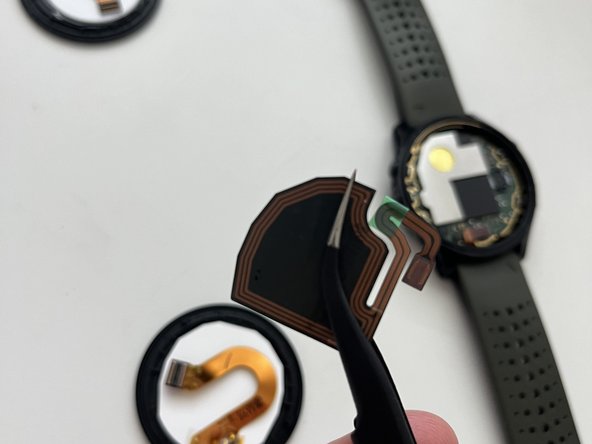
Use tweezers here and be careful to not poke any other components.
-
-
-
The picture shows the glue after it hardened and I had already taken it out. If it feels really stuck, apply a but more heat. Once you get a good portion out you can use that as a handle and slowly lift the rest out.
-
-
-
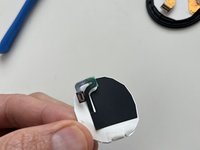
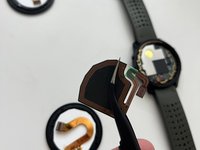
Depending on if your replacement came with this black piece (mine did not), you may want to use this on your new screen. I used tweezers to gently peel it off and stick on the new screen. Just make sure you see exactly where it is placed before removing because the ribbon cable connectors need to align properly.
-
-
-
This was the longest step for me. The NFC connector (black) is really small and hard to get on the dock. Use good lighting and patience and a plastic tool. Some guides say to apply glue first but it took me a while to get this part on. Im glad I waited till after to apply glue
-
-
-
Picture here shows cable disconnected but connect it first. While holding the screen in one hand, apply B7000 glue all around the ledge. Wear gloves to prevent it from getting on your hands. Apply more glue than you think you need. Then firmly press the screen down in place. Remove excess glue from the outside with an alcohol wipe.
-
-
-
B7000 says 2 hours minimum and 24 hours for full cure. And now your done!
-




Done!
다른 3명이 해당 안내서를 완성하였습니다.



5가이드 댓글
Hallo! Muss bei diesen Lufteinschlüssen das Display getauscht werden, oder reicht eine neuerliche Verklebung aus?
Lg Michael
Michael S. - 답글
The screen replacements usually come with the display and glass together. I don’t know if they are sold separately.
Thank you Will
Michael S. - 답글
Hallo, hat jemand getestet ob die Uhr danach wirklich wasserdicht ist?
Danke schon mal im Voraus
Ariane
Meiner funktioniert gut unter Wasser nach der Reparatur
