주요 콘텐츠로 건너뛰기

Garmin GPSmap 60CSx Screen Replacement

필요한 것

  1. Garmin GPSmap 60CSx Screen Replacement, Back Cover and AA Batteries: 1 단계, 이미지 1개 중 1개
    • Lift and twist the battery cover release 90 degrees counterclockwise on the back of the device.

  2. Garmin GPSmap 60CSx Screen Replacement: 2 단계, 이미지 1개 중 1개
    • Lift battery release up to remove battery cover.

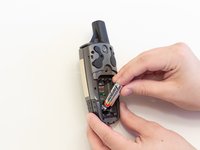
  3. Garmin GPSmap 60CSx Screen Replacement: 3 단계, 이미지 2개 중 1개 Garmin GPSmap 60CSx Screen Replacement: 3 단계, 이미지 2개 중 2개
    • Pull AA batteries out.

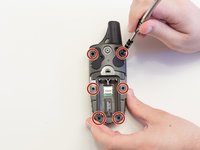
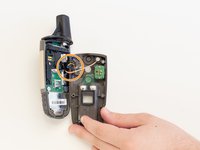
  4. Garmin GPSmap 60CSx Screen Replacement, Screen: 4 단계, 이미지 2개 중 1개 Garmin GPSmap 60CSx Screen Replacement, Screen: 4 단계, 이미지 2개 중 2개
    • Remove the six 10 mm screws on the back of the device with a Phillips #0 Screwdriver.

    • Flip the back panel over to view the green electronics board (the PCB) and the PCB cover.

    • Remove the black, yellow, blue, and red wires connected to the PCB with light force.

  5. Garmin GPSmap 60CSx Screen Replacement: 5 단계, 이미지 1개 중 1개
    • Take the spudger and place it in the bottom right corner of the black PCB cover.

    • Use the spudger to pry the corner out. This will need to be done to all four corners of the PCB cover.

    • It is best to do remove the bottom corners first.

    • Pull the PCB cover out of the GPSMap 60CSx.

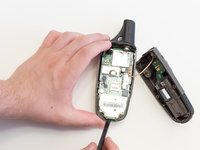
  6. Garmin GPSmap 60CSx Screen Replacement: 6 단계, 이미지 2개 중 1개 Garmin GPSmap 60CSx Screen Replacement: 6 단계, 이미지 2개 중 2개
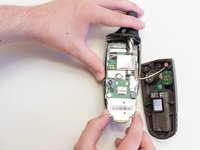
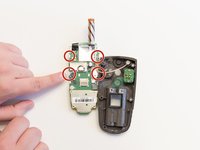
    • Carefully use the spudger to lift the PCB a few centimeters.

    • Pull the PCB towards the bottom of the GPSMap 60CSx.

    • This will pull the other components out of the GPSMap 60CSx like the antenna and the screen.

  7. Garmin GPSmap 60CSx Screen Replacement: 7 단계, 이미지 3개 중 1개 Garmin GPSmap 60CSx Screen Replacement: 7 단계, 이미지 3개 중 2개 Garmin GPSmap 60CSx Screen Replacement: 7 단계, 이미지 3개 중 3개
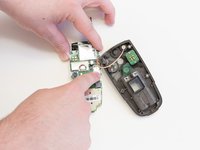
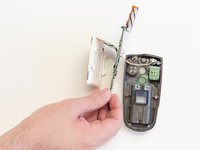
    • Apply light pressure to the four white tabs that are holding the screen in place.

    • The screen will now come off the PCB.

  8. Garmin GPSmap 60CSx Screen Replacement: 8 단계, 이미지 1개 중 1개
    • Turn the PCB over so the screen connector is facing you.

    • Move the screen out of the way for access to the screen connector.

  9. Garmin GPSmap 60CSx Screen Replacement: 9 단계, 이미지 3개 중 1개 Garmin GPSmap 60CSx Screen Replacement: 9 단계, 이미지 3개 중 2개 Garmin GPSmap 60CSx Screen Replacement: 9 단계, 이미지 3개 중 3개
    이 단계에 사용된 도구:
    Tweezers
    $4.99
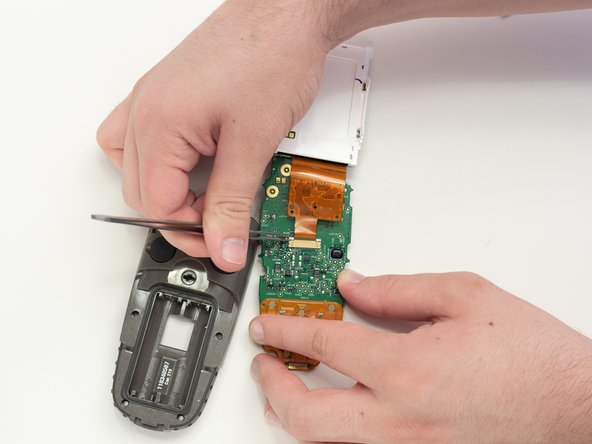
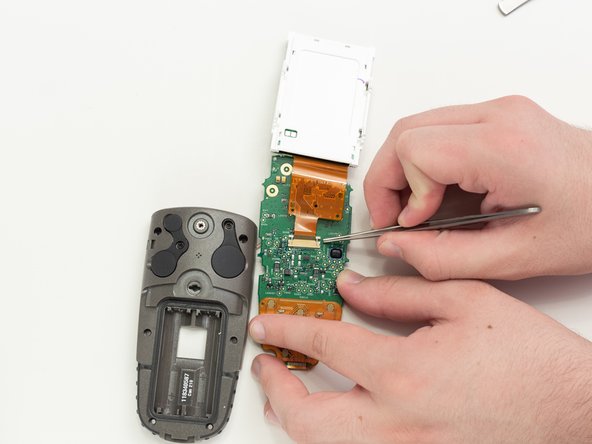
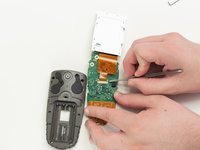
    • Use tweezers to pull the two white pins on the connector forward.

  10. Garmin GPSmap 60CSx Screen Replacement: 10 단계, 이미지 1개 중 1개
    • Remove the screen ribbon connector and screen.

결론

To reassemble your device, follow these instructions in reverse order.

다른 5명이 해당 안내서를 완성하였습니다.

작성자

6다른 기여자 명과 함께

Thomas Humphrey

회원 가입일: 04/05/18

546 평판

안내서 4개를 작성함

2가이드 댓글

i have a 60csx and the battery bounces the liquid, can help me?

salvador2707 - 답글

Thank you for these step by step detailed instructions.

jlciscorp - 답글

댓글 쓰기

조회 통계:

지난 24시간: 0

지난 7일: 10

지난 30일: 54

전체 시간: 5,323