주요 콘텐츠로 건너뛰기

Gateway SA1 Cooling Fan Replacement

필요한 것

  1. Gateway SA1 Cooling Fan Replacement, Battery: 1 단계, 이미지 1개 중 1개
    • Move the latch to the right of the battery to unlock.

  2. Gateway SA1 Cooling Fan Replacement: 2 단계, 이미지 1개 중 1개
    • Slide the latch on the left directly below the battery to unlock and pull out the battery as shown.

    • The latch must be held in position to remove the battery.

  3. Gateway SA1 Cooling Fan Replacement, Cooling Fan: 3 단계, 이미지 2개 중 1개 Gateway SA1 Cooling Fan Replacement, Cooling Fan: 3 단계, 이미지 2개 중 2개
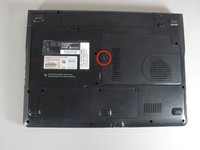
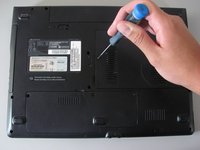
    • Unscrew the indicated Philips screw.

    • Screw cannot be completely removed from cover.

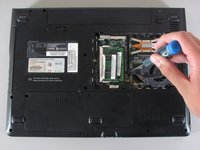
  4. Gateway SA1 Cooling Fan Replacement: 4 단계, 이미지 1개 중 1개
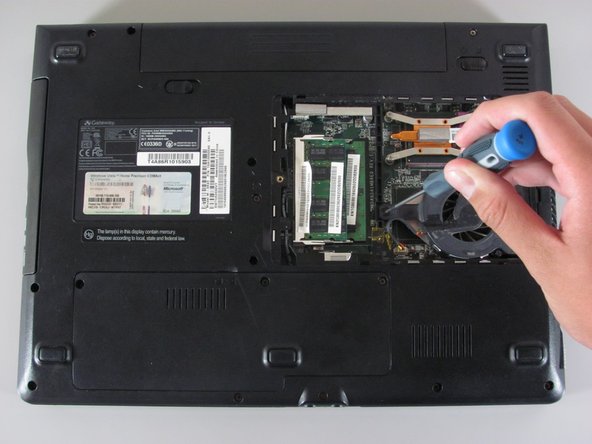
    • Use the spudger to pry open the cover.

    • There will be three tabs on each side except for the side with the screw.

  5. Gateway SA1 Cooling Fan Replacement: 5 단계, 이미지 2개 중 1개 Gateway SA1 Cooling Fan Replacement: 5 단계, 이미지 2개 중 2개
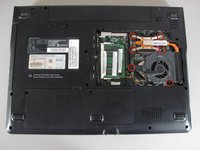
    • Unscrew the six indicated Philips screws.

    • These screws cannot be completely removed from the cooling fan component.

  6. Gateway SA1 Cooling Fan Replacement: 6 단계, 이미지 1개 중 1개
    • Unplug the shown cable attaching the cooling fan to the computer.

  7. Gateway SA1 Cooling Fan Replacement: 7 단계, 이미지 1개 중 1개
    • You are now able to remove the cooling fan.

결론

To reassemble your device, follow these instructions in reverse order.

다른 7명이 해당 안내서를 완성하였습니다.

작성자

5다른 기여자 명과 함께

Diego Carteno

회원 가입일: 04/15/10

273 평판

안내서 7개를 작성함

Cal Poly, Team 24-20, Regan Spring 2010 Cal Poly, Team 24-20, Regan Spring 2010 회원

CPSU-REGAN-S10S24G20

4 회원들

안내서 14개를 작성함

0가이드 댓글

댓글 쓰기

조회 통계:

지난 24시간: 1

지난 7일: 2

지난 30일: 7

전체 시간: 13,624